
Security cameras are often black and white at night because infrared light helps them see in low-light conditions.
If you have wondered why are security cameras black and white, the answer is usually linked to night vision, image sensors, and infrared LEDs. This guide explains how security cameras switch between color and grayscale, what affects image quality, and how to fix unwanted black-and-white video.
Why Are Security Cameras Black and White at Night?
The main reason security cameras are black and white is that there is not enough visible light for the camera to create a clear color image. At night, most cameras use infrared light to capture details that human eyes cannot see.
Infrared light is outside the visible color range. The camera sensor can detect this light, but it cannot use it to create normal red, blue, and green colors. As a result, the video appears in black and white or grayscale.
This design is practical. A clear black-and-white image is often more useful than a dark, blurry color image. It can show a person’s face, body shape, movement, or clothing pattern with better detail.
Common reasons for black-and-white security footage include:
• Night vision mode is active.
• The area has very little visible light.
• Infrared LEDs are turned on.
• The camera is set to grayscale in its menu.
• The camera sensor is aging or damaged.
• A setting, cable, or power problem is affecting the image.
So, when asking why are security cameras black and white, night vision is usually the first thing to check.

How Security Camera Night Vision Works
Security camera night vision uses a light-sensitive image sensor and infrared LEDs. The LEDs shine infrared light across a scene, while the sensor records the light reflected from people, walls, vehicles, and other objects.
A small filter inside many cameras controls infrared light. During the day, an infrared-cut filter blocks most infrared rays. This helps the camera produce accurate color. At night, the filter moves away from the sensor, allowing infrared light to reach it.
The camera then changes to black-and-white mode. This process is automatic on most indoor, outdoor, wired, and wireless security cameras.
Think of it like switching from sunglasses to a flashlight. In the daytime, the camera relies on normal light. At night, it uses infrared light to reveal shapes and movement.
Some cameras use a mechanical IR-cut filter. You may hear a soft click when the camera changes modes. That sound is normal and often means the camera is switching between day and night settings.
Modern cameras may also use:
• Infrared LEDs for complete darkness.
• Starlight sensors for very low visible light.
• Digital noise reduction to reduce grain.
• Wide dynamic range to balance bright and dark areas.
• Full-color night vision with a white spotlight.
Understanding these parts makes it easier to see why are security cameras black and white in dark areas.

Why Infrared Night Vision Uses Black and White Video
Infrared night vision uses black and white video because infrared light does not carry the same color information as visible light. The camera can measure how much infrared light reaches each pixel, but it cannot accurately identify normal colors from that signal.
For example, a red shirt and a blue shirt may look similar under infrared light. The camera may show both as light gray or dark gray. This is not a fault. It is a limit of the light used for the image.
Black-and-white video also has several technical advantages:
• It creates a sharper image in dark areas.
• It improves contrast between objects and backgrounds.
• It reduces color noise and false colors.
• It helps the camera work with less light.
• It uses the sensor more efficiently at night.
This is why security professionals often accept grayscale video as a normal part of night surveillance. In many cases, detail matters more than color.
Still, black-and-white footage has limits. You may not know the exact color of a car, jacket, or backpack. If color identification is important, choose a camera with a built-in light or a strong low-light color sensor.
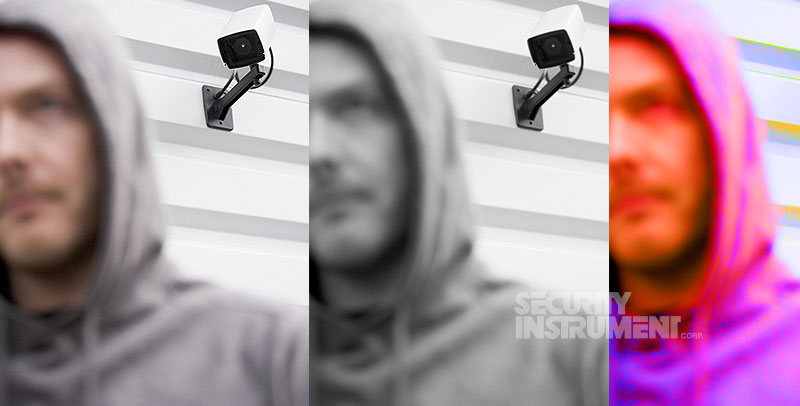
Why Are Security Cameras Black and White During the Day?
Although nighttime is the most common cause, security cameras can also stay black and white during the day. This usually points to a setting, lighting problem, or hardware issue.
Start by checking the camera’s day and night settings. Some systems allow a user to select color, black and white, or automatic mode. If the camera was set to black and white manually, it may not return to color on its own.
Low indoor light can also cause this issue. A camera in a dark hallway, garage, basement, or covered porch may decide that night mode is needed, even during the afternoon.
Other possible causes include:
• The IR-cut filter is stuck in night mode.
• The camera lens is covered by dirt, dust, or moisture.
• The image sensor is failing.
• The camera is not receiving enough power.
• A video cable is loose or damaged.
• The recorder has an incorrect channel setting.
• The camera firmware needs an update.
In my experience with camera systems, users often replace the camera too soon. First, I check the image mode, power supply, lens, and cable. A simple reset or cleaning often solves the problem.
If only one camera is black and white while the others show color, the problem is likely local to that camera. If every camera changes at once, check the recorder, lighting, or system settings.
What Affects Black-and-White Security Camera Quality?
Not all black-and-white security footage looks the same. Some cameras produce a sharp image with clear faces. Others show soft shapes, bright spots, or heavy grain. Several factors affect the final result.
Infrared range
Every camera has a stated infrared range. A camera may claim a range of 80 feet, but real performance depends on the scene. Walls, rain, fog, and objects can reduce the useful distance.
Sensor size
A larger image sensor can often collect more light. This may improve low-light detail and reduce noise. Sensor quality matters as much as resolution.
Infrared reflection
White walls, license plates, and nearby objects can reflect too much infrared light. This may create a bright, washed-out image. Dark surfaces may reflect too little light and disappear into the background.
Camera placement
A camera aimed at a nearby wall, window, or shiny surface may produce glare. Outdoor cameras can also struggle when pointed toward streetlights or vehicle headlights.
Weather and dirt
Rain, snow, dust, spider webs, and condensation can scatter infrared light. The result may look foggy or hazy. Cleaning the lens cover is a basic but important maintenance task.
Video compression
A recorder or cloud platform may compress video. Heavy compression can remove fine detail, especially in dark scenes with movement.
These factors explain why are security cameras black and white in some areas but clear and colorful in others. The camera may be working correctly while the scene creates difficult viewing conditions.

Black and White Night Vision vs. Full-Color Night Vision
Black-and-white night vision and full-color night vision use different methods.
Traditional infrared night vision uses invisible infrared LEDs. It works in complete darkness and usually uses less visible light. The result is a grayscale image.
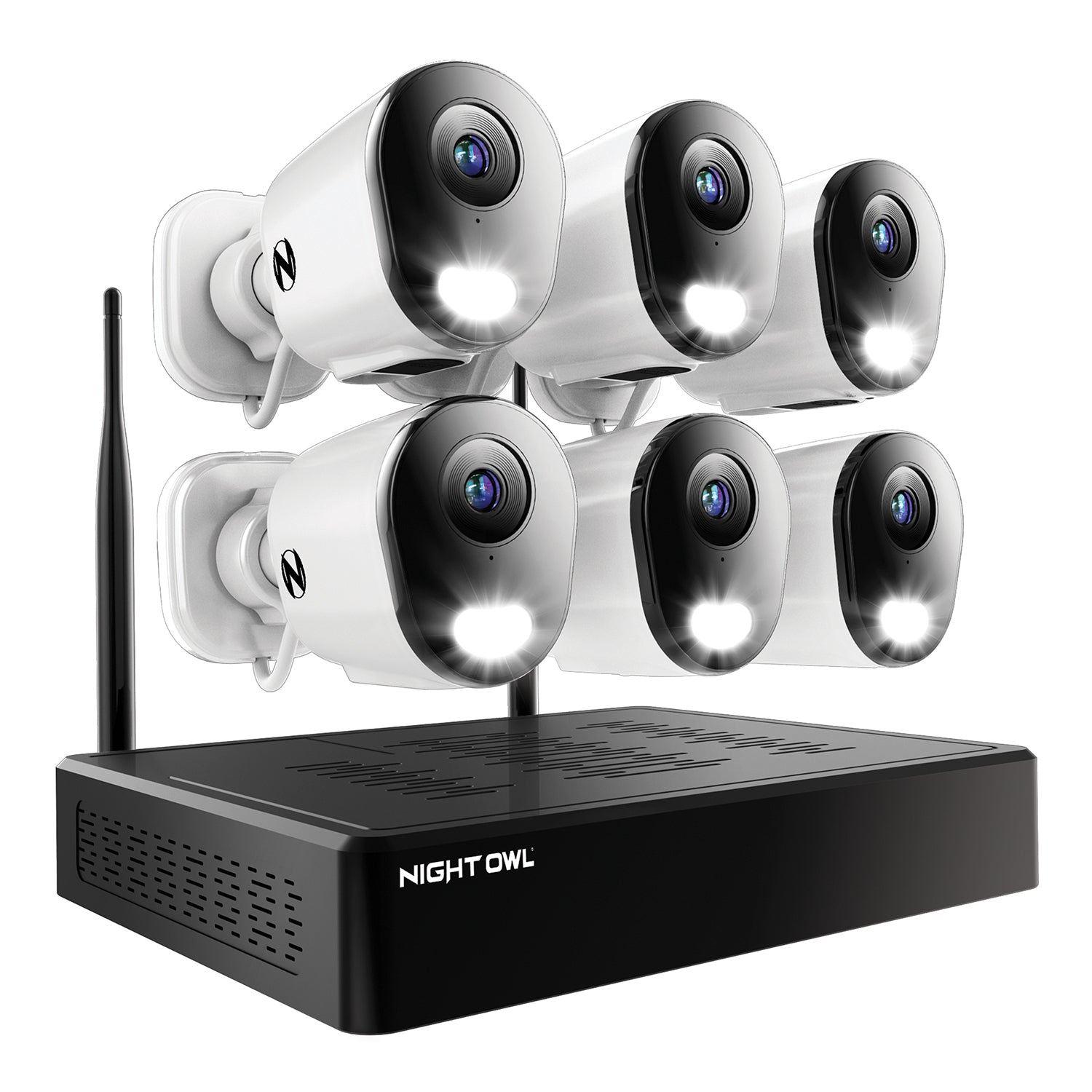
Full-color night vision uses a large sensor, a wide lens, a bright image processor, or a built-in white light. It needs some visible light to produce color. In total darkness, many full-color cameras must turn on a spotlight.
Black-and-white night vision benefits
• It works in very dark areas.
• It is less distracting than a bright spotlight.
• It often uses less power.
• It can provide strong contrast.
• It is common and usually affordable.
Full-color night vision benefits
• It can show clothing, vehicles, and objects in color.
• It may help identify a car or person.
• It can make footage easier to understand.
• It may provide a more natural-looking image.
Full-color night vision limitations
• A spotlight may annoy neighbors or attract attention.
• Bright lights can create glare.
• The camera may use more power.
• Color quality can drop in very low light.
Neither option is perfect. For a dark backyard, infrared may be best. For a store entrance or driveway, full-color night vision may provide useful clues.

How to Fix Security Cameras That Stay Black and White
If your camera should show color during the day but does not, use a simple step-by-step check.
- Check the camera mode
Open the camera app, web interface, or recorder menu. Look for settings named Day/Night, Image Mode, IR Mode, or Black and White. Set the mode to Auto or Color when appropriate.
- Improve the lighting
Turn on a porch light or add soft outdoor lighting. Avoid placing a bright light directly behind the subject. Even a small amount of visible light may help the camera remain in color mode.
- Clean the lens
Use a soft microfiber cloth. Remove dust, fingerprints, spider webs, and water marks from the lens cover. Do not use rough paper or strong household chemicals.
- Restart the camera
Power the camera off for about 30 seconds, then turn it on again. This can reset the day and night control.
- Inspect the cable and power
Check for loose connectors, damaged Ethernet cables, weak power adapters, or water inside outdoor connections. Insufficient power can cause unusual image behavior.
- Test the camera in another location
Move the camera or connect it to another port if possible. This helps identify whether the problem comes from the camera, cable, recorder, or power source.
- Check the infrared filter
If the camera clicks but remains in grayscale during bright daylight, the IR-cut filter may be stuck. This often requires professional repair or camera replacement.
- Update firmware
Manufacturers sometimes release updates that correct image and day/night problems. Use the correct firmware for your exact model.
Avoid shining a bright flashlight directly into the lens for a long time. A quick test is usually fine, but strong light can make the camera switch modes repeatedly.
When Black-and-White Security Footage Is Normal
Black-and-white video is normal when the camera is operating in night vision mode. It is also normal when the area has very low light or when infrared LEDs are active.
You can usually confirm this by checking for these signs:
• A faint red glow appears near the lens at night.
• The image changes to color after sunrise.
• The camera switches modes with a soft click.
• Other cameras in dark areas behave the same way.
• The image remains clear, even though it is grayscale.
A black-and-white image is more concerning when it appears during bright daylight, changes constantly, or includes strong lines and color distortion. In that case, check the settings and hardware.
One lesson I learned from troubleshooting security systems is not to judge a camera by color alone. A clean grayscale image can be more useful than a colorful image with blur, glare, or noise. Always check whether the footage clearly shows the details you need.
How to Choose a Security Camera for Better Night Images
If night image quality is important, look beyond the camera’s resolution number. A high megapixel rating does not guarantee a clear image in darkness.
Consider these features:
• A large image sensor for better low-light performance.
• A strong infrared range that matches the area.
• Smart IR to reduce overexposure on nearby faces.
• Wide dynamic range for entrances and headlights.
• A low-light or starlight sensor.
• Adjustable infrared intensity.
• A built-in white light for color night vision.
• Weather protection for outdoor use.
• Good reviews that show real nighttime footage.
Placement is just as important as the camera itself. Mount the camera high enough to prevent tampering, but not so high that faces become difficult to see. Aim it toward the approach path rather than directly at a bright lamp or window.
For a front door, place the camera where it can see a visitor’s face. For a driveway, angle it to capture both the vehicle and the person leaving it. Small changes in angle can improve night footage more than buying a higher-resolution model.
Common Mistakes That Reduce Night Vision Quality
Many poor nighttime images come from installation mistakes rather than bad cameras.
Pointing the camera through glass
Infrared light can reflect off the glass and create a bright haze. Outdoor cameras should normally be mounted outside rather than placed behind a window.
Mounting near a wall
A nearby wall can reflect infrared light into the lens. This may cause a white patch that hides the rest of the scene.
Ignoring spider webs
Spiders are attracted to some lights around cameras. Webs scatter infrared light and can make footage look cloudy.
Choosing the wrong infrared range
A short-range camera may not cover a large yard. A long-range camera may overexpose a small porch.
Relying only on resolution
More pixels cannot replace good light, proper focus, and correct placement. A well-positioned 2K camera may outperform a poorly placed 4K camera at night.
Leaving factory settings unchanged
Every property has different light levels and viewing distances. Adjust exposure, infrared strength, motion settings, and image mode after installation.
Avoid these errors, and the answer to why are security cameras black and white will be easier to understand because you can separate normal night vision from an installation problem.
Frequently Asked Questions About Why Are Security Cameras Black and White
Why are security cameras black and white at night?
Security cameras are black and white at night because they use infrared light when visible light is too weak. Infrared night vision helps the camera record clear shapes and movement without relying on normal color.
Can I make my security camera show color at night?
Yes, if the camera supports full-color night vision and the area has enough visible light. You may need to enable color mode or turn on a built-in spotlight.
Why is my security camera black and white during the day?
Check the day and night setting first. If the camera is set to Auto but remains grayscale in bright light, a stuck infrared filter, dirty lens, weak power supply, or hardware fault may be responsible.
Is black-and-white security footage better than color footage?
Black-and-white footage often performs better in complete darkness because it uses infrared light. Color footage can provide more identification detail when there is enough visible light, such as clothing or vehicle color.
Does black-and-white video mean my camera is broken?
Not usually. Grayscale video is normal when night vision is active. It may indicate a problem if the image stays black and white in bright daylight or shows flickering, severe blur, or unusual distortion.
Do all security cameras use infrared night vision?
No. Many cameras use infrared LEDs, but some use low-light sensors, white lights, or a combination of methods. Check the camera specifications to learn which type of night vision it supports.
Conclusion
Security cameras are usually black and white because infrared night vision works without visible light. The camera removes its infrared filter, uses infrared LEDs, and records a grayscale image with better contrast and detail.
Black-and-white video is normal at night, but it may signal a setting or hardware problem if it continues in bright daylight. Check the camera mode, clean the lens, inspect power and cables, and improve the lighting before replacing the unit.
Choose a camera based on your location, light levels, viewing distance, and need for color detail. Test the system at night, adjust its angle, and explore reliable security camera resources to build a clearer, safer monitoring setup.
Recent Posts
Parts of a 35mm Camera: Complete Guide to Every Key Part and Its Function
Learn the parts of a 35mm camera, what each part does, and how the lens, shutter, film chamber, viewfinder, and controls work together.
Parts of a Camera Canon: A Complete Guide to Canon Camera Parts and Functions
Learn the parts of a Canon camera, what each part does, and how the lens, sensor, shutter, controls, viewfinder, and screen work together.