
The cheapest vlogging camera is usually the smartphone you already own. It costs nothing extra, records good video, and is easy to edit and share in the United States.
If you want a new, dedicated vlogging camera, the Canon PowerShot V10 is often one of the lowest-cost options in the U.S. It has a built-in stand, front-facing screen, built-in microphones, 4K video, and a microphone input. Its price changes by store, sale, bundle, and stock level.
A used Sony ZV-1, older Canon G7 X, or basic action camera may cost less. However, used gear can need a new battery, memory card, or repair. The lowest sticker price is not always the lowest total cost.
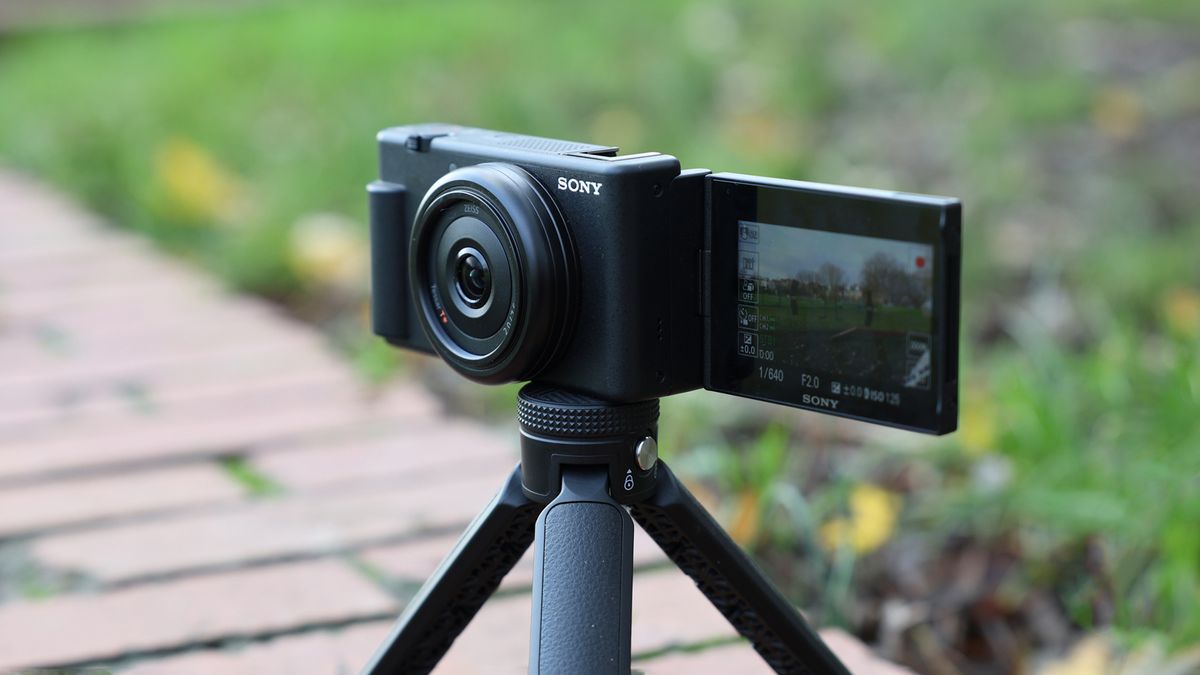
The Cheapest Vlogging Camera at a Glance
The right answer depends on what you already own and how you plan to vlog.
| Option | Typical cost in the U.S. | Best for | Main drawback |
|---|---|---|---|
| Existing smartphone | $0 extra | Beginners and casual vlogs | Small storage and limited zoom |
| Used smartphone | Often under $200 | Low-cost video and editing | Battery health can be poor |
| Used compact camera | About $150–$450 | Better camera controls | Used condition varies |
| Canon PowerShot V10 | Often about $300–$430 new | Simple talking-head vlogs | Limited lens and low-light performance |
| Used Sony ZV-1 | About $300–$500 | Better image quality and autofocus | Used prices vary |
| Entry-level action camera | About $200–$400 | Outdoor and moving shots | Less natural background blur |
These are broad U.S. market ranges, not fixed prices. Check the final price before buying. Sales, refurbished stock, taxes, shipping, and accessories can change the total.
Cheapest overall: your phone
A recent iPhone, Samsung Galaxy, Google Pixel, or similar phone can be the best value. Most phones offer:
- 4K video
- Good automatic exposure
- Built-in stabilization
- A front-facing camera
- Fast editing and sharing
- Easy wireless transfer
- Access to apps such as CapCut, iMovie, YouTube, and Adobe Premiere Rush
A phone is especially useful for TikTok, YouTube Shorts, Instagram Reels, and quick YouTube videos.
Cheapest dedicated vlogging camera: Canon PowerShot V10
The Canon PowerShot V10 was designed for creators. It is small and simple. Its built-in kickstand lets you place it on a desk without buying a separate tripod.
Canon lists features such as 4K video, stereo microphones, a vertical shooting mode, and a 3.5-millimeter microphone terminal. The camera also has a front-facing screen for framing yourself.
The V10 is a strong low-cost choice for:
- Indoor talking-head videos
- Desk videos
- Travel clips

- Cooking videos
- Live-style updates
- First-time camera buyers
It is not the best choice for dark rooms, long zoom shots, or fast sports. Its built-in lens is wide, which helps you fit yourself into the frame. It also means you cannot create the same lens effects as an interchangeable-lens camera.
What Makes a Camera Good for Vlogging?
A low price does not make a camera useful for vlogging. A good vlogging camera must make recording easy and produce a file that is simple to edit.
The most useful features are:
A front-facing screen
a screen that faces you helps confirm that your face is in the frame. It also lets you check whether the camera is too close, too far, or tilted.
A flip screen is helpful for solo creators. A fixed rear screen can work, but it makes framing harder.
Reliable autofocus
Autofocus keeps your face sharp as you move. Face detection and eye detection are useful for talking videos.
A cheap camera with poor autofocus may record soft footage. That problem can ruin a video even when the camera has a high-resolution sensor.
A wide lens
A wide lens lets you hold the camera at arm’s length or place it on a small tripod. It is useful in a small bedroom, kitchen, or office.
A lens that is too wide can make faces look stretched near the edges. Keep your face near the center of the frame.
A microphone input
Built-in microphones are convenient, but they pick up room noise. A 3.5-millimeter microphone input gives you the option to use a wired lavalier or small camera microphone.
Sound often matters more than a small increase in video quality. Viewers may tolerate average video. They are less likely to stay when speech is hard to hear.
Image stabilization
Stabilization helps reduce shake when you walk or hold the camera. It does not fix every movement.
Electronic stabilization can crop the image. Optical stabilization can use moving lens elements. A gimbal gives smoother movement but adds cost and weight.
Simple file transfer
A camera is easier to use when it can transfer files by USB or a phone app. Check whether the app works with your iPhone or Android phone before buying.
Canon PowerShot V10: Best Low-Cost New Vlogging Camera
The Canon PowerShot V10 is one of the clearest answers to “what is the cheapest vlogging camera?” It is a dedicated camera made for creators rather than a general compact camera with a video mode.
Why the Canon V10 is affordable
The V10 uses a fixed lens. You do not need to buy extra lenses. It also includes a built-in stand, so you may not need a tripod for basic desk videos.
Its design reduces the number of parts a new creator must learn. You can open the screen, set the camera down, and record.
Main strengths
- Small and light body
- Built-in stand
- Front-facing touchscreen
- 4K video recording
- Built-in stereo microphones
- External microphone port
- Vertical video support
- Simple controls
Main limits
- No interchangeable lenses
- Limited optical zoom
- Not ideal in very low light
- No large camera grip
- Battery life depends on settings and temperature
- A memory card and spare battery may still be needed
The V10 makes sense when you want a new camera with a warranty and a simple setup. It makes less sense if your phone already records better video or if you need strong low-light results.
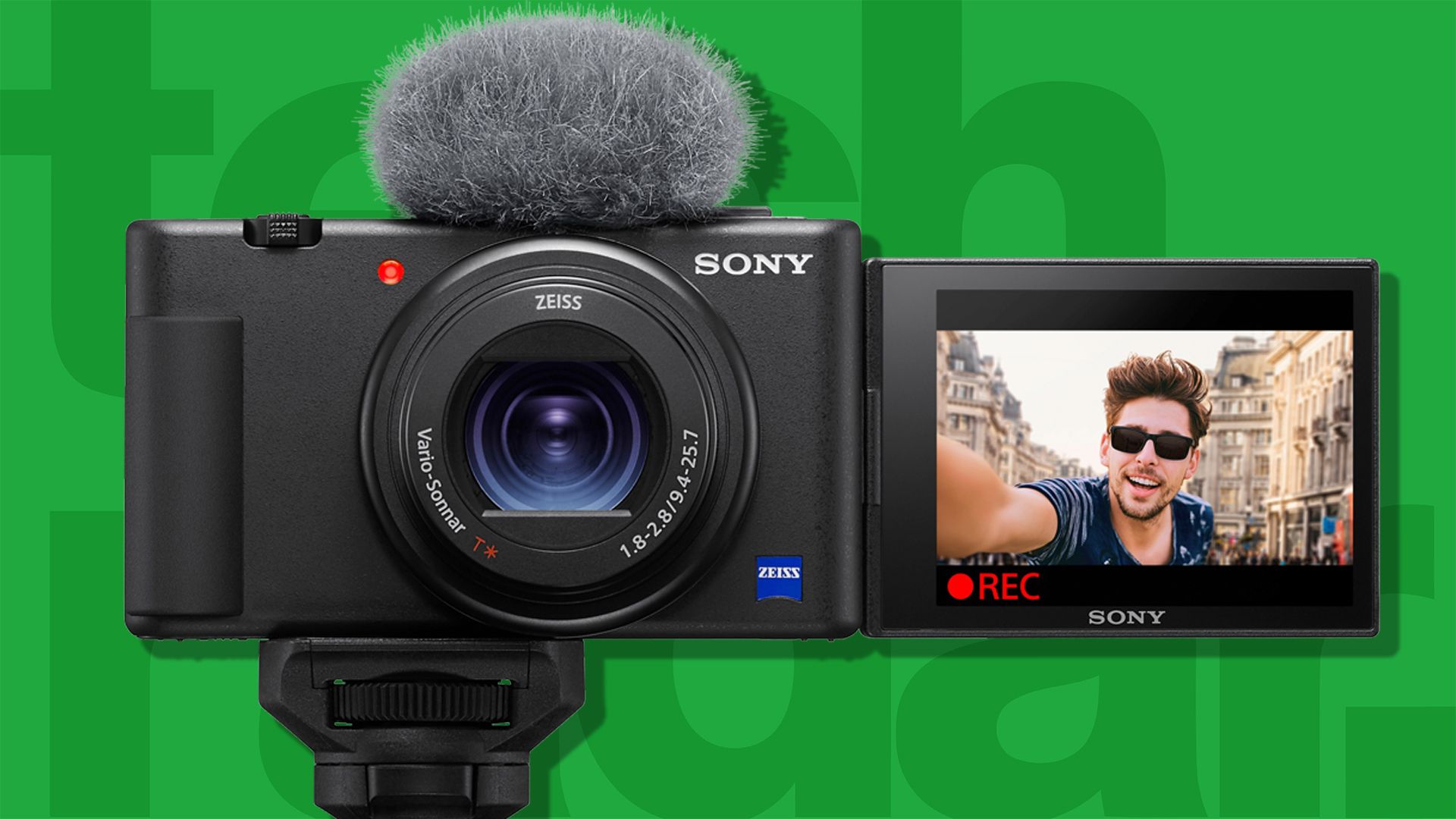
Used Cameras Can Be Cheaper Than New Vlogging Cameras
A used camera can provide more image quality for less money. This is often true with older creator cameras that have dropped in price after newer models launched.
Good used options may include:
- Sony ZV-1
- Sony RX100-series models with video features
- Canon PowerShot G7 X models
- Panasonic Lumix compact cameras
- Older GoPro models
- Older smartphones with strong video cameras
The exact model matters. Some compact cameras are good for photos but poor for vlogging. They may lack a front screen, microphone input, or dependable autofocus.
What to check before buying used
Ask the seller or inspect the camera for:
- Lens condition: Check for scratches, haze, fungus, or dents.
- Screen condition: Look for cracks, dead pixels, and touch problems.
- Battery health: Older batteries may hold little charge.
- Ports: Test the USB, microphone, and memory-card ports.
- Autofocus: Record a clip while moving your hand toward the lens.
- Video recording: Confirm that the camera records without stopping.
- Included parts: Check for the battery, charger, lens cap, and cable.
- Return policy: A return window lowers the risk.
Avoid a deal that has no clear model number or no usable return option. A very cheap camera can become expensive after you add a battery, charger, memory card, and repair.
Cheapest Camera for Different Types of Vlogging
There is no single cheapest camera for every creator. Your subject changes the best choice.
| Vlogging style | Lowest-cost practical choice |
Why |
|---|---|---|
| Talking at a desk | Existing smartphone or Canon V10 | Easy framing and simple setup |
| Walking outdoors | Smartphone or used action camera | Stabilization and compact size |
| Travel vlogging | Smartphone or Canon V10 | Light and easy to carry |
| Night or indoor video | Used Sony ZV-1 or better phone | Larger sensor and stronger autofocus |
| Sports and water | Used action camera | Rugged design and wide view |
| Product videos | Phone with a tripod | Easy close-ups and editing |
| Long YouTube videos | Camera with spare battery and power support | Better recording convenience |
| Live streaming | Phone or webcam | Easy connection to streaming software |
A camera with a larger sensor may produce cleaner video in dim light. A phone may still be easier to use because its software corrects exposure and color automatically.
The Hidden Cost of a Cheap Vlogging Camera
The camera is only part of the budget. Plan for basic accessories before comparing prices.
Essential costs
- Memory card: often $10–$30
- Small tripod: often $15–$40
- USB cable or charger: varies by camera
- Spare battery: often $20–$70
- Wired microphone: often $20–$80
- Small light: often $20–$60
- Camera bag: often $15–$40
You do not need all of these on day one. Start with the camera, a compatible memory card, and a way to charge it.
A phone may need less equipment. You can place it on a stack of books or use a low-cost stand. Later, add a small microphone or light if the video needs improvement.
A simple budget example
This is a hypothetical U.S. budget:
- Used camera: $250
- Memory card: $20
- Small tripod: $25
- Wired microphone: $35
Estimated total: $330
A new camera priced at $300 may cost more than a phone once you add the needed accessories. Compare the complete setup, not just the body price.

Is a Cheap 4K Camera Better Than a Phone?
Usually, no. A cheap camera with a “4K” label may not produce better video than a modern phone.
Resolution is only one part of image quality. The lens, sensor, autofocus, stabilization, microphone, and image processing also matter.
A phone may produce better results in:
- Mixed indoor light
- Backlit scenes
- Quick handheld clips
- Automatic color correction
- Portrait framing
- Fast social media uploads
A dedicated camera may be better when you need:
- A long recording session
- A microphone input
- A front-facing screen
- Physical buttons
- A clean HDMI output
- A camera that is separate from your phone
Choose the device that removes the biggest problem in your workflow. If your phone storage is full, a camera may help. If your videos look dark, a small light may help more than a new camera.
How to Make a Cheap Vlogging Camera Look Better
You can improve low-cost video without buying an expensive body.
Face a window
Place the camera near a window and face the light. Do not put the window behind you unless you want a dark silhouette.
Soft window light can make a basic camera look much better.
Improve the sound first
Keep the microphone close to your mouth. A small wired microphone can reduce room echo and background noise.
Avoid placing the camera across a large room. Distance makes speech quieter and room noise louder.
Keep the camera steady
Use a tripod, shelf, or firm surface. Shaky footage can make viewers feel tired.
For walking shots, hold the camera with both hands. Walk slowly and avoid sudden turns.
Clean the lens
A fingerprint on the lens can make the video look soft or hazy. Wipe it with a clean lens cloth before recording.
Record a short test
Check the test clip for:
- Clear speech
- Sharp eyes
- Correct framing
- Enough light
- No distracting background noise
- Enough storage space
A 10-second test can save an entire recording session.
Common Mistakes When Buying the Cheapest Vlogging Camera
The biggest mistake is buying based on resolution alone. A low-cost 4K camera may have weak sound, poor autofocus, or no useful screen.
Other common mistakes include:
- Forgetting the cost of a memory card
- Buying a camera without a microphone input
- Assuming every camera has a flip screen
- Ignoring battery life
- Buying a model with no phone-transfer method
- Choosing a narrow lens for close indoor work
- Buying an old camera without checking battery health
- Expecting a cheap action camera to look good indoors
- Buying a camera that cannot record in the format your editor supports
Read the official manual before buying when a feature is essential. Manufacturer pages and manuals are more reliable than short marketplace descriptions.

Best Buying Decision by Budget
Use your full budget, not only the camera price.
Under $100
Use your current phone if possible. A new camera under $100 often has poor autofocus, weak sound, and limited video quality.
A used older smartphone may be a better buy than a new low-cost camera.
Around $150 to $300
Look for:
- A used smartphone
- A used action camera
- An older compact camera
- A refurbished creator camera
Check the condition and return policy carefully.
Around $300 to $450
The Canon PowerShot V10 becomes a practical dedicated-camera option. A used Sony ZV-1 may also be available, depending on the seller and condition.
Compare the camera body, memory card, tripod, and microphone as one package.
Above $450
You may find better autofocus, low-light quality, stabilization, and lens options. At this point, do not buy only because the camera is more expensive. Match the upgrade to a real need.
Frequently Asked Questions
What is the cheapest camera for YouTube videos?
Your existing smartphone is usually the cheapest option. For a new dedicated camera, the Canon PowerShot V10 is often among the least expensive models designed specifically for vlogging in the U.S.
Is the Canon PowerShot V10 good for beginners?
Yes, it is suitable for beginners who want simple talking-head and travel videos. Its built-in stand, front screen, microphones, and fixed lens reduce setup work. Its low-light performance and lens flexibility are limited.
Can I vlog with a regular digital camera?
Yes, if it records video, focuses reliably, and lets you frame yourself. A regular compact camera may lack a front screen or microphone input, so check those features first.
Is a GoPro cheaper than a vlogging camera?
An older GoPro can be cheaper than a new creator camera. It is a strong choice for outdoor movement, water, and action. It may look less natural indoors and can produce a very wide view.
Do I need 4K for vlogging?
No. Full HD, also called 1080p, is enough for many YouTube videos and social posts. 4K gives you more room to crop, but it uses more storage and may create larger files.
Final Answer: What Is the Cheapest Vlogging Camera?
The cheapest vlogging camera is the smartphone you already own. It offers the lowest total cost and is often easy to use.
If you want a new dedicated camera, consider the Canon PowerShot V10. It is built for solo creators and includes features that matter for vlogging, such as a front screen, built-in stand, 4K recording, and microphone support.
If your budget is very tight, look for a clean used Sony ZV-1, older compact camera, or action camera. Check autofocus, battery condition, microphone support, and return terms before paying.
The best low-cost setup is the one that lets you record clear video and sound without adding needless parts. Start with the device you have, improve the light and audio, and upgrade only when a specific problem remains.
Recent Posts
Find out what is the best cheap vlogging camera for sharp video, clear audio, and easy recording without overspending. Compare budget-friendly options.
What is the best small camera for vlogging? Compare compact options for sharp video, easy audio, and smooth stabilization before you buy.