
For most people in the United States, the Sony ZV-1F is the best cheap vlogging camera when you want a small body, a wide lens, a flip-out screen, a built-in microphone, and simple controls. If your budget is tighter, the Canon PowerShot V10 is often the better low-cost choice. It has a built-in stand and a wide fixed lens that works well for sit-down videos, travel clips, and social media.
The right choice depends on more than the camera price. You also need to consider sound, lighting, storage, battery life, stabilization, and whether you plan to film yourself or record from a tripod.
This guide compares the main budget options using documented manufacturer specifications and practical buying criteria. Prices and stock can change across U.S. retailers, so check the current price before you buy.
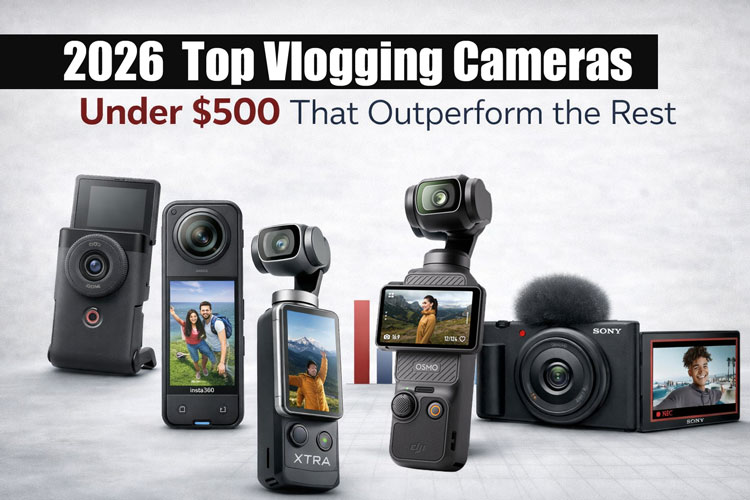
Quick answer: Which cheap vlogging camera should you buy?
Choose the camera that fits your filming style:
| Camera | Best for | Main strength | Main limitation |
|---|---|---|---|
| Sony ZV-1F | Most beginner vloggers | Wide 20mm-equivalent lens and strong creator features | Fixed lens and electronic stabilization can crop the image |
| Canon PowerShot V10 | The lowest-cost new camera | Built-in stand, wide lens, and simple controls | Limited zoom and modest low-light performance |
| DJI Osmo Pocket 3 | Walking and travel vlogs | Excellent mechanical gimbal stabilization gimbal stabilization |
Usually costs more than entry-level cameras |
| Sony ZV-1 | Buyers who want zoom and better autofocus | 24–70mm-equivalent lens and 1-inch sensor | Older design and often more expensive than the V10 |
| Used Sony ZV-1 or Canon G7 X Mark III | Buyers comfortable with used gear | Better image quality than many cheap webcams or phones | Used condition, battery health, and warranty vary |
| Your current smartphone | Casual beginners | Always available and easy to edit | Less control, weaker audio, and fewer mounting options |
Best overall budget pick: Sony ZV-1F
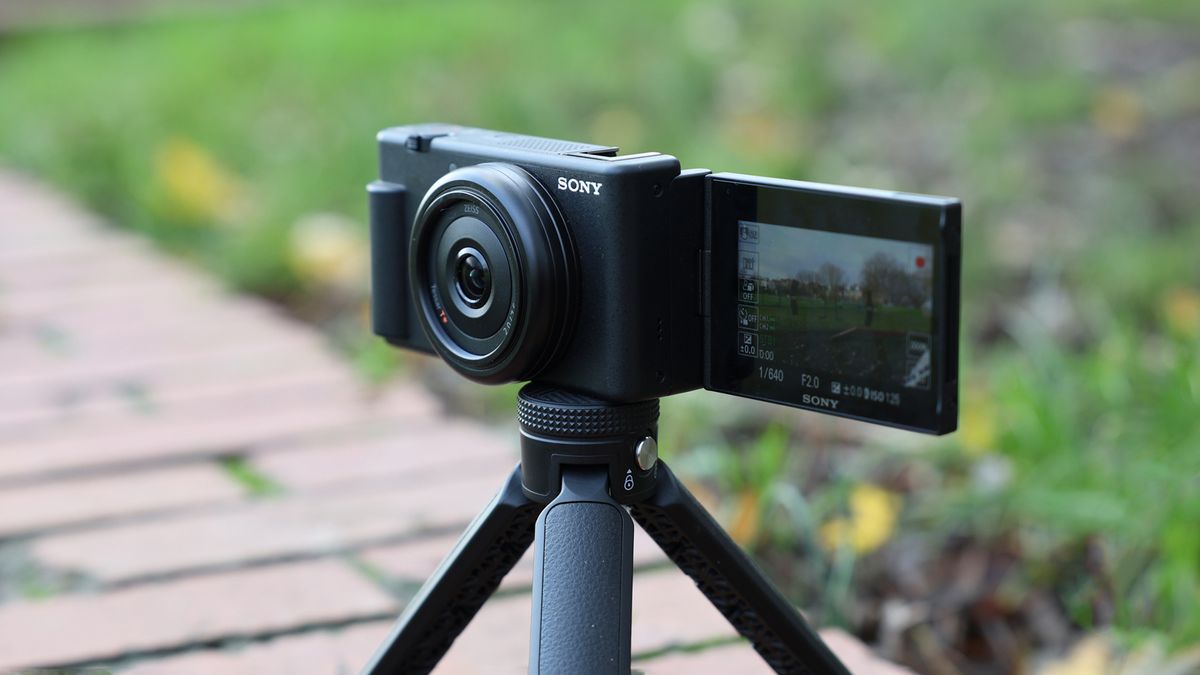
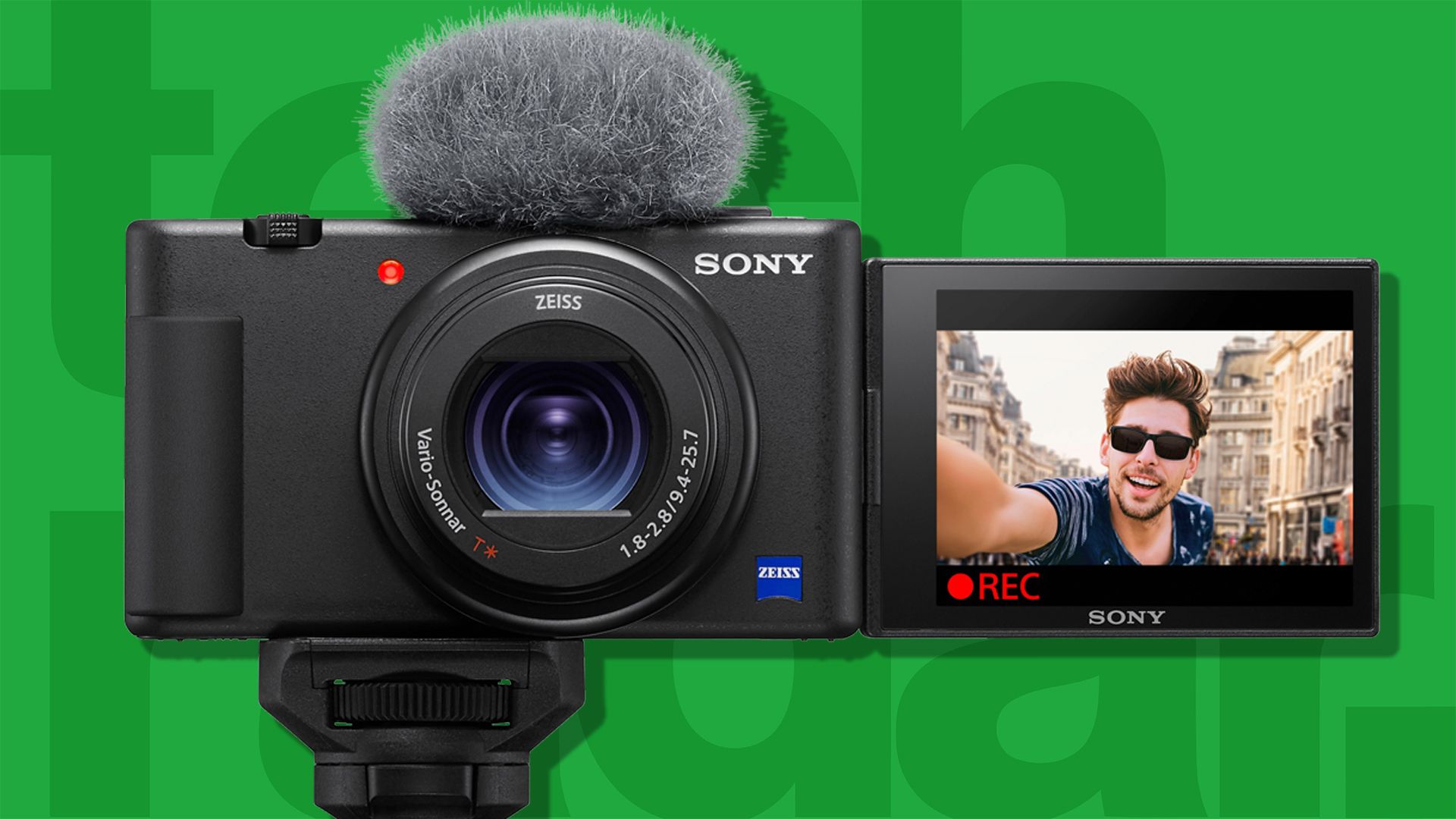
The Sony ZV-1F is the strongest all-around option for a new vlogger who wants to hold the camera at arm’s length. Its 20mm-equivalent lens gives you a wide view, which helps keep your face in frame. Sony also includes a side-opening vari-angle screen, a built-in directional microphone, a windscreen, background-defocus controls, and a Product Showcase mode.
The fixed lens is both its strength and its weakness. It is wide and simple, but you cannot zoom optically or change lenses.
Best low-cost pick: Canon PowerShot V10
The Canon PowerShot V10 is a good fit if you want a small, simple camera at a lower price. The built-in kickstand lets you place it on a desk without buying a tripod. Its vertical body is also easy to hold for short-form video.
The V10 is best for indoor talking videos, basic travel clips, and social media. It is less suitable for fast walking footage, dark rooms, or serious photography.
Best for walking: DJI Osmo Pocket 3
The DJI Osmo Pocket 3 is not usually the cheapest option, but it may be the best value for walking vloggers. Its three-axis mechanical gimbal keeps the lens level and smooth while you move.
It also has a larger 1-inch sensor than earlier Pocket models. The trade-off is a higher purchase price, a small body that needs care, and a camera system that may require extra accessories for the best audio.
What should you look for in a cheap vlogging camera?
The best budget vlogging camera should have a wide lens, a screen you can see from the front, reliable autofocus, usable audio, and a simple way to mount it.
1. A wide lens
A wide lens helps you fit your face and the background into the frame. It matters most when you hold the camera with one hand.
A lens around 18mm to 24mm in full-frame-equivalent terms is a useful range for self-recording. A wider lens gives you more space, but it can make faces near the edge look stretched.
The Sony ZV-1F uses a 20mm-equivalent lens. The Canon PowerShot V10 uses a wide fixed lens. The exact field of view differs, so check how much of the scene each camera captures before buying.
2. A front-facing or flip-out screen
A front-facing screen lets you check your framing while recording. A flip-out screen also protects the display when the camera is in a bag.
Avoid buying a camera with only a fixed rear screen if you plan to film yourself. You may spend more time correcting poor framing than creating content.
3. Reliable autofocus
Face and eye detection can keep you sharp while you move. This is useful when you film alone and cannot adjust focus by hand.
Sony’s ZV models are known for creator-focused autofocus features. Canon’s V10 is simpler, but it can still work well for fixed-position videos. Autofocus may become less reliable in very dark scenes, busy backgrounds, or when objects pass close to the lens.
4. Built-in microphones and an external mic input
A camera with a good built-in microphone can work for casual videos. A 3.5mm microphone input gives you a path to better sound later.
Sound often matters more than a small jump in image quality. Viewers may forgive a soft image, but poor audio can make a video hard to follow.
The Sony ZV-1F includes a microphone input. The Canon PowerShot V10 has built-in microphones and supports an external microphone connection. Confirm the exact accessory and cable before purchase.
5. Image stabilization
Stabilization reduces the appearance of hand shake. There are three common types:
- Optical stabilization: Moves a lens element or sensor to counter movement.
- Electronic stabilization: Crops and shifts the video frame.
- Mechanical gimbal stabilization: Physically moves the camera to keep footage smooth.
Electronic stabilization can reduce the field of view. Mechanical stabilization usually gives smoother walking footage, but it adds cost and moving parts.
6. Battery, storage, and charging
A cheap camera is not useful if it stops after a short shoot. Check whether it charges through USB, whether it can record while connected to power, and which memory card it needs.
Most modern cameras require a separate memory card. Buy a card that meets the camera maker’s speed and capacity requirements. Format the card in the camera before important shoots, and keep a spare card for travel.
7. Heat and recording limits
Small cameras have less room to spread heat. Long 4K recordings in a warm room can cause a camera to stop or limit recording.
If you plan interviews, classes, podcasts, or long live-style recordings, test the camera for the full time you expect to use it. A camera that records short clips well may not be the best choice for hour-long sessions.

Sony ZV-1F: best cheap vlogging camera for most beginners
The Sony ZV-1F is a compact fixed-lens camera designed for people who create video. Sony lists features such as 4K video, a 20mm-equivalent lens, a side-opening screen, face-priority exposure, Product Showcase mode, a built-in directional microphone, and a microphone jack on its official product page.
Why the Sony ZV-1F works well
The wide lens is the main reason to choose it. You can hold the camera close and still show your face and surroundings. That makes it useful for:
- Walking tours
- Travel videos
- Talking-head videos
- Product demonstrations
- Food and lifestyle clips
- Short-form vertical content
The side-opening screen is useful when the camera sits on a tripod. It does not block as much of the camera body as a top or rear screen.
Sony’s Product Showcase mode can shift focus toward an object held near the camera. This helps when you show a product, book, meal, or craft item.
Limits to understand
The lens does not zoom. You cannot switch to a tighter view without moving the camera or cropping the footage.
The ZV-1F also uses electronic image stabilization rather than a built-in mechanical gimbal. Stabilization can reduce the usable image area, especially when you walk. For smoother movement, use a small grip, a tripod, or a gimbal.
The camera has a small 1-inch-type sensor. It can produce a cleaner image than many basic webcams, but it will not match a larger interchangeable-lens camera in very low light.
Who should buy it?
Buy the Sony ZV-1F if you want the best balance of size, autofocus, wide framing, and creator controls in a small new camera.
Do not buy it if you need optical zoom, strong walking stabilization, or interchangeable lenses. In those cases, the Sony ZV-1, a used mirrorless camera, or the DJI Osmo Pocket 3 may fit better.
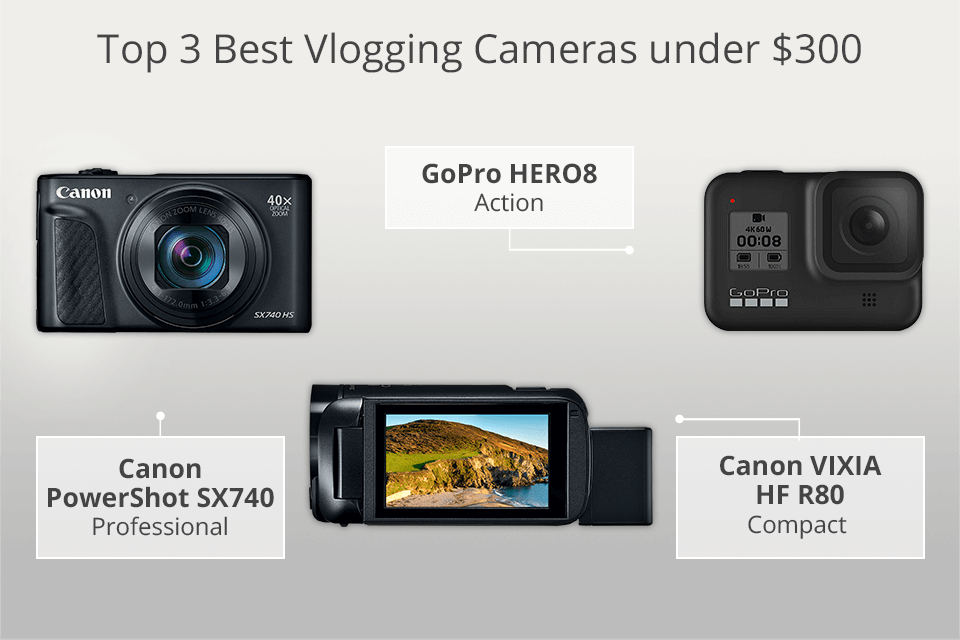
Canon PowerShot V10: best cheap camera for simple video
The Canon PowerShot V10 is built for people who want a small camera with minimal setup. Canon gives it a vertical body, a built-in stand, a flip-up screen, built-in stereo microphones, and a wide-angle fixed lens.
Why the Canon V10 is appealing
The built-in stand is its clearest advantage. You can place the camera on a table, shelf, or desk without carrying a separate tripod.
That makes it useful for:
- Desk videos
- Cooking clips
- Online lessons
- Short reviews
- Family travel videos
- Social media posts
The V10 also has a simple layout. New users do not need to learn the controls of a full mirrorless camera before recording.
Where the V10 falls short
The V10 is not a high-end stills camera. Its lens is fixed, so there is no optical zoom. Its small sensor can also struggle more in dim rooms than a larger camera.
Built-in stabilization is not a replacement for a gimbal. If you walk with the camera, movement may remain visible. For moving shots, hold the camera with two hands, use a small grip, or consider a gimbal camera instead.
Who should buy it?
Choose the Canon PowerShot V10 if your first goal is easy, low-cost video. It is especially suitable when the camera will sit on a table or tripod.
Choose something else if you need strong autofocus while moving, detailed low-light footage, optical zoom, or professional audio control.
DJI Osmo Pocket 3: best cheap vlogging camera for walking
The DJI Osmo Pocket 3 uses a three-axis mechanical gimbal. The gimbal physically moves the camera to counter hand movement, which gives it a clear advantage over most small fixed-lens cameras for walking shots.
DJI lists a 1-inch CMOS sensor, 4K video options, a rotating touchscreen, ActiveTrack subject tracking, and a 3.5mm microphone adapter option for the Osmo Pocket 3.
Why it stands out
The Pocket 3 is easy to carry and quick to use. Its gimbal can keep a person centered and make walking footage look more stable.
It is a strong choice for:
- City walks
- Travel days
- Theme parks
- Real estate tours
- Event coverage
- Moving commentary
The rotating screen can switch between horizontal and vertical filming. That helps creators who publish on YouTube, TikTok, Instagram, and other platforms.
Important trade-offs
The Pocket 3 usually costs more than the cheapest compact vlogging cameras. You may also want a microphone, a protective case, a small tripod, and extra battery power.
A gimbal is a mechanical device. Avoid dropping it, forcing the camera arm, or storing it without protection. The camera is small, but it is not as simple as a fixed-lens point-and-shoot.
Who should buy it?
Buy the DJI Osmo Pocket 3 if smooth movement matters more than the lowest price. It is often the better long-term purchase for travel creators who film while walking.
If most of your videos are recorded from a desk, the Canon V10 or Sony ZV-1F may give you what you need for less.
Sony ZV-1 and used cameras: when an older model is better
A used Sony ZV-1 can be a better buy than a new ultra-budget camera if you want a zoom lens and more control. Sony’s ZV-1 uses a 24–70mm-equivalent lens, a 1-inch-type sensor, a flip-out screen, a microphone input, and creator-focused autofocus features.
The wider end is not as wide as the ZV-1F. That can make self-recording harder in a small room. However, the zoom range is useful for portraits, product shots, and distant subjects.
Check these points before buying used
Ask the seller or inspect the camera for:
- Scratches on the lens
- Cracks around the screen hinge
- Loose battery or card doors
- Dust inside the lens
- Weak battery life
- Sticky or damaged buttons
- Missing windscreen or USB cable
- A locked or missing account if the camera has connected features
- Proof that the camera records and saves files correctly
Buy from a seller with a clear return period when possible. A low price is not a bargain if the camera has a damaged screen or failing battery.
Used Canon PowerShot G7 X models are also popular with vloggers, but demand can make them expensive. Compare the used price with a current new camera before you decide.

Is a phone better than a cheap vlogging camera?
A modern smartphone may be the best first camera for many beginners. It is already in your pocket, records good video in bright light, and offers simple editing apps.
A dedicated camera becomes more useful when you need:
- A real microphone input
- A stable tripod mount
- A wide lens made for self-recording
- Longer physical battery life
- Better control over focus and exposure
- A separate device for filming
- A cleaner workflow for transferring camera files
The phone may still win in low light if it uses strong computational processing. It may also be easier to use for vertical video.
Before buying a camera, record a one-minute test on your phone. Spend the first accessory budget on a small microphone, light, tripod, or phone mount if those changes improve your videos more than a new camera would.

What accessories do you need for a cheap vlogging camera?
You do not need a large kit. Start with the accessory that fixes your biggest problem.
For better sound
Use a wired or wireless microphone that matches the camera’s input. Check whether the camera needs a special adapter. Test the microphone before recording a full video.
Keep the microphone close to your mouth. Distance affects sound quality more than many people expect.
For better light
A small LED light can help in a dark room. Place it slightly above eye level and in front of you. Avoid placing a bright window directly behind your head unless you want a silhouette.
Natural window light can work well. Face the window instead of putting it behind you.
For steadier shots
Use a mini tripod, grip, or small gimbal. A tripod is often enough for desk videos. A gimbal makes more sense for walking footage.
For longer shoots
Carry at least one spare battery or a USB power bank that the camera supports. Bring a spare memory card and a case.
Do not assume every USB-C cable can power or charge every camera in the same way. Check the manufacturer’s instructions.
Basic starter kit
A practical low-cost kit might include:
- Camera
- Memory card
- Small tripod or grip
- Wind protection
- Microphone, if the built-in audio is not enough
- Spare battery or power bank
- Small light for indoor recording
Buy the camera and test it first. Then add accessories based on actual problems.

How to choose the best cheap vlogging camera for your budget
Use this simple decision process.
Choose the Canon PowerShot V10 if:
- You want the lowest-cost new option.
- Most videos will be filmed from a desk or table.
- You like the built-in stand.
- You do not need optical zoom.
- You want a simple camera with few controls.
Choose the Sony ZV-1F if:
- You will hold the camera at arm’s length.
- You want a wide field of view.
- You want stronger creator-focused controls.
- You need a microphone input.
- You want one compact camera for travel and talking videos.
Choose the DJI Osmo Pocket 3 if:
- You walk while filming.
- Smooth footage matters most.
- You can spend more than the lowest budget.
- You want a rotating screen and subject tracking.
- You are willing to protect and maintain a gimbal.
Choose a used Sony ZV-1 if:
- You want a zoom lens.
- You are comfortable checking used gear.
- You can buy from a seller with returns.
- You want a compact camera for both video and still photos.
Choose your smartphone if:
- You are still testing whether you enjoy vlogging.
- You mostly publish short vertical videos.
- You already own a recent phone.
- Your main weakness is sound or lighting rather than image quality.
Common mistakes when buying a budget vlogging camera
Buying for resolution alone
A camera that records 4K is not automatically better for your videos. A wide lens, good sound, reliable focus, and enough light may matter more.
Ignoring the lens angle
A camera can look fine in a store but feel too tight when held at arm’s length. Check the equivalent focal length and test the framing in your normal filming space.
Forgetting audio
A camera with sharp video can still sound bad in a room with echo, traffic, air conditioning, or wind. Budget for sound before spending on a more expensive body.
Expecting stabilization to remove every shake
Electronic stabilization has limits. A gimbal does not fix every movement either. Walk slowly, hold the camera close to your body, and avoid sudden turns.
Buying too many accessories
A large kit can make vlogging feel like work. Start with a camera, card, tripod, and basic sound solution. Add gear only when it solves a repeated problem.
Using the wrong memory card
Video cameras need cards with enough speed for their recording mode. Use the card type listed in the camera manual, and format it in the camera before use.
Skipping a test recording
Record a short sample before a trip or important event. Check focus, audio, exposure, storage space, battery level, and file transfer.

Frequently asked questions
What is the cheapest good camera for vlogging?
The Canon PowerShot V10 is one of the simplest low-cost new cameras made for vlogging. It is a good fit for desk videos and basic social content. The best price changes by retailer, sale, and bundle, so compare the current cost with a smartphone and the Sony ZV-1F.
Is 4K necessary for vlogging?
No. Full HD can be enough for YouTube, social media, and personal videos. 4K gives you more room to crop and can provide more detail, but it uses more storage and may create larger files or more heat.
Do I need a camera with a flip screen?
You do if you often record yourself alone. A flip screen helps you check framing, focus, and whether an object is visible. It is less important when someone else operates the camera.
Is a GoPro better than a cheap vlogging camera?
A GoPro is better for action, water, cycling, and rugged travel. A compact vlogging camera is usually better for indoor talking videos, natural background blur, and microphone connections. The right choice depends on where you film.
Can I vlog without an external microphone?
Yes. Built-in microphones can work in a quiet room at close range. An external microphone becomes more useful outdoors, in large rooms, near traffic, or when the camera is more than a few feet from you.
Should I buy a mirrorless camera for beginner vlogging?
Only if you want interchangeable lenses and plan to learn more advanced camera control. A mirrorless camera can offer better image quality, but lenses, batteries, microphones, and storage raise the total cost.
Final recommendation
The Sony ZV-1F is the best cheap vlogging camera for most U.S. beginners who want a compact camera for self-recording, travel, and social video. Its wide lens, front-facing screen, autofocus features, and microphone input give it a useful balance.
Choose the Canon PowerShot V10 when the lowest new-camera price and built-in stand matter most. Choose the DJI Osmo Pocket 3 when you film while walking and can spend more for mechanical stabilization. If you already own a recent smartphone, test it with better sound and light before buying anything.
Start with the camera that removes your biggest obstacle. A camera that is easy to carry, easy to frame, and easy to hear will usually help you publish more than a more expensive model left at home.
Recent Posts
What is the best small camera for vlogging? Compare compact options for sharp video, easy audio, and smooth stabilization before you buy.
Find the best camera for vlogging and photography with expert tips on image quality, video features, portability, and value.