
For most people in the United States, the Sony a6700 is the best all-around camera for vlogging and photography. It has strong autofocus, a flip-out screen, image stabilization, a compact APS-C body, and high-quality 4K video. It also has an electronic viewfinder, which many vlog-focused cameras lack.
The best choice still depends on your budget and style. The Canon EOS R50 is easier for beginners. The Fujifilm X-S20 is a strong choice for still photos and long recording sessions. The Sony ZV-E10 II is better if video matters more than photography. A modern smartphone may be the smartest low-cost option for casual creators.
For U.S. creators, the right camera should work well for YouTube, TikTok, Instagram, travel, family events, and indoor shooting. The body matters, but the lens, microphone, light, and battery often affect the final result just as much.

Quick Answer: The Best Cameras for Vlogging and Photography
There is no single camera that is best for every creator. These models fit the most common needs:
| Best for | Camera | Why it stands out | Main limit |
|---|---|---|---|
| Best overall | Sony a6700 | Strong autofocus, stabilization, 4K video, EVF, compact size | Higher price than entry-level models |
| Best for beginners | Canon EOS R50 | Simple controls, reliable autofocus, sharp photos | Limited video features compared with the a6700 |
| Best for photo-first creators | Fujifilm X-S20 | Good image quality, film simulations, IBIS, strong battery | Lens prices vary widely |
| Best for video-first creators | Sony ZV-E10 II | Light body, 10-bit video, creator-focused controls | No viewfinder and no built-in stabilization |
| Best value for simple vlogs | Canon EOS R50 or original Sony ZV-E10 | Affordable entry into interchangeable-lens cameras | Older or more limited video features |
| Best if you already own one | Your current phone | Easy to carry, simple editing, strong automatic processing | Less control over lenses, sound, and low light |
The Sony a6700 is the safest overall recommendation because it balances photo quality, video quality, autofocus, stabilization, and growth potential. The Canon EOS R50 may be the better first camera for someone who wants a simple setup and does not plan to color-grade video.
What Makes a Camera Good for Vlogging and Photography?
A good hybrid camera must handle both moving video and still images without creating too many compromises. Look for these features:
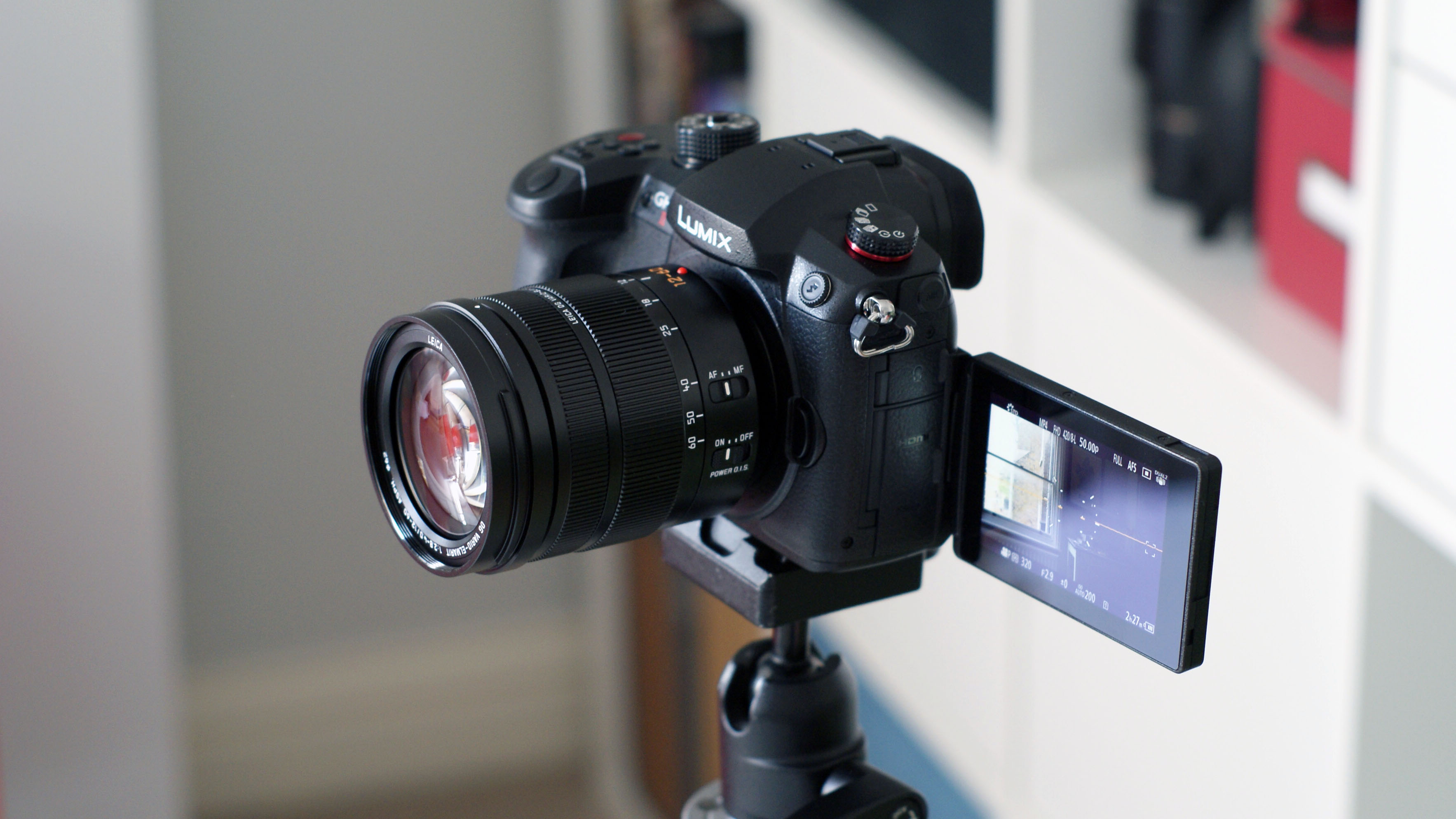
- A fully articulating screen that faces forward.
- Reliable autofocus for faces and eyes.
- A microphone input.
- Headphone monitoring, if possible.
- 4K video at a frame rate that fits your style.
- Image stabilization for handheld work.
- A comfortable grip and light body.
- A lens system with affordable options.
- Good battery life and USB charging.
- A viewfinder if you plan to take many photos outdoors.
Photo resolution
Most current interchangeable-lens cameras use sensors between about 20 and 33 megapixels. More megapixels can help when cropping a photo, but they do not guarantee better images.
Lens quality, light, focus, and technique usually matter more. A 24-megapixel camera with a good lens can produce sharp photos for websites , social media, prints, and family albums.
Video resolution and frame rate
4K video has more detail than 1080p. Many cameras also offer 4K at 60 frames per second, which can create smoother motion or allow slow-motion playback.
A camera that records 4K at 120 frames per second can create stronger slow motion, but this mode may use a crop, increase heat, or reduce autofocus performance. Always check the exact recording mode before buying.
Autofocus
Face and eye detection helps the camera keep a person sharp while they move. This is useful when you vlog alone and cannot adjust focus by hand.
Modern Sony and Canon cameras are known for strong subject detection. Fujifilm and Nikon also offer capable autofocus, but performance can vary by model, lens, lighting, and firmware.
Image stabilization
In-body image stabilization, or IBIS, moves the sensor to reduce the effect of hand shake. It helps with walking shots, low-light photos, and handheld video.
IBIS does not freeze a moving person. It also cannot replace a gimbal for smooth walking footage. Optical stabilization in a lens and electronic stabilization in the camera can help, but each may add a crop.
Best Overall: Sony a6700
The Sony a6700 is the best choice for creators who want one camera for both high-quality photos and serious vlogging.
It uses a 26-megapixel APS-C sensor and includes in-body image stabilization. Sony lists 4K video recording with 10-bit color options, advanced subject recognition, and a side-opening screen. It also has an electronic viewfinder, microphone input, and headphone output.
Why the Sony a6700 works well
The a6700 suits creators who may begin with simple talking-head videos but later want travel films, product videos, portraits, sports, or paid work.
Its autofocus can recognize people and other subjects. This is useful when you record yourself at arm’s length or place the camera on a tripod. The viewfinder also makes outdoor photography easier because it blocks bright sunlight.
The camera’s lens mount gives you access to many Sony and third-party lenses. You can start with a small kit lens and later add a wide lens, portrait lens, or telephoto lens.
Limits to consider
The a6700 costs more than beginner models. Some advanced video modes may use a crop, and high-frame-rate recording can create extra heat or require more storage.
Its small body is convenient, but a larger lens can make the setup front-heavy. A spare battery and a fast memory card are sensible for long shoots.
Best for: creators who want one camera that can grow with them.
Best Beginner Camera: Canon EOS R50
The Canon EOS R50 is one of the easiest cameras for a new vlogger or photographer to learn.
It has a 24.2-megapixel APS-C sensor, a fully articulating screen, microphone input, and Canon’s Dual Pixel autofocus system. It can record oversampled 4K video at up to 30 frames per second. Canon also lists a 4K 60p mode with a crop.
Why beginners may prefer it
The R50 produces clear photos with little effort. Canon’s menus and automatic modes are approachable, and the camera handles skin tones well in many everyday conditions.
The body is small and light. The screen can face forward for self-recording, and the autofocus can detect faces and eyes. These features make the R50 a practical upgrade from a phone for indoor videos, family events, travel, and product content.
Limits to consider
The R50 does not have in-body image stabilization. For handheld video, use a stabilized lens, a tripod, or a small grip. The camera also has fewer advanced video tools than the Sony a6700 or Sony ZV-E10 II.
The RF-S lens system is still smaller than Sony’s E-mount system. Canon offers useful lenses, but you should check lens availability and price before choosing the system.
Best for: beginners who want simple controls, sharp photos, and reliable autofocus.

Best for Photo-First Creators: Fujifilm X-S20
The Fujifilm X-S20 is a strong option for someone who cares about photography but also wants high-quality video.
It uses a 26.1-megapixel APS-C sensor and includes in-body stabilization. Fujifilm lists 6.2K video, 4K recording, subject detection, and a fully articulating screen. It also has built-in film simulations that create different color styles without requiring heavy editing.
Why the X-S20 stands out
Fujifilm’s film simulations give photos a distinct look straight from the camera. This can save time for people who do not want to edit every image.
The camera has a comfortable grip and a relatively large battery for its class. Its stabilization helps when you take photos indoors or record handheld clips. It can also work well as a travel camera because it combines a compact body with a wide lens range.
Limits to consider
The best Fujifilm lenses can be expensive. Some smaller third-party lenses offer better value, but you should compare autofocus and stabilization features before buying.
The X-S20 has many settings. That is useful as your skills grow, but beginners may need more time to learn the menus than they would with a basic Canon setup.
Best for: photographers who want strong colors, stabilization, and advanced video options.

Best Video-First Camera: Sony ZV-E10 II
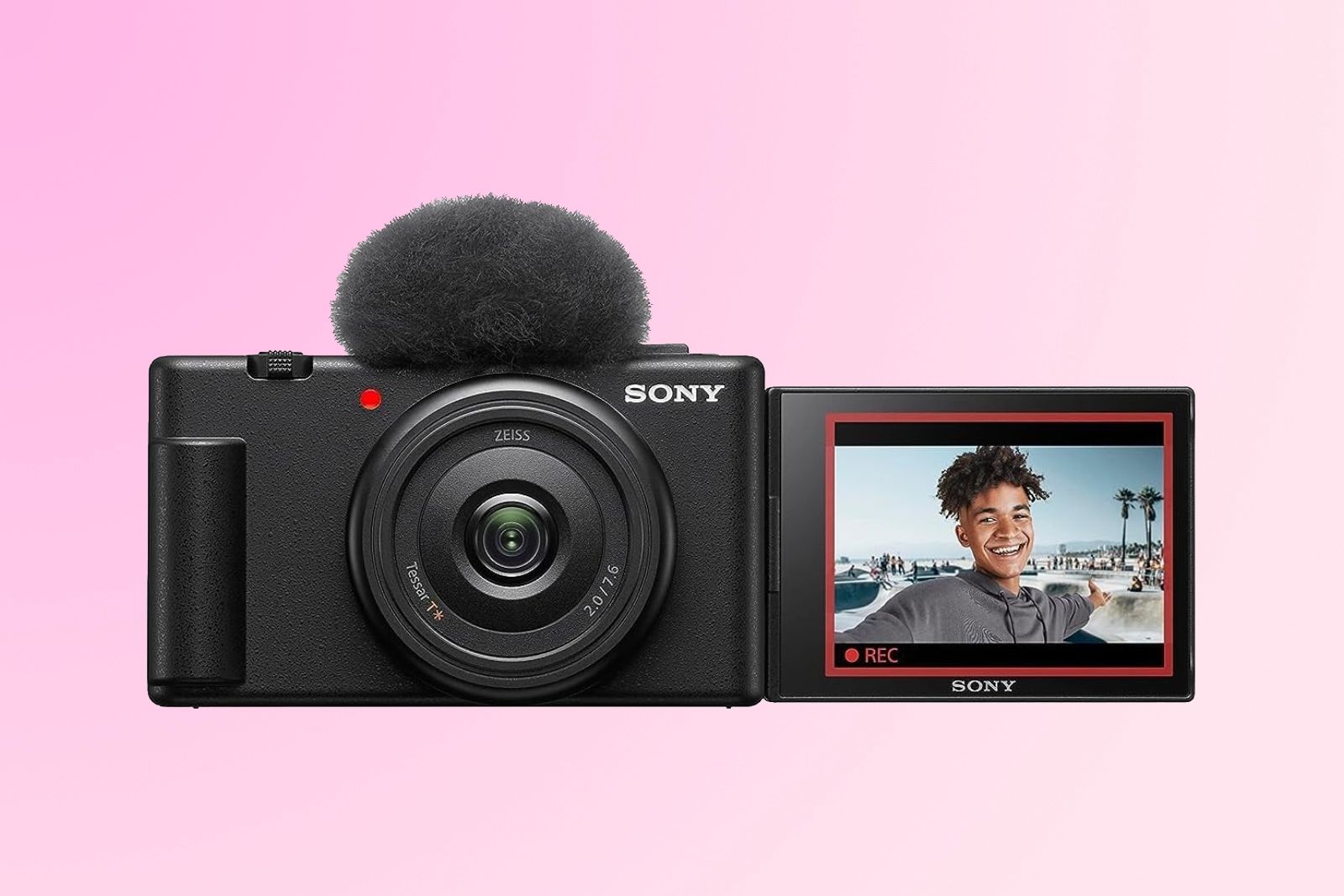
The Sony ZV-E10 II is built mainly for creators who care more about vlogging than traditional photography.
It uses a 26-megapixel APS-C sensor and supports 4K video at up to 60 frames per second. Sony also lists 10-bit recording options, a side-opening screen, creator-focused controls, and a compact body.
Why vloggers may like it
The camera is light and easy to place on a small tripod or handheld grip. Its forward-facing screen helps you frame yourself. Sony’s autofocus system is useful for talking-head videos, product demonstrations, and moving subjects.
Its interchangeable lens mount gives it more flexibility than a fixed-lens compact camera. A wide lens can show more of a room or background, while a brighter lens can create more background blur.
Limits to consider
The ZV-E10 II does not include an electronic viewfinder. That makes it less appealing for people who take many photos in bright outdoor light.
It also lacks in-body image stabilization. Electronic stabilization can help with video, but it may crop the image. A stabilized lens or small tripod can improve handheld results.
Best for: creators who mainly make YouTube, TikTok, Instagram, and livestream content.
Best Budget Choice: Canon EOS R50 or Sony ZV-E10
A budget camera should not be judged by body price alone. The lens, memory card, extra battery, microphone, and light can add a meaningful amount to the total cost.
The Canon EOS R50 is usually the better choice if you want a balanced mix of photos and video. The Sony ZV-E10, especially when discounted, may suit a creator who wants an inexpensive entry into Sony’s lens system.
Choose the Canon EOS R50 if:
- You want easy photo and video modes.
- You care about simple autofocus.
- You want a viewfinder for photography.
- You prefer Canon color and menus.
- You mostly record in 4K at 24 or 30 frames per second.
Choose the Sony ZV-E10 if:
- You mainly make video.
- You want a light body.
- You want access to many affordable Sony E-mount lenses.
- You do not need a viewfinder.
- You are comfortable using a tripod, stabilized lens, or electronic stabilization.
The original Sony ZV-E10 remains useful, but the ZV-E10 II offers newer video features. Compare the total kit price rather than choosing only by the camera body.

Which Camera Sensor Size Is Best?
For most vloggers, an APS-C camera offers the best balance of size, price, image quality, and lens choice.
| Sensor type | Strengths | Trade-offs |
|---|---|---|
| Smartphone sensor | Easy to carry, strong automatic processing | Limited lens control and low-light flexibility |
| Micro Four Thirds | Small lenses, useful video tools | Less low-light performance than larger sensors in some conditions |
| APS-C | Strong balance of quality, size, and cost | Some lenses are larger than expected |
| Full frame | Strong low-light potential and shallow depth of field | Higher body and lens cost, larger setup |
Full-frame cameras can produce excellent photos and video, but they are not automatically better for vlogging. A full-frame lens may be heavy when held at arm’s length. The extra cost may be better spent on a microphone, light, or wide lens.
APS-C is often the practical middle ground. It gives you a larger sensor than a phone while keeping the camera smaller than many full-frame systems.

The Lens Matters as Much as the Camera
A camera body cannot fix a lens that is too narrow, too dark, or hard to focus.
For talking-head vlogs, a lens between about 11mm and 24mm on an APS-C camera can make it easier to include your face and background. The exact focal length depends on the camera’s crop factor, the room size, and how far the camera sits from you.
Useful lens types
- Wide zoom lens: Best for indoor vlogs, travel, and handheld recording.
- Standard zoom lens: Useful for general photos, events, and flexible framing.
- Bright prime lens: Good for portraits, low light, and background blur.
- Telephoto lens: Useful for sports, wildlife, and distant subjects.
- Pancake lens: Small and easy to carry, though it may not be very bright.
A wide lens can make your face look stretched if you hold the camera too close. Move the camera farther away when possible. This creates more natural facial proportions.
Audio Is Often More Important Than 4K
Viewers may tolerate a soft image, but poor sound can make them leave quickly. A camera with a microphone input gives you more control than a camera that relies only on its built-in microphones.
Microphone options
- On-camera shotgun microphone: Useful when the microphone sits close to the person.
- Wireless microphone: Good for walking, interviews, and demonstrations.
- Lavalier microphone: Clips to clothing and can provide consistent speech volume.
- Camera microphone: Acceptable for basic clips when the camera is close.
Keep the microphone near the speaker. A costly microphone placed several feet away may sound worse than a basic microphone placed close to the mouth.
Use headphones when the camera supports them. Listen for wind, clothing noise, electrical hum, and distorted speech before recording a long video.
How to Choose the Right Camera for Your Use
Start with your main recording situation. Do not buy based only on the highest resolution or the newest model.
For indoor talking-head videos
Choose a camera with:
- A flip-out screen.
- Face and eye autofocus.
- A microphone input.
- A wide lens.
- USB power or a spare battery.
- A small LED light.
The Canon EOS R50, Sony a6700, and Sony ZV-E10 II all fit this use. Your lighting and microphone may improve the result more than moving from one of these cameras to another.
For travel vlogging
Prioritize low weight, stabilization, battery life, and a flexible lens. The Fujifilm X-S20 and Sony a6700 are strong choices because they combine stabilization with interchangeable lenses.
A small camera bag should leave room for a spare battery, memory cards, a cleaning cloth, and a compact microphone. Heavy gear often stays in the hotel room, which makes it less useful.
For photography and family events
A viewfinder can help in bright outdoor light. Fast face and eye autofocus is useful when children or groups move quickly.
The Canon EOS R50 is a good beginner option. The Sony a6700 offers more advanced performance and stabilization. A standard zoom lens is usually more useful than a very wide vlog lens for family events.
For product videos
A forward-facing screen, close-focus lens, and a “product showcase” or similar autofocus mode can help. A tripod is usually better than handheld recording.
Add soft, even light from both sides of the product. Keep the background simple so the viewer can see the item clearly.
For sports and action
Autofocus, burst speed, lens reach, and shutter speed matter more than a front-facing screen. A telephoto lens may cost more than the camera body.
Use a fast shutter speed to reduce motion blur. In bright conditions, a shutter speed near 1/1000 second may help freeze action, but the correct setting depends on the sport and lighting.
Camera Accessories You Actually Need
Buy the basic kit first. Add accessories when a real problem appears.
Essential accessories
- One fast memory card that matches the camera’s speed requirements.
- One spare battery.
- A small tripod or grip.
- A microphone.
- A camera bag.
- A lens cleaning cloth.
- A USB charger or power bank that the camera supports.
Useful upgrades
- A wide-angle lens for self-recording.
- A small LED light with adjustable brightness.
- A wind cover for outdoor audio.
- A variable ND filter for bright outdoor video.
- A fast external drive for backup.
A variable ND filter reduces the amount of light entering the lens. This can help you keep a natural shutter speed in bright daylight. Buy the correct filter size for your lens, and avoid very cheap filters that create strong color shifts or uneven dark areas.

Common Mistakes When Buying a Vlogging Camera
Choosing resolution over usability
8K or 6K video may sound attractive, but large files need more storage and a faster computer. If your final videos appear on YouTube or social media, good 4K footage may be more practical.
Ignoring the lens
A camera body with a poor lens choice can produce a narrow view, weak low-light results, or difficult framing. Plan the first lens before buying the body.
Forgetting audio
A camera can record sharp 4K video and still produce an unpleasant final video if the voice is distant or full of wind noise.
Buying a heavy setup
A large full-frame body, large lens, cage, monitor, microphone, and battery pack may be difficult to hold. A smaller APS-C camera can produce better real-world results if you actually carry it.
Not checking recording limits
Some cameras stop recording because of heat, battery limits, file limits, or card speed. Check the manufacturer’s manual for the exact mode, temperature, card type, and recording conditions.
Using digital stabilization without checking the crop
Electronic stabilization often trims the edges of the image. A wide lens may become only moderately wide after the crop. Test the full setup before filming an important event.
Smartphone vs. Mirrorless Camera for Vlogging
A smartphone is often the best camera for a casual creator who values speed and convenience.
Modern U.S. smartphones can produce strong video in good light. They also offer automatic exposure, image processing, built-in microphones, and quick editing. A phone may be enough for short travel clips, social posts, and basic talking-head videos.
A mirrorless camera becomes more useful when you need:
- Better lens control.
- More background blur.
- Stronger low-light performance.
- A microphone connection.
- A viewfinder.
- Greater control over exposure and color.
- Better reach for sports or wildlife.
- Consistent results across different shoots.
The best choice is the camera you can carry, set up, and use without stress. A phone with a good microphone and light can outperform an expensive camera used with poor sound and dark lighting.
Frequently Asked Questions
Is a DSLR or mirrorless camera better for vlogging?
A mirrorless camera is usually the better choice for new vloggers. It is often smaller, supports modern autofocus and video features, and lets you see an electronic preview of exposure and color. Older DSLRs can still take good photos, but many lack the video autofocus and screen design found on newer mirrorless models.
Is 4K necessary for vlogging?
No. Full HD can work for many social videos. 4K gives you more detail and lets you crop or reframe the image during editing. Choose 4K if your computer, storage, and editing software can handle the larger files.
Do I need image stabilization for vlogging?
Not always. A tripod, grip, stabilized lens, or careful handheld technique can work. Stabilization is most useful for walking, travel, and low-light shooting. It does not remove all movement, and electronic stabilization may crop the image.
How much should I spend on a vlogging and photography camera?
A practical budget includes more than the camera body. Plan for a lens, microphone, memory card, spare battery, and possibly a light or tripod. A lower-cost camera with useful accessories can produce better results than a more expensive body with no audio or lighting support.
Is a full-frame camera better for photos and video?
A full-frame camera can offer strong low-light performance and more control over depth of field, but it is not automatically better. APS-C cameras are often smaller, cheaper, and easier to carry for vlogging. Choose full frame when you need its specific benefits and can accept the larger system.
Final Recommendation
Choose the Sony a6700 if you want the best balance of vlogging, photography, autofocus, stabilization, and future growth.
Choose the Canon EOS R50 if you are new to cameras and want simple controls with strong photo and video autofocus. Choose the Fujifilm X-S20 if still photography, color, and battery life matter most. Choose the Sony ZV-E10 II if you mainly create video and want a light body with advanced recording options.
Before buying, select the lens, microphone, and storage card as part of the same budget. The right camera is not the one with the longest feature list. It is the one that fits your work, your hands, your budget, and the places where you actually plan to shoot.
Recent Posts
Find out what is the best camera for vlogging on YouTube, with expert tips on video quality, portability, audio, and value for creators.
Find out what is the best camera for travel vlogging, with expert tips on image quality, portability, battery life, and budget-friendly choices.