
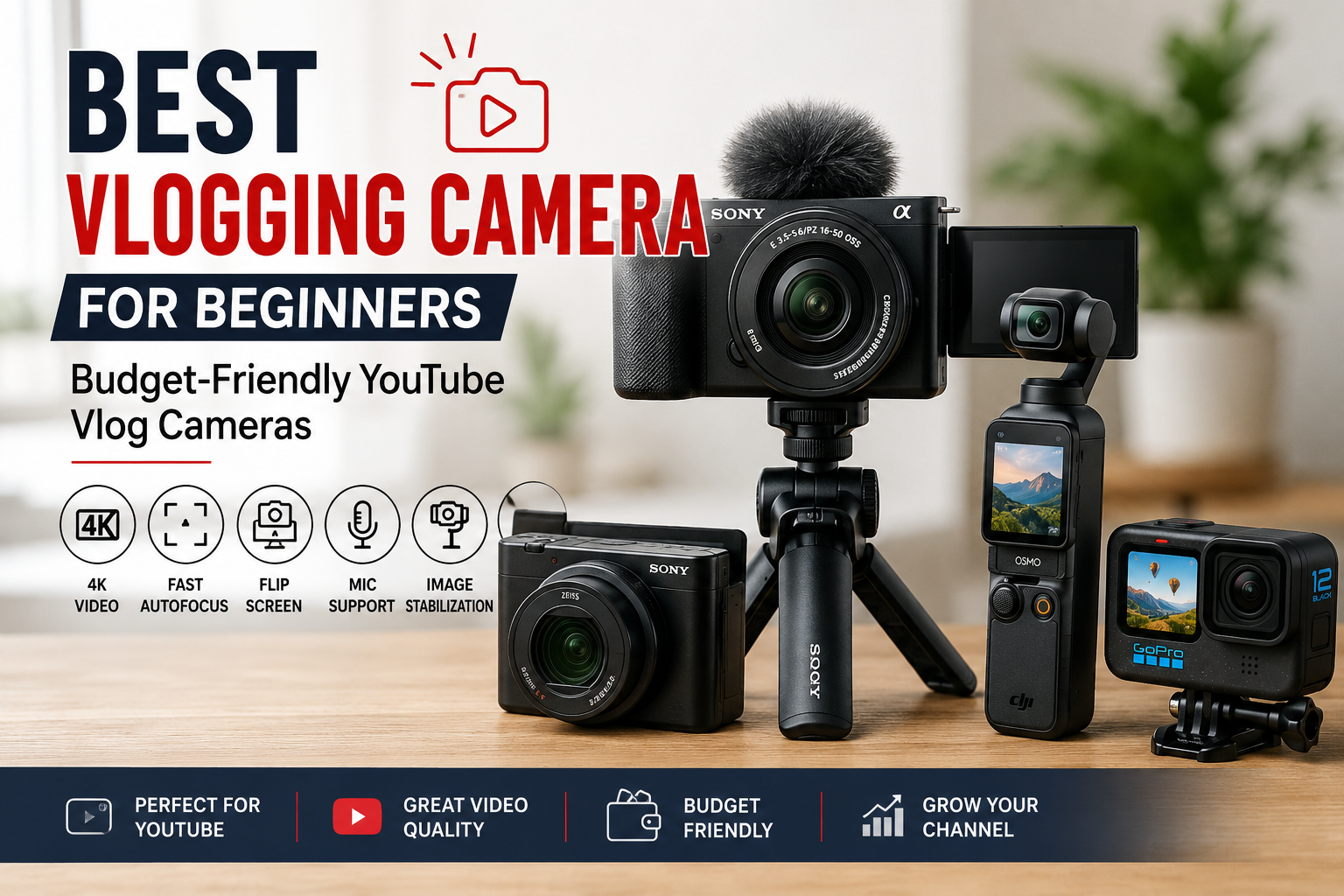
For most beginners in the United States, the Sony ZV-1 II is the best all-around vlogging camera. It is small, simple to use, has a wide lens for handheld video, and includes a built-in microphone and a flip-out screen.
The DJI Osmo Pocket 3 is a better choice if you want the easiest handheld camera for walking videos. The Canon EOS R50 is better if you want to learn interchangeable-lens photography and build a more advanced camera system.
The best choice depends on how you plan to vlog:
- Best overall beginner camera: Sony ZV-1 II
- Best for walking and travel: DJI Osmo Pocket 3
- Best for long-term growth: Canon EOS R50
- Best low-cost starting point: A modern smartphone you already own
- Best for simple point-and-shoot use: Sony ZV-1F
This guide compares the key features, limits, costs, and use cases so you can choose without paying for features you may not need.
What Should a Beginner Look for in a Vlogging Camera?
A beginner vlogging camera should make it easy to record clear video and good sound without a complex setup. The most useful features are a flip-out screen, reliable autofocus, a wide lens, strong battery life, and a microphone input.
1. A flip-out screen
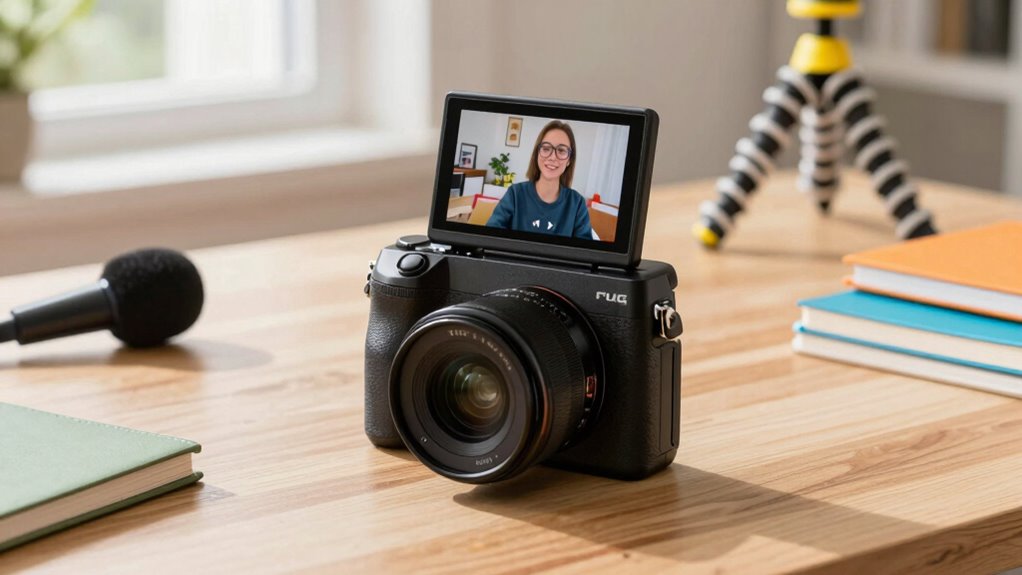
A flip-out screen lets you see yourself while recording. This helps you check your framing, focus, and background.
A screen that flips to the side is usually more useful than one that only tilts. A side-hinged screen stays visible when you mount the camera on a tripod or hold it vertically.
2. Reliable autofocus
Autofocus tracks your face and keeps you sharp as you move. This matters when you vlog alone.
Look for:
- Face detection
- Eye detection
- Subject tracking
- Touch focus
- Quick focus recovery when you move
A camera with strong autofocus can save a beginner from many blurred clips.
3. A wide lens
A wide lens shows more of the scene. It also makes handheld filming easier because you can hold the camera at arm’s length and still fit your face in the frame.
For a small camera, a lens near a 20mm to 24mm full-frame equivalent works well for handheld vlogging. A narrow lens may force you to hold the camera too far away.
4. Good sound options
Viewers may forgive soft video. They are less likely to forgive hard-to-hear audio.
A useful vlogging camera should have either:
- A decent built-in microphone
- A 3.5mm microphone input
- Support for a compatible wireless microphone
- A way to monitor or improve recorded sound
Many cameras include a microphone input but not a headphone jack. That means you may be able to record external sound but not listen to it live.
5. Stabilization
Stabilization reduces shake. It helps when you walk, pan, or hold the camera with one hand.
There are three common forms:
- Optical stabilization: The lens or sensor moves to reduce shake.
- Electronic stabilization: The camera crops the image and digitally smooths movement.
- Gimbal stabilization: A motorized mount physically keeps the camera steady.
A gimbal can produce very smooth walking footage. However, it may add weight, cost, and another device to charge.
6. Simple controls
a beginner camera should let you start recording quickly. Automatic exposure, automatic white balance, and face tracking can help you focus on your story instead of camera settings.
Manual controls still matter if you want to learn. The best beginner camera offers both: simple automatic modes now and room to grow later.
Best Vlogging Cameras for Beginners
The best camera depends on your content, budget, and willingness to learn. The models below serve different types of US-based creators.
Sony ZV-1 II: Best overall for most beginners
The Sony ZV-1 II is a compact camera designed for creators. Sony lists a 1-inch image sensor, a built-in 18–50mm equivalent zoom lens, a side-opening vari-angle screen, face and eye autofocus, and a microphone input on its official product page.
Its wide end is useful for handheld videos. You can also zoom in for talking-head shots, food videos, and simple product demonstrations.
Why beginners may like it:
- Small enough for daily carry
- Wide lens for self-recording
- Strong face-tracking autofocus
- Flip-out screen
- Built-in microphone with a supplied windscreen
- More control than a phone
Limits to understand:
- It does not have the low-light ability of a larger interchangeable-lens camera.
- The built-in battery may not last through a full day of heavy recording.
- It lacks the built-in mechanical gimbal found in the DJI Osmo Pocket 3.
- The lens is fixed, so you cannot change it later.
The Sony ZV-1 II is a strong fit for a beginner who wants a small camera that works well indoors, outdoors, and on a tripod.
DJI Osmo Pocket 3: Best for walking and travel vlogs
The DJI Osmo Pocket 3 combines a small camera with a three-axis mechanical gimbal. DJI lists a 1-inch sensor, a 2-inch rotatable touchscreen, 4K video recording, and subject tracking on its official product information.
The gimbal is its main advantage. It can keep the camera level and reduce movement when you walk through a city, attend an event, or film a travel diary.
Why beginners may like it:
- Very small body
- Built-in gimbal stabilization
- Rotating screen for horizontal or vertical video
- Face tracking
- Simple controls
- Smooth walking footage
The Creator Combo adds accessories such as a wireless microphone system and other filming tools. It costs more than the basic camera, so compare the bundle with your actual needs.
Limits to understand:
- The lens is fixed.
- A gimbal can be less convenient when you want to set the camera down quickly.
- Mechanical moving parts need more care than a basic fixed camera.
- Strong stabilization does not replace good light or good audio.
Choose the Osmo Pocket 3 if your videos involve movement. It is especially useful for travel, street scenes, tours, and day-in-the-life content.
Canon EOS R50: Best for long-term growth
The Canon EOS R50 is a mirrorless camera with an interchangeable RF-S lens mount. Canon lists a 24.2-megapixel APS-C sensor, 4K video features, a fully articulating screen, and subject-detection autofocus.
An interchangeable-lens camera gives you more creative options. You can use a wide lens for vlogging, a bright lens for indoor scenes, or a telephoto lens for distant subjects.
Why beginners may like it:
- Larger sensor than most compact vlogging cameras
- Interchangeable lenses
- Strong photo and video flexibility
- Fully articulating screen
- Good choice for creators who also take photos
- Room to improve as your skills grow
Limits to understand:
- The body and lenses take up more space.
- A wide lens for handheld vlogging may cost extra.
- A larger camera can attract more attention in public.
- You may need to learn exposure, lens choice, and focus settings.
- Stabilization depends on the lens and shooting method.
The EOS R50 is the better investment for a creator who wants one camera for YouTube, family photos, portraits, and future lens upgrades.
Sony ZV-1F: Best for simple, wide-angle shooting
The Sony ZV-1F is a compact creator camera with a fixed wide-angle lens. Sony lists a 20mm equivalent lens, a 1-inch sensor, a vari-angle screen, and creator-focused controls.
Its wide lens makes it easier to hold the camera at arm’s length. It also works well in small rooms where you cannot step back.
Why beginners may like it:
- Wide lens for self-recording
- Small body
- Flip-out screen
- Easy automatic operation
- External microphone support
- Usually simpler than an interchangeable-lens camera
Limits to understand:
- The fixed lens does not zoom.
- You cannot change the field of view without moving the camera.
- Digital stabilization may reduce the image area.
- It offers less flexibility than the ZV-1 II.
The ZV-1F fits beginners who want a small camera for talking videos and do not need optical zoom.
A smartphone: Best if your budget is limited
A recent smartphone may be the smartest first vlogging camera. Modern phones offer good automatic exposure, strong image processing, built-in stabilization, and simple editing apps.
A phone also gives you a fast way to learn the basics:
- Framing
- Lighting
- Story structure
- Audio placement
- Editing
- Uploading
Before buying a camera, test your current phone with a small tripod and an external microphone. Better sound and light may improve your videos more than a new camera body.
A dedicated camera becomes more useful when you need better lens control, longer recording sessions, stronger background separation, a microphone jack, or a more comfortable filming setup.

Beginner Vlogging Camera Comparison
The table below compares the main choices by the problem they solve. Specifications can vary by firmware, kit, region, and recording mode, so check the current manufacturer page before purchase.
| Camera | Best for | Main strength | Main limitation |
|---|---|---|---|
| Sony ZV-1 II | Most new vloggers | Wide zoom and strong autofocus in a small body | Fixed lens and limited low-light performance |
| DJI Osmo Pocket 3 | Walking and travel | Mechanical gimbal stabilization | Less flexible than an interchangeable-lens camera |
| Canon EOS R50 | Long-term growth | Interchangeable lenses and larger sensor | More cost, size, and setup |
| Sony ZV-1F | Simple talking videos | Wide fixed lens and easy controls | No optical zoom |
| Smartphone | Testing the hobby | Already owned and easy to share | Less control and weaker audio upgrades on some models |
Which camera gives the best value?
Value depends on the full kit, not just the camera body. Include the cost of a memory card, spare battery or power bank, microphone, mini tripod, and case.
A camera that costs less but needs several accessories may not be cheaper in practice. On the other hand, you do not need every accessory on day one.
A sensible starter kit often includes:
- Camera or phone
- One compatible memory card
- Small tripod or grip
- External microphone or wireless microphone
- Spare battery or USB power source
- Small windscreen for outdoor recording
Do not buy several lenses, lights, and mounts before you know what type of videos you enjoy making.
How to Choose the Right Vlogging Camera
Use your filming style as the main decision point. The same camera can be ideal for one creator and frustrating for another.
Choose the Sony ZV-1 II if you want one small all-purpose camera
Pick the ZV-1 II when you want:
- A wide lens and some zoom
- A compact body
- Simple autofocus
- Indoor and outdoor flexibility
- A camera that fits in a small bag
It is the safest general recommendation for a beginner who does not want to manage lenses.
Choose the DJI Osmo Pocket 3 if you move while filming
Pick the Osmo Pocket 3 when you plan to:
- Walk through cities
- Film travel days
- Record tours
- Capture smooth movement
- Switch between vertical and horizontal video
Its gimbal is valuable when smooth motion matters more than lens flexibility.
Choose the Canon EOS R50 if you want to build a camera system
Pick the EOS R50 when you expect to:
- Take high-quality photos
- Try different lenses
- Record sit-down videos
- Learn more advanced camera skills
- Use the camera for several years
Plan your lens purchase carefully. A camera with a kit lens may not be wide enough for comfortable handheld vlogging in a small room.
Choose a smartphone if you are still testing the idea
A phone is enough to publish your first videos. Use it for a week or two before buying a dedicated camera.
This test can answer useful questions:
- Do you enjoy recording yourself?
- Do you like editing?
- Do you film indoors or outdoors?
- Do you need a camera that tracks you?
- Do you prefer walking videos or sit-down videos?
The best beginner camera is the one you will carry and use.

How to Set Up a Beginner Vlogging Camera
You can start with automatic settings. A simple setup reduces errors and helps you focus on your message.
Step 1: Charge the battery and format the card
Use a compatible memory card with enough speed and capacity for your chosen video setting. Format the card in the camera after saving any files you need.
Do not remove the card while the camera is recording or writing files. That can damage clips or the card.
Step 2: Choose a simple video format
Start with 4K at 24 or 30 frames per second if your computer and storage can handle it. Use 1080p if you need smaller files, longer recording time, or easier editing.
Higher resolution does not fix poor sound, bad light, or weak storytelling.
Step 3: Turn on face and eye detection
Enable face tracking for talking videos. Test it before filming a full video.
Watch for problems such as:
- The camera focusing on the background
- The camera tracking another person
- The camera losing focus in low light
- A hat or sunglasses blocking face detection
Step 4: Frame the shot
Place your eyes near the upper third of the frame. Leave a little space above your head. Check the background for bright windows, clutter, or objects that appear to grow from your head.
For a handheld shot, keep the camera near eye level. A low angle can make the camera feel imposing, while a high angle may look unnatural.
Step 5: Record a short test clip
Record 20 to 30 seconds before your real take. Check:
- Can you hear your voice clearly?
- Is your face in focus?
- Is the image too bright or too dark?
- Is the camera level?
- Does the shot shake when you move?
Fixing these issues early is easier than repairing them in editing.
Step 6: Improve sound before buying more gear
Move closer to the camera or use an external microphone. Outdoors, use a windscreen. Indoors, soft furnishings can reduce echo.
A microphone placed near your mouth usually helps more than a costly camera placed far away.
Signs your setup is working
Your setup is ready when:
- Your face stays in focus
- Your voice is clear without excessive noise
- The frame shows the intended background
- Highlights are not badly blown out
- You can record for the needed length
- You can transfer and edit the files
If the camera overheats, stops recording, or drains its battery quickly, check the manual for recording limits, supported media, temperature guidance, and power options.
Common Beginner Mistakes
Many new vloggers spend money on image quality while ignoring the parts viewers notice first.
Buying a camera before testing your phone
A new camera cannot replace a clear idea or steady publishing habit. Make a few short videos with your phone first.
Ignoring audio
Built-in microphones can work in quiet rooms. They often struggle with traffic, wind, crowds, and echo.
Listen with headphones before posting. A waveform that looks healthy does not guarantee clear speech.
Using a narrow lens for handheld video
A narrow lens may crop out your face or background. Check the full-frame equivalent focal length before buying a lens for self-recording.
Recording in poor light
Small sensors need enough light. Face a window, use a soft light, or move to a brighter area. Avoid placing a bright window directly behind you unless you want a silhouette.
Holding the camera too low
Keep the lens near eye level. This simple change can make a vlog look more natural.
Buying too many accessories
Start with one camera, one card, one audio solution, and one support tool. Add equipment only when a real problem appears.
Forgetting storage and backup
Video files fill cards and computer drives quickly. Copy important footage to a second location before formatting the card.
Recording people without permission
US privacy and recording laws vary by state. Rules can differ for private conversations, public spaces, minors, businesses, and posted footage. When another person is clearly identifiable, ask for permission when practical , and check local law for sensitive situations.
Key Takeaways
- The Sony ZV-1 II is the best general recommendation for most beginners.
- The DJI Osmo Pocket 3 is better for smooth walking and travel videos.
- The Canon EOS R50 is better for long-term growth and interchangeable lenses.
- A smartphone is a sensible first step if you are unsure whether you will keep vlogging.
- Good audio, light, and framing often matter more than buying a more expensive camera.
- Budget for the whole setup, including a card, microphone, support, and power.
Frequently Asked Questions
Is a mirrorless camera better for vlogging?
A mirrorless camera can offer better image quality, lens choice, and long-term growth. It is not automatically better for every beginner. A compact camera may be easier to carry, faster to set up, and less expensive once accessories are included.
Is 4K necessary for beginner vlogs?
No. 4K gives you more detail and allows some cropping during editing, but 1080p is still practical. Choose 4K if your computer, storage, and editing software can handle larger files.
Do I need an external microphone?
You do not need one for every situation. The built-in microphone may be enough in a quiet room. An external microphone becomes more useful outdoors, in noisy places, or when the camera is more than a few feet from you.
Can I use a GoPro for vlogging?
Yes. An action camera works well for outdoor activities, sports, water scenes, and highly active videos. It may be less suitable for indoor talking videos because of its wide perspective and small sensor, depending on the model and light.
How much should a beginner spend on a vlogging camera?
Set a total budget rather than a camera-only budget. A practical setup may need a camera, memory card, microphone, small tripod, spare battery, and case. Start with the least expensive setup that solves your main filming problem.
Should I buy used camera gear?
Used gear can offer good value. Buy from a seller with a clear return policy when possible. Check the sensor, lens, screen hinge, ports, battery, card slot, autofocus, and recording function before the return period ends.
What is the best camera for YouTube beginners?
For many beginners, the Sony ZV-1 II is a balanced choice because it combines a wide zoom lens, face tracking, a flip-out screen, and a small body. The best option changes if you mainly walk, travel, take photos, or want interchangeable lenses.
Conclusion
The best vlogging camera for beginners is usually the Sony ZV-1 II because it combines simple operation, a useful wide zoom range, face-tracking autofocus, and a compact design.
Choose the DJI Osmo Pocket 3 for smooth movement. Choose the Canon EOS R50 if you want to build a lens system. Choose your smartphone if you are still testing the hobby.
Before you buy, record a short video with the equipment you already own. Identify the real problem—sound, stability, lens width, low light, or ease of use—then buy the camera that fixes that problem.
Recent Posts
Find out what is the best vlogging camera for beginners and pros. Compare key features, video quality, portability, and value before you buy.
What is a vlogging camera? Learn its key features, benefits, and how to choose the right camera for creating better videos and engaging content.