
Introduction
A vlogging camera is a camera made for recording personal videos, live content, interviews, travel clips, and social media posts. In the United States, vloggers use these cameras for YouTube, TikTok, Instagram, podcasts, school projects, and small business videos.
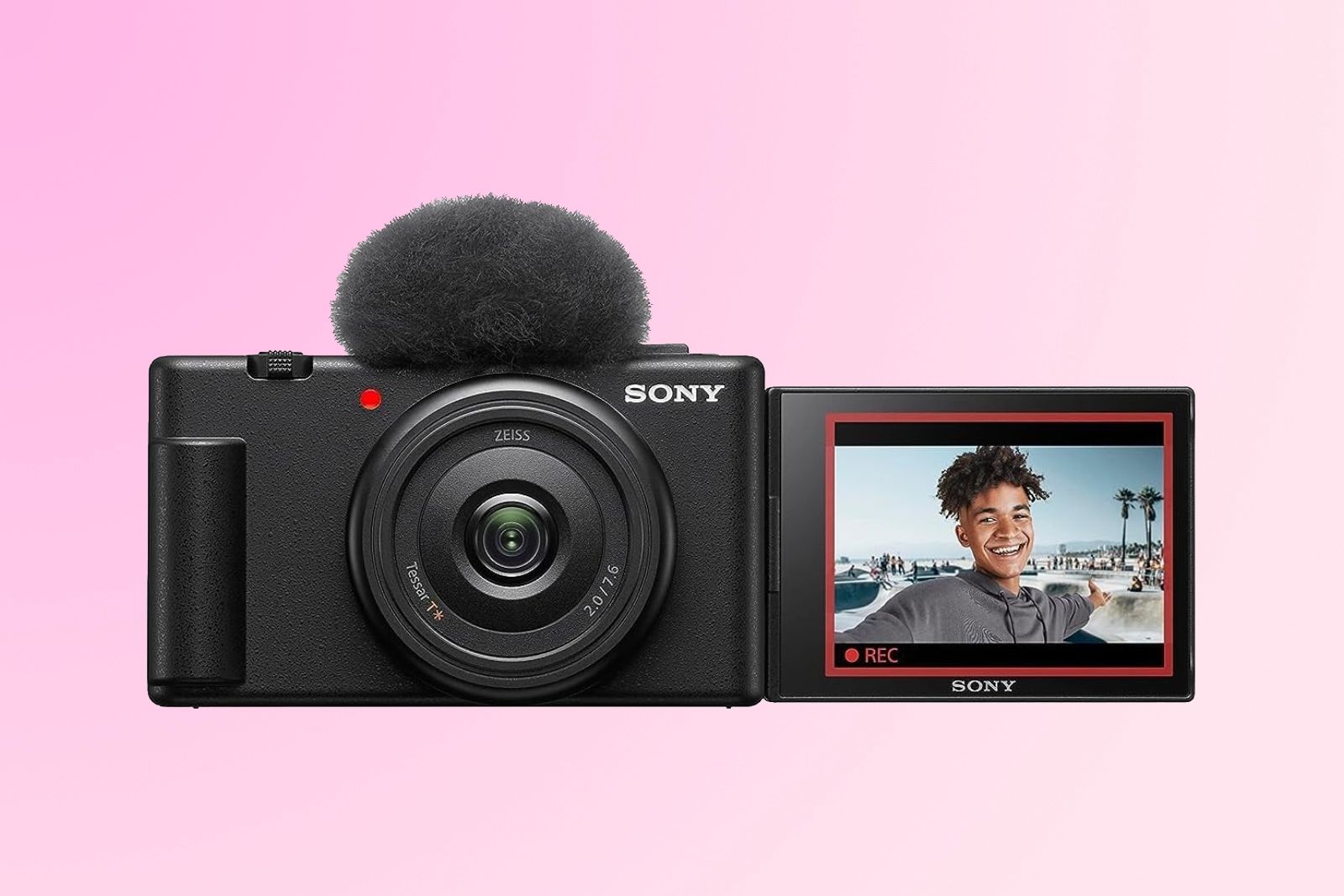
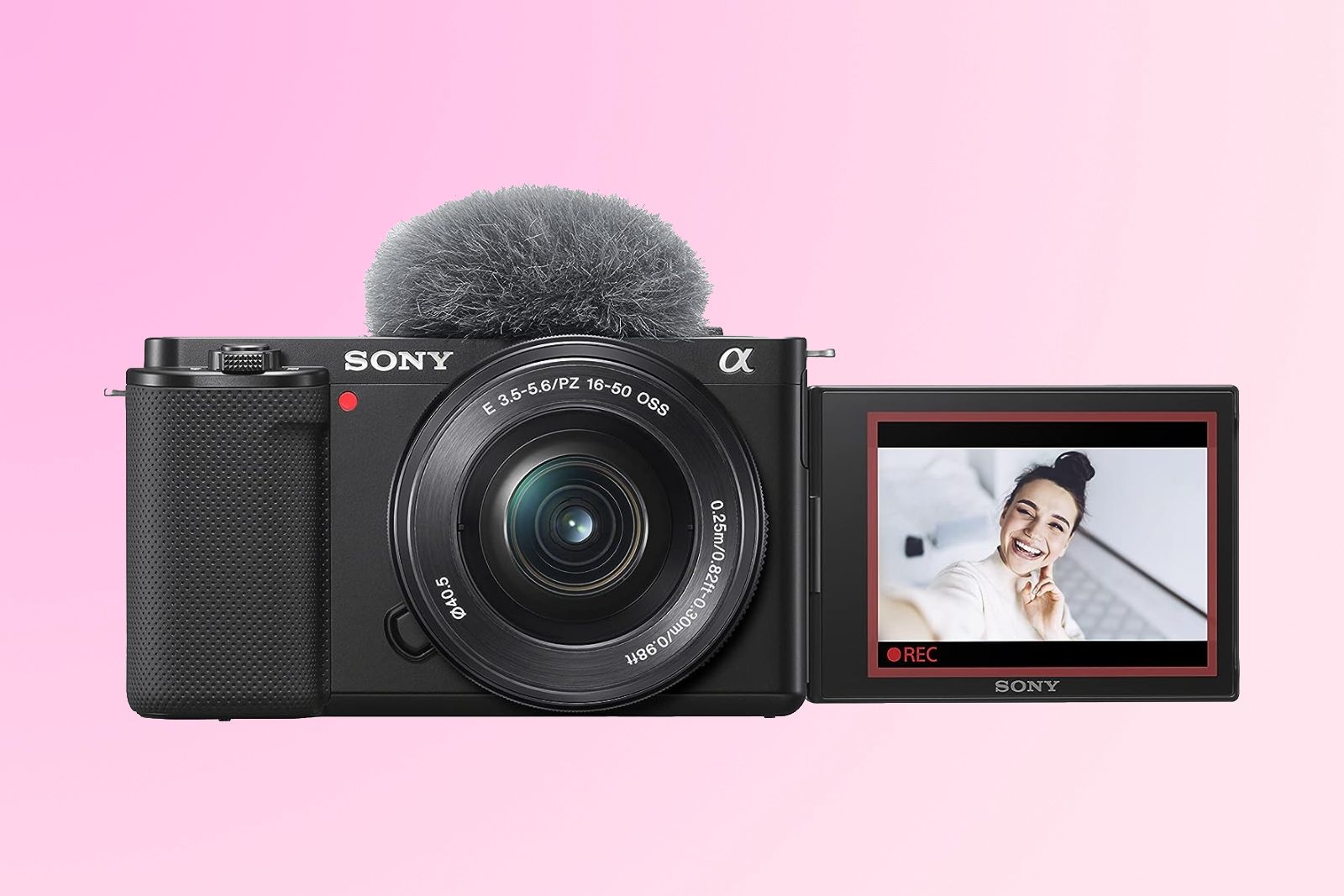
Unlike a basic point-and-shoot camera, a vlogging camera often has a flip screen, a built-in microphone, fast autofocus, and simple controls. Some models are small enough to carry in a pocket. Others use interchangeable lenses and offer image quality close to professional cameras.
The best choice depends on how you plan to record. A person who films short walks may need a small camera with strong stabilization. A creator who records indoor videos may benefit more from a large sensor, a good microphone port, and lens control.
What Is a Vlogging Camera?
A vlogging camera is a digital camera designed to make video recording easier for one person. It helps you frame yourself, record clear sound, focus on your face, and move while filming.
Most vlogging cameras include some combination of these features:
- A screen that flips, tilts, or rotates toward the user
- Video recording in Full HD or 4K
- Face and eye detection
 autofocus
 - A built-in microphone
- A microphone input for an external mic
- Electronic or optical image stabilization
- A compact body
- Easy controls for exposure and video settings
- USB charging or power
- Wi-Fi or Bluetooth for file transfer
A vlogging camera is not a formal camera class with one fixed design. The term describes how a camera is made and used. A compact camera, action camera, mirrorless camera, or gimbal camera may all serve as a vlogging camera.
The main goal is simple: record useful video and sound with less effort while you are filming alone.
How is a vlogging camera different from a regular camera?
A regular camera may focus mainly on still photos. A vlogging camera gives more attention to video tasks.
For example, a vlogging model may keep your face in focus while you walk. It may show your image on a front-facing screen. It may also include a wide lens so you can hold the camera at arm’s length.
A traditional camera can still record excellent vlogs. However, it may lack a front-facing screen, a microphone jack, or video features that make solo filming easier.

Key Features of a Vlogging Camera
The most useful vlogging camera features relate to framing, focus, sound, light, and movement. Image resolution matters, but it is only one part of the result.
Flip or vari-angle screen
A flip screen lets you see yourself while recording. This helps you check your head position, background, and distance from the camera.
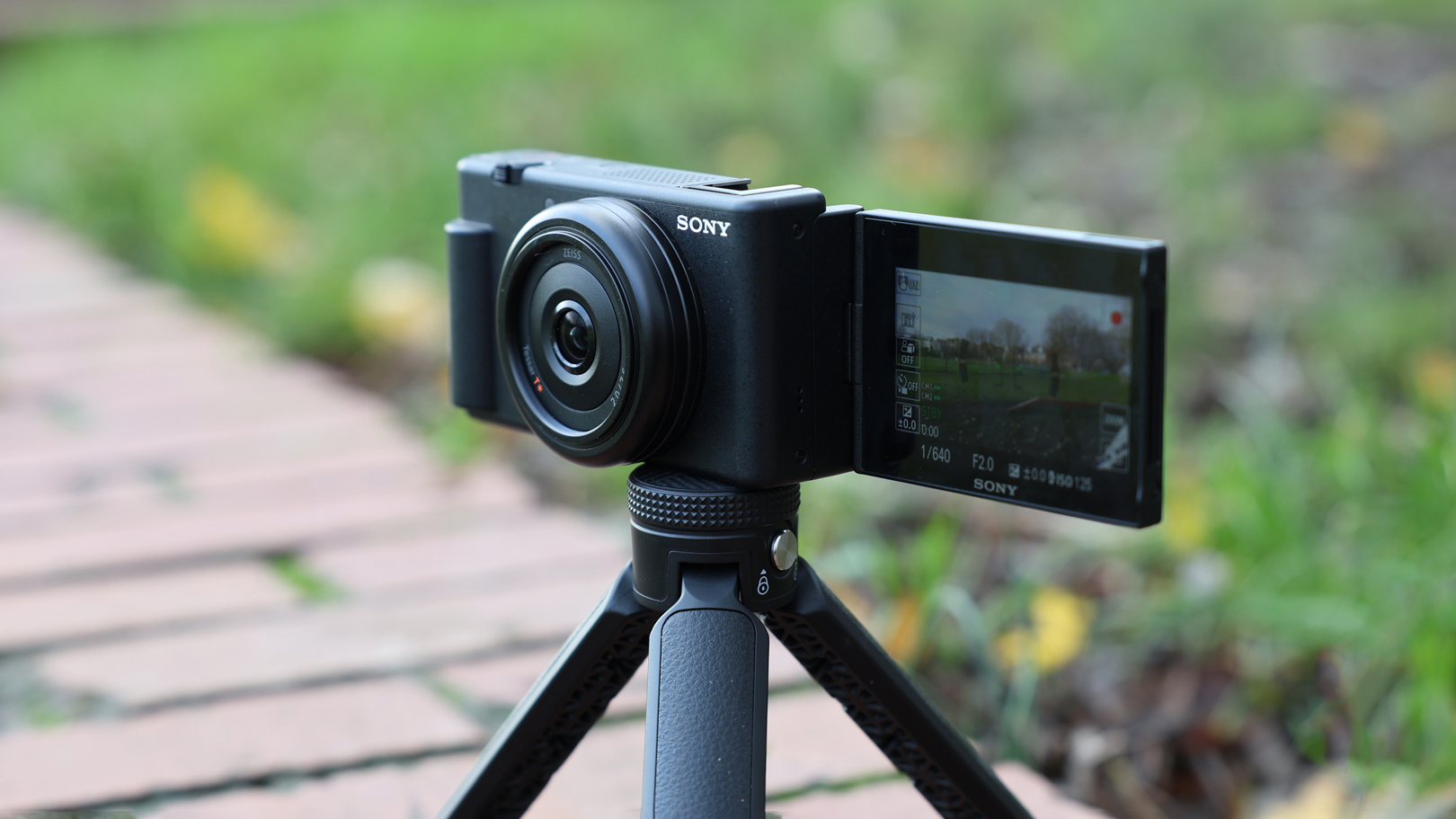
Some screens flip upward. Others open to the side and rotate. A side-opening screen may work better when the camera sits on a tripod because it is less likely to be blocked.
A front-facing screen is useful, but it does not prove that a camera is good for vlogging. The screen may be hard to see in direct sunlight, and some screens do not show every setting while recording.
Autofocus
Autofocus keeps the subject sharp. Face detection can identify a face, while eye detection can focus more precisely on the eyes.
Good autofocus helps when you:
- Walk toward the camera
- Hold a product close to the lens
- Move around a room
- Film another person
- Change from a wide shot to a close shot
Autofocus performance can change with low light, fast movement, hair or objects covering the face, and the selected lens. Always test autofocus in the setting where you plan to record.
Microphone support
Viewers may forgive a soft image. They are less likely to tolerate unclear sound.
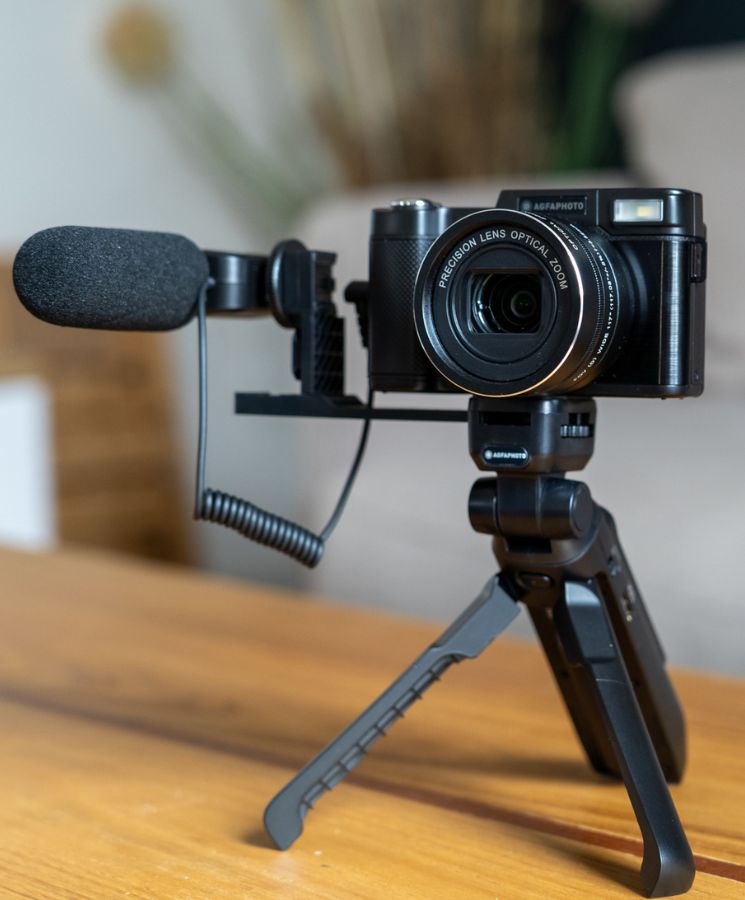
A built-in microphone is useful for quick clips. An external microphone often gives better results because it can sit closer to your voice. Common options include:
- A small on-camera shotgun microphone
- A wireless microphone system
- A wired lavalier microphone
- A recorder placed near the speaker
Look for a 3.5-millimeter microphone input if you want to connect many common wired microphones. Some newer cameras use a digital connection or a special accessory shoe instead.
Headphone support is also useful. It lets you listen for hum, wind, clipping, or a loose cable while recording.
Image stabilization
Image stabilization reduces the effect of small hand movements. It can make walking footage look smoother.
Common types include:
- Optical stabilization: Movement is reduced through the lens or sensor.
- Electronic stabilization: The camera crops or shifts the image digitally.
- Gimbal stabilization: A motorized mount physically keeps the camera steady.
Stabilization may reduce the camera’s field of view. It may also create a warped look during fast movement. A tripod remains the simplest choice for steady indoor videos.
Sensor size
The image sensor captures light. In general, a larger sensor can make it easier to record clean images in dim settings and create a softer background.
Common sensor types include:
- Small sensors in many compact and action cameras
- One-inch sensors in some premium compact cameras
- Micro Four Thirds sensors in some interchangeable-lens cameras
- APS-C sensors in many mirrorless cameras
- Full-frame sensors in larger and more expensive cameras
A larger sensor does not guarantee a better vlog. It can also mean a larger body, heavier lenses, shorter battery life, and a higher price.
Video resolution and frame rate
Full HD, also called 1080p, is enough for many platforms and devices. 4K records more detail and gives you room to crop or reframe the shot during editing.
Frame rate describes how many frames the camera records each second. Common choices include 24, 30, and 60 frames per second.
- 24 fps: A film-like look in many settings
- 30 fps: A common choice for online video
- 60 fps: Smoother motion and useful slow-motion options
Higher resolution and frame rates use more storage and may create larger files. They can also increase heat and battery use.

Types of Vlogging Cameras
The right type depends on your movement, lighting, audio needs, and willingness to carry extra gear.
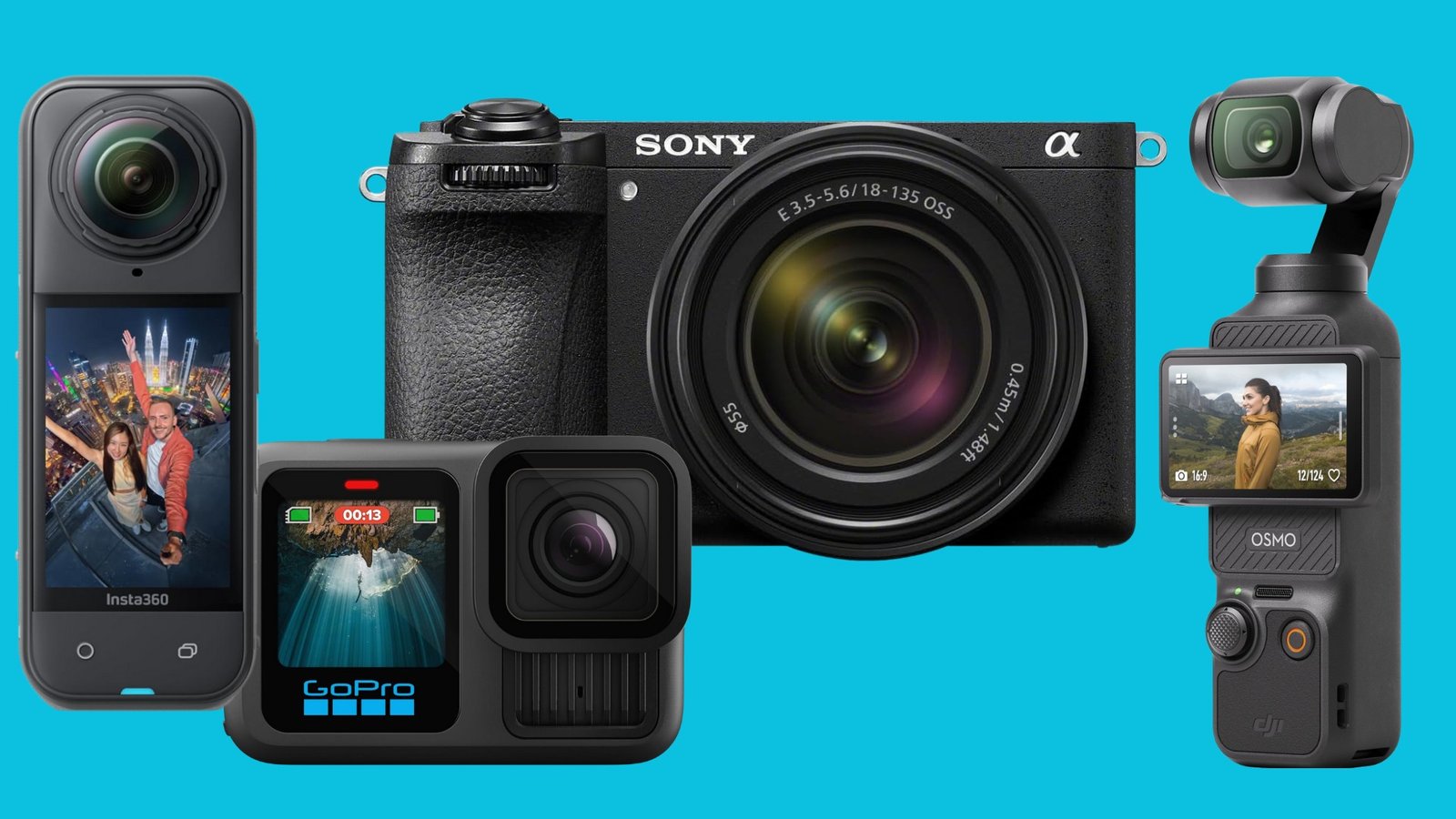
| Camera type | Best for | Main strength | Main limit |
|---|---|---|---|
| Smartphone | Casual clips and quick posts | Always available | Limited control and lens options |
| Compact camera | Travel and simple talking videos |
Small size and easy use | Less lens flexibility |
| Action camera | Outdoor activity and movement | Tough body and wide view | Small sensor and limited low-light quality |
| Pocket gimbal camera | Walking and travel videos | Smooth motion | Small screen and less lens control |
| Mirrorless camera | High-quality creator work | Strong image quality and lens choice | More cost, weight, and setup |
| Webcam | Desk videos and live streams | Simple computer connection | Usually poor for mobile filming |
Compact cameras
Compact vlogging cameras are easy to carry and quick to operate. Many have a fixed lens, so you do not need to buy or change lenses.
They can be a good fit for travel, daily videos, and creators who value speed. Their fixed lens may limit your options for very wide shots, strong background blur, or distant subjects.
Action cameras
Action cameras are built for outdoor use. Many offer wide views, strong electronic stabilization, and small bodies.
They work well for cycling, hiking, skiing, water activities, and hands-free recording. Their small sensors may produce more noise indoors or at night. Wide lenses can also make faces look stretched near the edges.
Mirrorless cameras
Mirrorless cameras use interchangeable lenses and often have larger sensors. They offer more control over focus, exposure, color, and background blur.
They can be the best choice for studio videos, interviews, product demonstrations, and creators who plan to improve their camera system over time. The trade-off is greater cost and complexity.
Smartphone cameras
A modern smartphone can be a real vlogging tool. It may provide strong stabilization, automatic processing, and fast sharing.
A dedicated camera becomes more useful when you need longer recording sessions, better lens control, cleaner sound connections, better low-light performance, or a more comfortable filming grip.
How to Choose a Vlogging Camera
Choose a vlogging camera by starting with your filming habits, not the camera’s maximum specification.
1. Decide where you will record
Your location changes the best camera type.
- At a desk: A mirrorless or compact camera with a microphone input may work well.
- While walking: Choose reliable stabilization and a wide lens.
- While traveling: Weight, battery life, charging, and durability matter.
- Outside: Check wind protection and screen brightness.
- In dim rooms: A larger sensor and a bright lens can help.
2. Decide whether you will film yourself
If you film yourself, prioritize:
- A screen you can see from the front
- Face and eye autofocus
- A wide enough lens
- A simple record button
- A microphone that works without blocking the screen
If another person operates the camera, a front-facing screen may matter less.
3. Set a realistic audio plan
Do not buy a camera first and think about sound later. Check whether it supports the microphone you want to use.
For a basic setup, place the microphone close to your mouth. For outdoor use, add a windscreen. Record a short test and listen with headphones before filming the full session.
4. Check battery and storage needs
Video uses power and storage quickly. A long recording day may require:
- One or more spare batteries
- A USB power bank that the camera supports
- Fast, compatible memory cards
- A card reader or reliable file-transfer method
Memory card labels can be confusing. Check the camera manual for the required capacity and speed class. Do not assume that every high-capacity card will work correctly.
5. Consider heat and recording limits
Some cameras stop recording when they become too warm. Heat risk can rise in direct sunlight, hot cars, small rooms, or long 4K sessions.
Before buying, read the manufacturer’s manual and support information for recording limits. If you need long takes, test the camera in similar conditions.
6. Compare total cost
The camera body is only part of the budget. You may also need:
- A lens
- A memory card
- A spare battery
- A microphone
- A tripod or grip
- A light
- A camera bag
- Editing storage
A less expensive camera with good sound and stable support may produce better videos than an expensive body used with poor audio and weak lighting.

A Simple Vlogging Setup
You can start with a small kit:
- Camera: Choose a phone, compact camera, action camera, or mirrorless model.
- Support: Use a small tripod, grip, or stable surface.
- Sound: Use the built-in mic in a quiet room or add an external mic.
- Light: Face a window or use a soft light placed slightly above eye level.
- Storage: Format a compatible memory card in the camera when the manual recommends it.
- Power: Charge the battery and check how long it lasts.
- Test clip: Record a short sample before the main video.
- Review: Check focus, sound, brightness, framing, and background noise.
A good test clip can prevent an entire failed recording. Listen for air conditioners, traffic, clothing noise, and echo. Look for bright windows behind you and objects that appear to grow from your head.
Common Vlogging Mistakes
Many weak videos come from setup problems, not from the camera itself.
Ignoring sound
A camera microphone may sound fine in a quiet room but fail outside. Wind can overwhelm speech. Place the microphone near the speaker and use a windscreen when needed.
Using a lens that is too narrow
A narrow lens may cut off your face when you hold the camera close. Step back, use a wider lens, or mount the camera farther away.
Trusting autofocus without checking it
Autofocus can lock onto the wrong object. This may happen when you hold products in front of your face or film through glass. Test face and object tracking before an important shoot.
Recording against a bright window
A bright background can make your face look dark. Turn toward the window or place a light on your face.
Buying for resolution alone
4K does not fix poor sound, bad focus, camera shake, or weak lighting. Choose a balanced setup.
Forgetting privacy and consent
In the United States, recording rules can vary by state. Audio recording may raise consent issues, especially in private settings. Get clear permission before recording other people, private conversations, children, workplaces, or events with access limits.
Do not publish someone’s image or voice without considering consent, platform rules, contracts, and local law. For sensitive work, ask a qualified attorney for advice.
Smartphone or Dedicated Vlogging Camera?
A smartphone is often the best starting point when convenience matters most. It is already connected to editing and publishing apps, and many phones produce good video in daylight.
A dedicated camera may be worth the cost when you need:
- A more comfortable filming grip
- A larger sensor
- Interchangeable lenses
- Better control of focus and exposure
- A dedicated microphone connection
- Longer recording sessions
- A separate device for filming
The choice is not permanent. Many creators use a smartphone for quick clips and a dedicated camera for planned videos, interviews, or studio work.
Frequently Asked Questions
Is a vlogging camera good for YouTube?
Yes. A vlogging camera can work well for YouTube if it records clear video and sound. The best model depends on whether you film at a desk, travel, record outdoors, or make long videos.
Do I need a 4K vlogging camera?
No. Full HD is enough for many videos. 4K can provide extra detail and allow some cropping during editing, but it uses more storage and power.
Can I vlog with a normal digital camera?
Yes. A normal digital camera can work if it has suitable video features. Check for a usable screen, reliable autofocus, a microphone input, stabilization, and a recording time that fits your needs.
What microphone is best for vlogging?
There is no single best microphone for every vlog. A small on-camera mic can suit camera-facing videos. A lavalier or wireless mic can work well when the speaker moves. A windscreen is important for outdoor recording.
How much should a beginner spend?
The right budget depends on what you already own. A beginner may start with a phone, a small tripod, and a simple microphone. If you buy a camera, reserve part of the budget for storage, power, and sound.
Can a vlogging camera take photos?
Most vlogging cameras can take still photos. However, their controls, lenses, and photo features may vary. Choose a hybrid mirrorless camera if high-quality photos are as important as video.

Key Takeaways
- A vlogging camera is designed to make solo video recording easier.
- A front-facing screen, reliable autofocus, stabilization, and good audio support are key features.
- A smartphone can be enough for many beginners.
- Compact and action cameras favor portability.
- Mirrorless cameras offer more control but add cost and weight.
- Sound, light, and stable framing often matter more than maximum resolution.
- Test the camera, microphone, battery, and storage before an important recording.
- Follow U.S. privacy, consent, venue, and platform rules when recording other people.
Conclusion
A vlogging camera is not defined by one brand, price, or resolution. It is a camera that helps you record yourself with clear framing, stable focus, useful sound, and manageable setup.
For simple clips, a smartphone or compact camera may be enough. For outdoor action, an action camera may fit better. For studio work and long-term growth, a mirrorless camera can provide more control.
Start with your real filming routine. Then choose the smallest setup that handles your location, sound, movement, and editing needs.
Recent Posts
Learn How Many Pounds Can My Checked Bag Be, including common airline weight limits, overweight fees, exceptions, and tips to avoid extra charges before your flight.
Learn how much stuff you can fit in a duffel bag, including clothing, shoes, travel gear, and everyday items. Compare duffel bag sizes, capacity limits, and packing tips.