
Introduction
A vlogging camera is used to record video for blogs, YouTube channels, social media, live streams, and online courses. In the United States, creators use these cameras for travel videos, home updates, product reviews, interviews, local events, and daily-life content.
Unlike a basic webcam or phone, a vlogging camera is built to make video creation easier. It often has a flip screen, a built-in microphone, fast autofocus, image stabilization, and a small body. These features help you record yourself while walking, speaking, or filming in changing light.
The best camera depends on how you plan to vlog. A person filming at home may need clear audio and a large sensor. A travel creator may value small size, long battery life, and strong stabilization more than advanced photo controls.
What Is a Vlogging Camera?
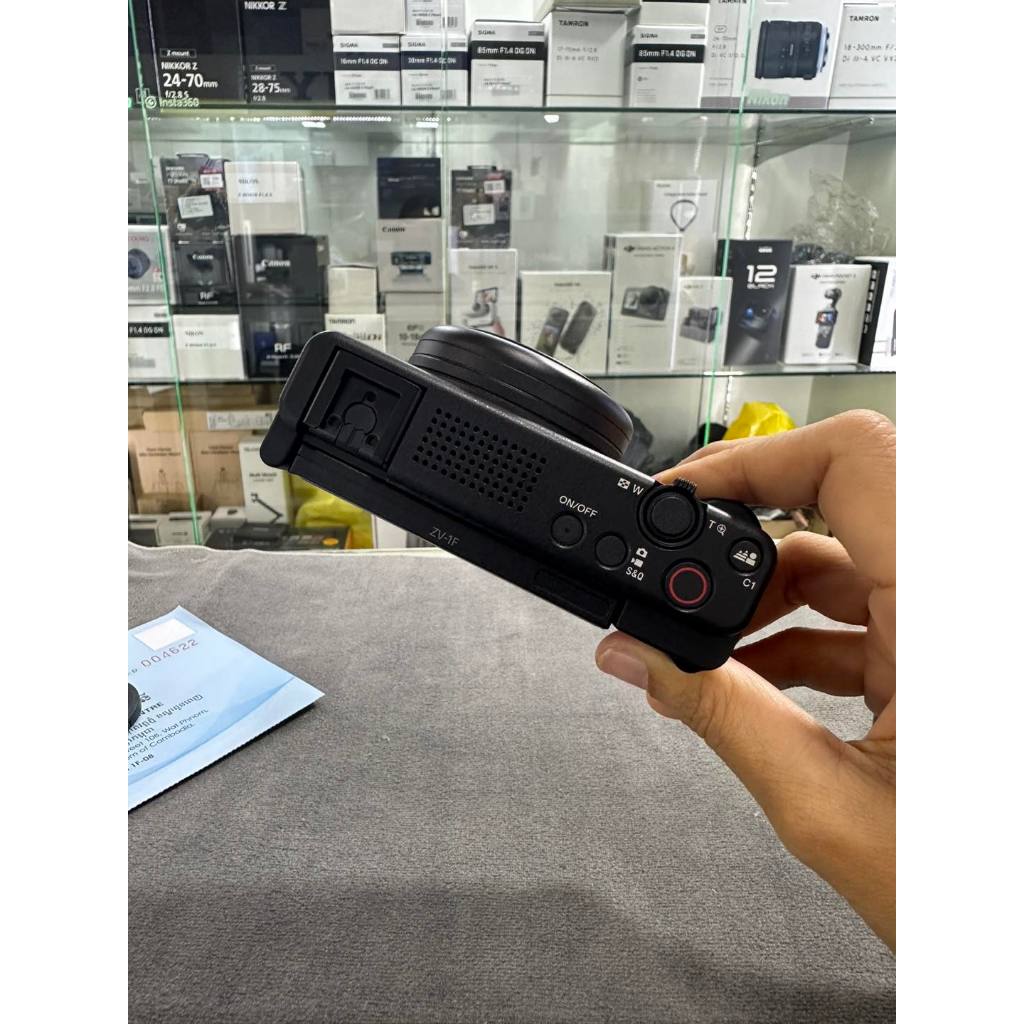
A vlogging camera is a digital camera designed for people who record themselves or their surroundings for online video. “Vlogging” means video blogging, but the camera can support many types of content.
Most vlogging cameras fall into one of these groups:
- Compact cameras: Small cameras with fixed lenses and simple controls.
- Mirrorless cameras: Cameras with interchangeable lenses and larger sensors.
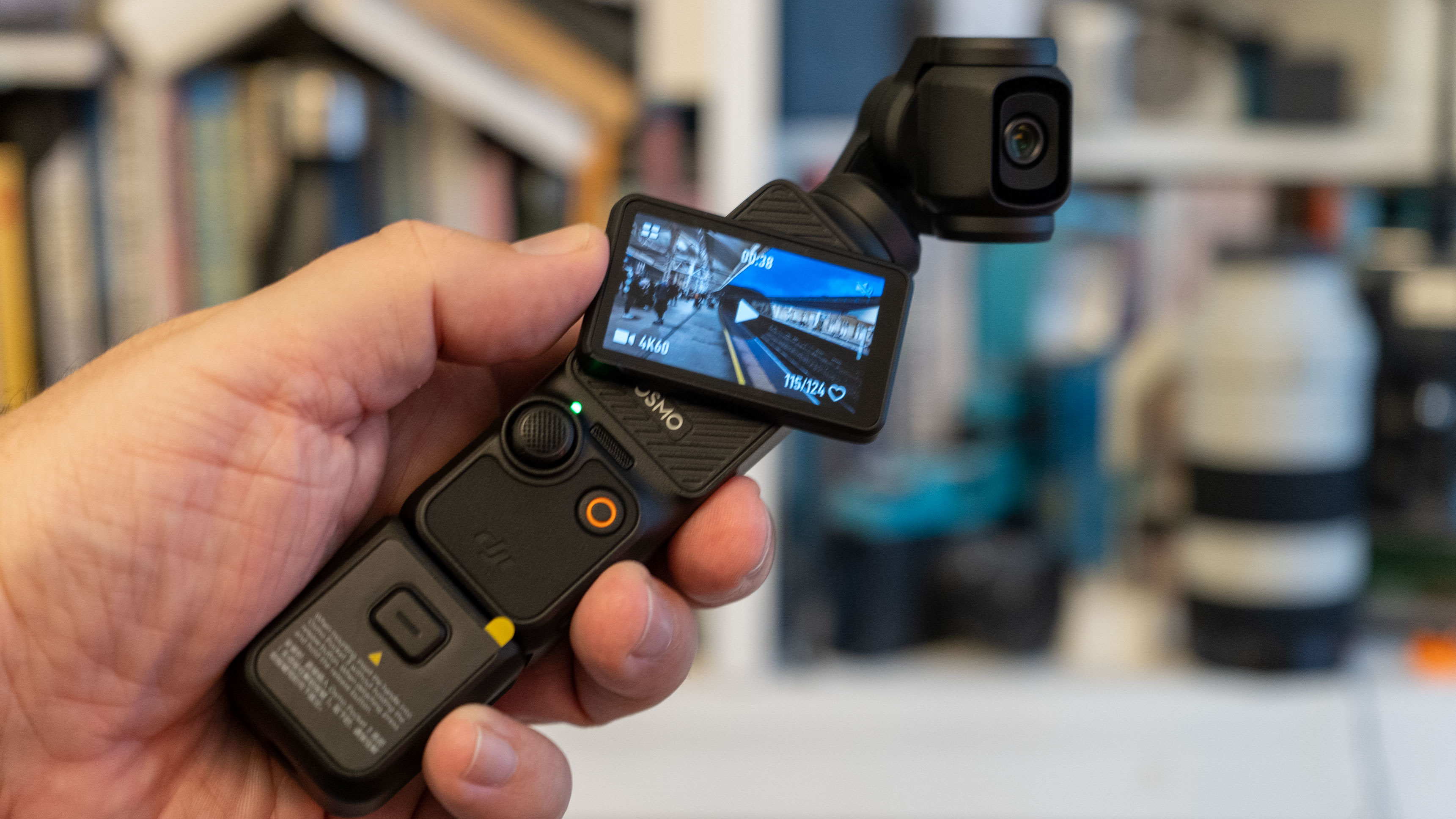
- Action cameras: Rugged cameras made for movement, outdoor use, and wide views.
- Camcorders: Video-focused cameras with long zoom ranges and long recording times.
- Smartphones: A common alternative for creators who want a simple setup.
A vlogging camera does not need to be expensive. The key is whether it supports the way you record. A camera with excellent image quality may still be a poor fit if it is heavy, hard to hold, or weak at recording sound.
In simple terms, a vlogging camera helps you capture, monitor, and share video with less effort.
What Is a Vlogging Camera Used For?
A vlogging camera is mainly used to record spoken video, moving footage, and visual stories for online audiences. It can support both planned productions and quick daily updates.
Recording yourself
Many vlogging cameras have a screen that flips to the side or tilts upward. This lets you see your face while the camera records. You can check your framing, focus, and exposure without needing another person behind the camera.
This is useful for:
- Talking-head videos
- Makeup and beauty tutorials
- Fitness lessons
- Cooking videos
- Home updates
- Educational content
- Personal video diaries
A flip screen is helpful, but it does not replace good framing. Leave enough space around your head, keep the camera near eye level, and check the background before recording.
Filming travel and daily life
Creators use vlogging cameras to record trips, outdoor activities, family-friendly events, and daily routines. A small camera is often easier to carry than a full-size video rig.
For travel vlogging , useful features include:
- Low weight
- Reliable autofocus
- Image stabilization
- A wide lens
- USB charging
- A strong battery
- Weather protection, when appropriate
A camera may be labeled “weather resistant,” but that does not mean it is waterproof. Check the exact manual before using it in rain, dust, snow, or near water.
Making YouTube videos
A vlogging camera can record:
- Video essays
- Product reviews
- Tutorials
- Unboxing videos
- Gaming commentary
– Interviews - Behind-the-scenes videos
- Short documentaries
Many cameras record in high-definition or 4K formats. Higher resolution can provide more detail and allow some cropping during editing. However, high-resolution video also uses more storage and may require a faster computer for editing.
Creating short-form social videos
A vlogging camera can produce content for platforms such as YouTube Shorts, Instagram, TikTok, and Facebook. Some cameras support vertical recording or make it easy to turn horizontal footage into a vertical crop.
Before recording, choose the format that matches the platform. A vertical video usually works best for full-screen mobile viewing. A horizontal video is often better for YouTube, television viewing, and wide scenes.
Live streaming
Some modern cameras can support live streaming through a computer, a mobile device, or a direct network connection. The exact method depends on the camera, software, cable, and platform.
For example, a camera may work as a webcam through USB. Others may require an HDMI capture device. Always check the camera maker’s support page for the exact operating system, cable, and software requirements.
Live streaming also requires more than a camera. A stable internet connection, clean audio, proper lighting, and a backup plan matter just as much.
How Is a Vlogging Camera Different From a Regular Camera?
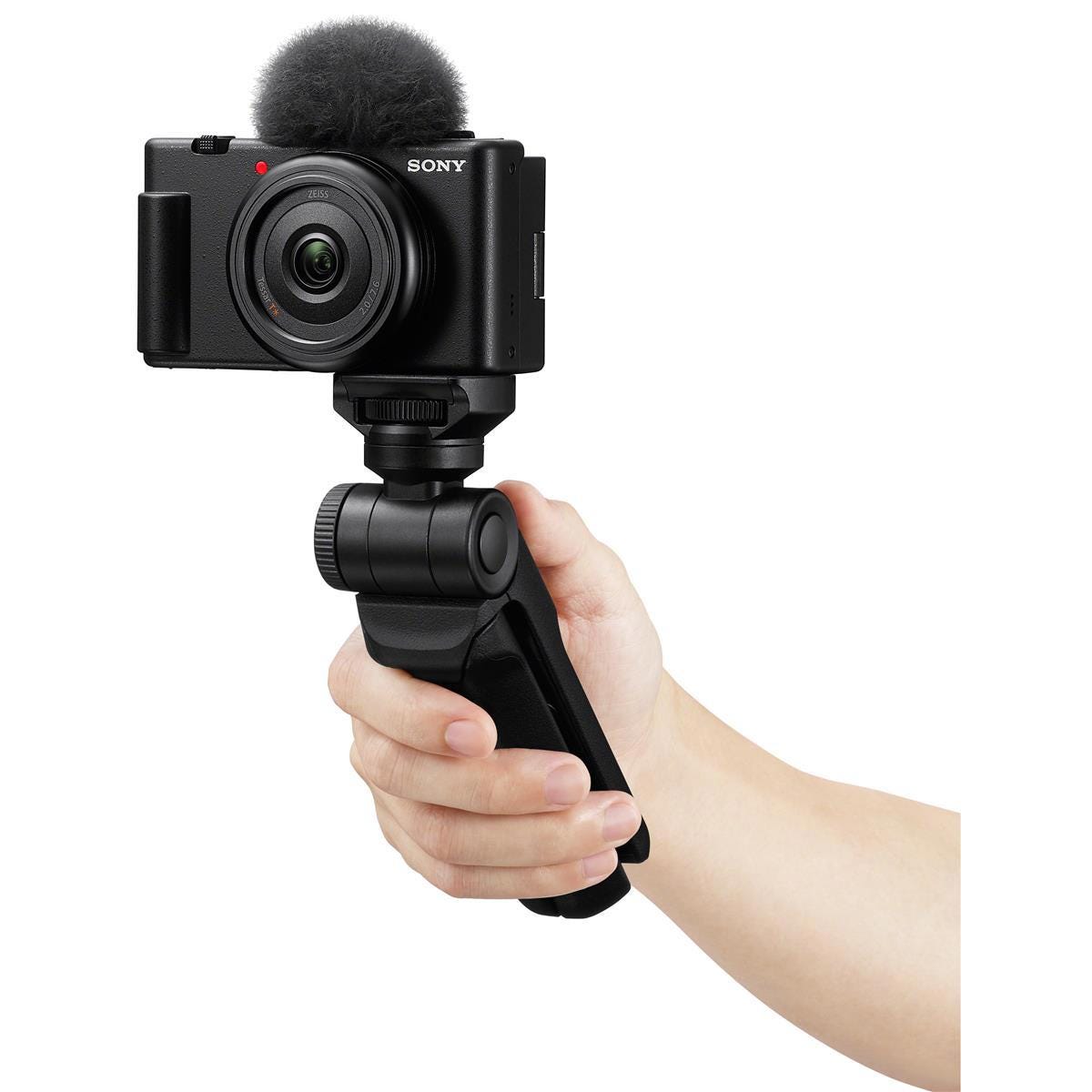
A vlogging camera is not always a separate technical category. It is usually a camera that includes features that make self-recording easier.
A traditional still camera may prioritize photography controls, viewfinders, long battery life, or advanced lens options. A vlogging camera often places more focus on video operation.
| Feature | Why it helps vloggers |
|---|---|
| Flip or tilt screen | Lets you monitor yourself |
| Face and eye autofocus | Helps keep the subject sharp |
| Microphone input | Allows use of an external microphone |
| Headphone output | Lets you monitor recorded sound on supported models |
| Image stabilization | Reduces shake while walking or holding the camera |
| Small body | Makes handheld recording easier |
| USB power or charging | Supports longer recording sessions |
| Wide-angle lens option | Shows more of the scene when the camera is close |
A regular camera can still work well for vlogging. The difference is often the design and workflow, not the name printed on the camera.
A smartphone may also be the better choice for a beginner. Phones are quick to use, easy to edit, and already connected to many social platforms. A dedicated camera becomes more useful when you need better low-light results, lens choices, stronger audio options, or more control over the image.
Which Features Matter Most for Vlogging?
The most useful feature depends on your recording style. Do not choose a camera based only on resolution or megapixel count.
Autofocus
Autofocus helps keep your face, eyes, or subject sharp. Face detection and eye detection are especially useful when you speak to the camera or move through a scene.
Test autofocus before buying if possible. Some systems work well in bright light but may search or lose focus in dim rooms. Fast movement, busy backgrounds, and low contrast can also make focusing harder.
Screen design
A front-facing screen helps you frame yourself. A side-hinged screen may be easier to see when a microphone or accessory is mounted on top. A tilting screen can work well for low-angle or high-angle shots.
Make sure the screen does not become blocked by the microphone, tripod, or cable setup you plan to use.
Audio support
Viewers may forgive a soft image. They are less likely to stay for unclear sound.
A built-in microphone can work in a quiet room. It may struggle outdoors, in traffic, or near air-conditioning equipment. A camera with a microphone input lets you connect a compatible external microphone.
Common microphone types include:
- On-camera shotgun microphones: Aim toward the speaker from the camera.
- Lavalier microphones: Clip near the speaker’s clothing.
- Wireless microphones: Send audio from a transmitter to a receiver.
- USB microphones: Often work with computers, but not with every camera.
Wind protection is important outdoors. A small foam cover may help indoors, while a furry windscreen is often better in stronger wind.
Image stabilization
Image stabilization reduces the effect of hand movement. It can make walking footage easier to watch, but it cannot remove every bump.
Electronic stabilization may crop the image. Optical or sensor-based stabilization may affect battery use, size, or price. A gimbal can create smoother motion, but it adds weight and setup time.
For a stationary talking-head video, a tripod may be more useful than advanced stabilization.
Lens and field of view
A wide lens shows more of the room or background. It is useful when the camera is close to your face. An overly wide lens can stretch faces near the edges and make rooms look unusual.
Interchangeable-lens cameras provide more control. You can use a wide lens for handheld vlogs, a normal lens for interviews, or a telephoto lens for distant subjects.
A fixed-lens camera is simpler. You do not need to buy or change lenses, but you have less control over framing.
Battery and storage
Video recording uses battery power and memory space. Long sessions may require:
- Spare batteries
- A USB power source
- A wall adapter
- Extra memory cards
- A card reader
- A safe file-backup method
Use memory cards that meet the camera maker’s speed and capacity requirements. A card that is too slow may cause recording errors or stop recording.
Heat and recording limits
Some cameras may stop recording when they become too warm. Heat risk can increase in direct sun, hot rooms, high-resolution modes, or long continuous takes.
Check the manual for operating conditions and recording limits. If the camera becomes unusually hot, stop recording and let it cool in a safe place. Do not cover vents or place hot equipment in a closed bag.

What Types of Vlogs Can You Make With a Vlogging Camera?
A vlogging camera can support many content styles. The right setup changes with the subject, location, and pace of the video.
Talking-head videos
For a seated video, use a tripod, a front-facing screen, and a microphone close to you. Place a light in front of your face rather than directly behind you.
A medium focal length can give a natural look. A wider view can show more of your room, desk, or set.
Travel vlogs
Travel videos often need a small camera, a wide view, and strong stabilization. Carry extra storage and protect the camera from heat, dust, and moisture.
Respect local rules and private spaces. In the United States, recording laws can vary by state, especially for private conversations. Do not assume that a public location gives permission to record every person or conversation.
Product reviews
Product videos benefit from a stable camera, accurate focus, and clear close-ups. Use a tripod or overhead mount when showing small products.
Avoid filming serial numbers, private documents, or personal information unless you have permission to show them.
Interviews
For interviews, audio is a major priority. Use a microphone that can capture both people clearly, or record separate audio when your setup allows it.
Ask for permission before recording. Written consent can help when the video is commercial, sensitive, or intended for wide distribution.
Action and outdoor videos
Action cameras work well for cycling, hiking, water activities, and fast movement. Their wide lenses and rugged bodies suit these tasks.
Check the waterproof rating and required housing. A camera described as water resistant may not be safe for swimming or submersion.
Live and educational content
For lessons, demonstrations, and live video, reliability matters more than cinematic effects. Use stable power, test the internet connection, and record a short test clip before the real session.

How Do You Choose a Vlogging Camera?
Choose a vlogging camera by matching its features to your location, movement, audio needs, and budget.
Use this simple decision guide:
| Your main need | Features to prioritize |
|---|---|
| Indoor talking videos | Good autofocus, microphone input, flip screen, tripod support |
| Travel vlogs | Small body, stabilization, USB charging, wide lens |
| Outdoor action | Rugged build, wide view, strong stabilization, waterproof housing if needed |
| Product reviews | Close-focus ability, stable tripod use, clean HDMI or webcam support if needed |
| Interviews | External microphone support, headphone monitoring, dependable autofocus |
| Live streaming | Webcam or HDMI support, continuous power, software compatibility |
| Beginner use | Simple controls, automatic modes, low weight, easy file transfer |
Set a total budget, not just a camera budget. You may also need a memory card, microphone, tripod, light, batteries, storage drive, and editing software.
A good buying rule is this: prioritize audio, focus, and ease of use before chasing the highest resolution. A camera that stays at home because it is heavy will produce less useful video than a simpler camera you carry and use.
How Do You Set Up a Vlogging Camera?
A basic setup takes only a few steps.
- Charge the battery and format a compatible memory card.
- Set the date, time, and recording format.
- Choose horizontal or vertical framing before you start.
- Place the camera at eye level or slightly above it.
- Check the background for clutter and private information.
- Connect and test the microphone if you use one.
- Record a short clip and listen to it with headphones.
- Check focus, exposure, framing, and battery level.
- Record the full video.
- Copy the files to at least one safe backup location.
Record a test clip before an important event. Watch it on the same type of screen your audience may use. A camera display can hide soft focus, low audio, or distracting background noise.
If the image looks poor, improve the light before changing many camera settings. If the sound is poor, move the microphone closer before raising the volume in editing.
Common Vlogging Camera Mistakes
New creators often focus on image quality and overlook the parts that affect viewers most.
Using poor audio
A camera across the room may produce echo and background noise. Place the microphone closer to your mouth, reduce room noise, and monitor a short test.
Recording with a dirty lens
Fingerprints can make the image look soft or hazy. Use a clean lens cloth made for camera optics. Do not use rough paper or household cleaners.
Ignoring the background
A bright window behind you can make your face look dark. A mirror, address label, computer screen, or document may also reveal private information.
Holding the camera too low
A low camera angle can create an unflattering view and make framing harder. A small grip or tripod can help keep the camera steady at eye level.
Overusing wide-angle lenses
A very wide lens can make faces and objects near the edge look stretched. Move the camera farther away or use a less wide setting when the scene allows.
Forgetting file backups
Memory cards can fail, become lost, or be accidentally formatted. Copy important footage to a computer or storage drive soon after recording. Keep at least one backup separate from the camera.
Recording people without proper permission
Ask before recording people in private places or capturing conversations. If children appear in your video, obtain permission from a parent or legal guardian when appropriate. For commercial projects, use suitable release forms and follow local rules.

Key Takeaways
- A vlogging camera records video for online publishing, live streams, lessons, reviews, and personal updates.
- Its most useful features may include a flip screen, reliable autofocus, image stabilization, microphone support, and a small body.
- A phone can be enough for many beginners.
- Clear audio often matters more than maximum video resolution.
- Choose the camera based on where and how you record.
- Test the camera, microphone, storage, power, and software before an important shoot.
- Protect private information and obtain permission when recording people or conversations.
Frequently Asked Questions
Can I use a regular camera for vlogging?
Yes. Any camera that can record suitable video may work for vlogging. A regular camera becomes easier to use when it has a front-facing screen, reliable autofocus, a microphone input, and a comfortable way to mount or hold it.
Is a phone better than a vlogging camera?
A phone may be better for speed, convenience, and easy sharing. A dedicated camera may be better for lens choice, low-light control, audio connections, battery options, or a more natural background blur. The better choice depends on your content and workflow.
Do I need 4K for vlogging?
No. High-definition video can be enough for many platforms. 4K may provide more detail and allow some cropping, but it uses more storage and may require more editing power.
Do vlogging cameras have good microphones?
Built-in microphones can work in quiet conditions, but they may capture handling noise, wind, and room echo. An external microphone is often a better choice when clear speech matters.
Can a vlogging camera take photos?
Most compact, mirrorless, and action cameras can take photos. However, a camera made mainly for video may offer fewer photography controls than a camera designed for still images.
How much does a vlogging camera cost?
Prices vary by camera type, features, lens choice, and included accessories. Compare the complete setup cost, including a memory card, microphone, tripod, batteries, lighting, and storage. Prices and availability change, so check current U.S. retailer and manufacturer listings before buying.
Conclusion: What Is a Vlogging Camera Used For?
A vlogging camera is used to create video in a way that is easier to frame, record, monitor, and share. It can support home videos, travel stories, product reviews, interviews, tutorials, live streams, and outdoor content.
Start with your recording habits. If you film mostly at home, focus on audio, autofocus, lighting, and tripod use. If you travel or move often, give more weight to size, stabilization, battery life, and durability.
Before buying, make a short list of the videos you want to create. Then choose the simplest camera that can handle those tasks well.
Recent Posts
Learn what makes a good vlogging camera, from video quality to stabilization, audio, and portability. Choose the right camera for better content.
What to look for in a vlogging camera? Compare key features like video quality, stabilization, audio, battery life, and portability before you buy.