
A good vlogging camera helps you record clear video, clean sound, steady shots, and usable footage without slowing you down. For creators in the United States, the best choice depends on where you film: a small apartment, a busy city street, a national park, a car, or a studio at home.
The key features are reliable autofocus, a useful lens, strong audio options, image stabilization, long battery life, simple controls, and an easy editing workflow. High resolution matters, but it should not come before sound, focus, or ease of use.

The Most Important Features in a Vlogging Camera
A good vlogging camera solves the problems that vloggers face most often. You need to frame yourself, keep your face in focus, record clear speech, and carry the camera for long periods.
The right balance of features matters more than one large specification.
1. Reliable autofocus
Autofocus keeps your face or subject sharp as you move. This matters when you walk toward the camera, hold a product near the lens, or film in changing light.
Look for:
- Face detection
- Eye detection
- Subject tracking
- Touch focus
- A way to lock focus when needed
Face and eye detection can save a clip when you film alone. It reduces the need to stop and refocus. Still, no autofocus system works perfectly in every scene. Low light, busy backgrounds, glass, and fast movement can confuse it.
A camera with strong autofocus is often more useful than one with a higher video resolution.
2. A wide enough lens
A wide lens makes it easier to hold the camera at arm’s length. It also helps when you film in a small room, such as an apartment or home office.
For handheld vlogging, many creators prefer a lens that gives a moderately wide view. An ultra-wide lens can fit more into the frame, but it may stretch faces near the edge. It can also make your arms and nose look larger.
A camera with a built-in wide lens is simple to use. An interchangeable-lens camera gives you more choice, but it adds cost, weight, and setup time.
3. A front-facing screen
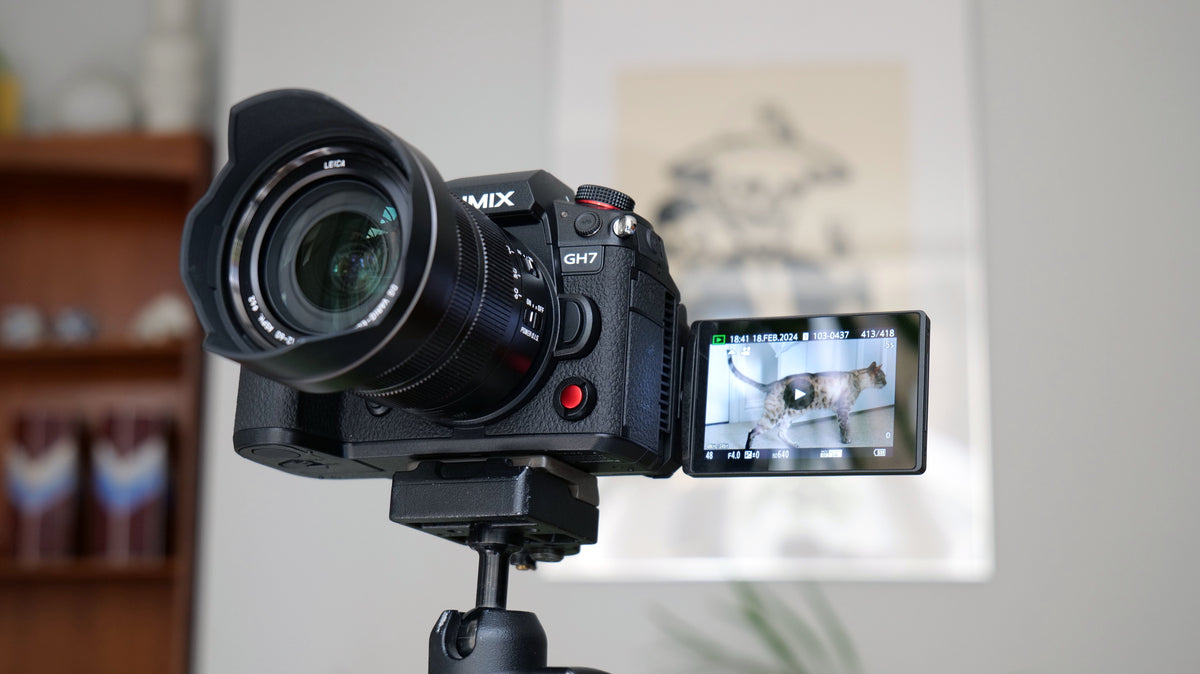
A flip-out or fully articulating screen lets you see your framing while recording yourself. This is one of the most useful vlogging features.
A good screen should:
- Face forward
- Stay visible when a microphone is attached
- Remain clear outdoors
- Show battery, recording, and audio information
- Respond well to touch if touch controls are included
A screen that tilts but does not face forward may work for tripod videos. It is less useful for handheld work.
4. Good built-in microphones and an external mic input
Viewers may forgive soft video. They are less likely to tolerate speech they cannot understand.
A camera should have built-in microphones that work well in quiet spaces. More importantly, it should support an external microphone when you film near traffic, wind, crowds, or air conditioners.
Useful audio features include:
- A 3.5 mm microphone input
- A headphone output for monitoring
- Manual audio level control
- Wind-noise reduction
- A visible audio meter
- Support for a compatible digital microphone
A microphone placed close to your mouth usually improves sound more than a camera upgrade does. A small wireless microphone can help when you walk and talk. A compact shotgun microphone can work well when the camera stays near you.
5. Image stabilization
Stabilization reduces the shake caused by hand movement. It helps make walking shots and handheld clips easier to watch.
There are several common forms:
- Optical stabilization: Moves a lens element or sensor to reduce shake.
- Electronic stabilization: Crops or shifts the image digitally.
- Gimbal stabilization: Uses a separate motorized device.
- Software stabilization: Corrects movement during editing.
Electronic stabilization often crops the image. This can make a wide lens look less wide. Some stabilization modes also create a warped look during fast movement.
For walking videos, a camera with built-in stabilization can be helpful. For fast action or very smooth movement, a gimbal or action camera may work better.
6. Long battery life and simple power options
Vlogging often involves long days. You may record several short clips, wait between takes, and use the screen often. A small battery can become a real limit.
Check whether the camera supports:
- USB-C charging
- Charging while recording
- Replaceable batteries
- A power bank
- A wall adapter or dummy battery
- A clear battery warning
Battery life varies with resolution, frame rate, screen use, temperature, and wireless features. Treat the maker’s battery rating as a guide, not a promise for every shoot.
7. Heat control
Small cameras can become warm during long recordings. High-resolution video, fast frame rates, direct sunlight, and warm summer weather can raise the risk of a thermal shutdown.
Before buying, check the manual for:
- Maximum recording limits
- Heat warnings
- Recommended temperature ranges
- Cooling settings
- Fan compatibility
- Whether the screen can move away from the body
If you film in hot parts of the United States, such as Arizona, Texas, Florida, or Southern California, heat control may matter more than a small difference in image quality.
8. Easy file transfer
A camera is easier to use when you can move clips to your phone or computer without extra steps.
Common options include:
- USB-C file transfer
- Wi-Fi
- Bluetooth
- A removable memory card
- A companion phone app
- Direct webcam support
Wireless transfer is useful for short clips. A card reader or USB cable is often faster for large 4K files.

Video Quality: Resolution Is Only One Part of the Picture
A good vlogging camera should produce clean, natural video in the light you normally use. Resolution helps, but it does not tell the whole story.
4K versus 1080p
4K video has more detail than 1080p video. It also gives you more room to crop or reframe during editing.
1080p may be enough when:
- You need smaller files
- You use an older computer
- You post short clips
- You want longer recording times
- You value simple editing
4K is useful when you want to crop a wide shot into a closer view. It also gives your final video more detail on compatible screens. However, 4K files take more storage space and need more computer power.
The best setting is the one your editing system can handle well.
Frame rate
Frame rate is the number of frames recorded each second.
- 24 frames per second: A common cinematic look.
- 30 frames per second: A natural choice for many talking videos.
- 60 frames per second: Smoother motion and useful slow-motion options.
- 120 frames per second or higher: Very slow motion, often with trade-offs.
Higher frame rates can increase file size and reduce low-light performance. Use them for a clear reason rather than choosing the highest number.
Dynamic range
Dynamic range describes how well a camera records bright and dark areas in the same shot.
This matters when you film:
- Near a bright window
- Outside under strong sun
- In a street with shadows
- At dawn or dusk
- In a room with mixed light
A camera with better dynamic range may preserve more detail in a bright sky and a dark face. Some cameras offer log or flat profiles. These profiles can help with color grading, but they need more editing skill and time.
For simple vlogs, a normal color profile may be the better choice.
Low-light performance
Low-light video depends on more than the camera body. The lens, sensor, shutter speed, ISO setting, and available light all matter.
A larger sensor often makes it easier to create a clean image in dim light. It may also create a softer background. Yet a larger sensor can add weight and cost.
A small camera with a bright lens and a simple LED light may beat a larger camera used in a dark room. Improving the light near your face is often the fastest fix.
Color and skin tone
Natural skin tones matter in talking-head videos. A camera should render skin without making it look too orange, green, pale, or red.
Check sample footage from the exact camera model. Look for footage recorded in conditions close to your own. A bright outdoor sample does not prove that a camera will look good in a dim living room.
Choose the Camera Type That Fits Your Vlog
Different camera types solve different vlogging problems. There is no single best design for every creator.
| Camera type | Best for | Main strengths | Main limits |
|---|---|---|---|
| Smartphone | Casual videos and quick posts | Always available, simple editing, strong apps | Small controls, limited lens flexibility |
| Compact camera | Travel and everyday vlogs |
Small body, built-in lens, simple setup | Less upgrade room |
| Mirrorless camera | Studio, travel, and planned shoots | Strong image quality, lens choice, external controls | More cost, weight, and setup |
| Action camera | Outdoor and active videos | Tough body, wide view, strong stabilization | Smaller sensor and limited background blur |
| Camcorder | Long events and family videos | Long recording, comfortable handling, strong zoom | Larger body and less cinematic control |
A smartphone may be the best tool when speed matters most. A compact camera may suit creators who want better control without a large kit. A mirrorless camera makes sense when you need lens choice, stronger low-light results, or a more planned setup.
An action camera is useful for biking, skiing, kayaking, and other active scenes. It is not always the best choice for indoor talking videos because its small sensor and wide lens can create a less natural look.
How to Match a Vlogging Camera to Your Shooting Style
Your shooting style should guide your camera choice. Start with where and how you record, then choose features that remove those specific problems.
For indoor talking videos
Prioritize:
- A clean HDMI or webcam mode if needed
- A flip-out screen
- Reliable face autofocus
- An external microphone input
- Good low-light performance
- USB power
- A tripod mount
You may not need a rugged body, extreme stabilization, or very high frame rates. A soft key light can improve the image more than a new camera.
For travel vlogs
Prioritize:
- Low weight
- Strong battery life
- USB-C charging
- A wide lens
- Fast file transfer
- Weather resistance
- Good stabilization
Weather resistance does not mean waterproofing. Seals may work only when the correct lens, battery door, and port covers are closed. Check the maker’s instructions before filming in rain or near water.
For walking and talking videos
Prioritize:
- Face tracking
- Wide coverage
- Stabilization
- A light body
- A microphone that handles wind
- An easy way to start and stop recording
A small camera can be easier to hold for 30 minutes than a heavy mirrorless setup. Comfort affects how often you film.
For product reviews
Prioritize:
- Accurate focus
- Manual focus control
- A clean HDMI output if you stream
- A microphone input
- A screen that helps with framing
- Good close-focus ability
Product reviewers often need to move an item toward the lens. The camera should switch between your face and the product without hunting for focus.
For live streaming
Prioritize:
- Webcam support
- Continuous power
- Reliable heat control
- Stable internet through the computer or phone
- Clean HDMI output when required
- A microphone setup that works for long sessions
A camera marketed for video does not always support every streaming method. Check the official manual and software requirements for your computer and operating system.
A Practical Vlogging Camera Decision Table
Use this table to rank features by need. The best camera is the one that solves your largest problem without adding needless cost or weight.
| Your main problem | Feature to value most | Why it matters |
|---|---|---|
| Your face goes out of focus | Face and eye tracking | Keeps the subject sharp |
| Your footage shakes | Optical or electronic stabilization | Reduces hand movement |
| Your voice sounds distant | External mic input | Lets you place the mic closer |
| Your clips look dark | Bright lens, larger sensor, or added light | Improves exposure and image noise |
| You film in small rooms | Wide lens | Fits more into the frame |
| You film long sessions | Battery and heat control | Reduces stops and shutdowns |
| You edit on a phone | Simple transfer and smaller files | Speeds up publishing |
| You travel often | Low weight and USB charging | Makes the kit easier to carry |
| You film near water or dust | Documented sealing or rugged design | Adds protection when used correctly |
| You want to grow | Interchangeable lenses and audio options | Gives you more upgrade paths |
Do not pay for a feature you will not use. A large sensor may not help if you always use a wide lens and bright light. A high frame rate may not help if your videos are mostly seated conversations.
Which Accessories Improve a Vlog Most?
The camera is only one part of a working vlog kit. A few simple accessories can have a large effect.
Microphone
Audio is usually the first upgrade to consider. Choose a microphone that matches your distance from the camera and your surroundings.
- Use a small shotgun mic when the camera is near you.
- Use a wireless mic when you move away from the camera.
- Use a lavalier mic when you want consistent speech level.
- Use wind protection outdoors.
Always check that the microphone connector matches the camera. Some cameras need a digital accessory or adapter instead of a standard 3.5 mm plug.
Small light
A small LED light can help in a dark room, hotel room, or evening scene. Place the light near eye level and slightly to one side. Avoid placing a strong light directly below your face.
Tripod or grip
A mini tripod helps with stable indoor shots. A grip can make handheld filming more comfortable. Confirm that the grip does not block the battery door, microphone, or cooling vents.
Extra battery and memory card
Carry a spare battery if the camera uses removable batteries. Use a memory card that meets the camera maker’s stated speed and capacity requirements.
Format the card in the camera when the manual recommends it. Back up footage before formatting. Do not remove the card while the camera is recording or writing files.
Power bank
A power bank can extend a shoot if the camera supports charging during use. Test this setup before an important recording. Some power banks stop supplying power when the camera draws little power.
Common Vlogging Camera Mistakes
Many camera problems come from a poor setup rather than a weak camera.
Choosing resolution before audio
A sharp video with unclear speech still feels poor. Test the microphone in the place where you will record.
Using a lens that is too narrow
A narrow lens can cut off your head or force you to hold the camera too far away. Check the framing from your normal arm length.
Ignoring the crop from stabilization
Some electronic stabilization modes reduce the field of view. Test stabilization before buying a wide lens for handheld work.
Relying on autofocus without checking the background
A busy background can pull focus away from your face. Use face tracking, change your position, or lock focus when the scene is controlled.
Buying a camera that is too heavy
A camera can produce strong footage and still be a poor vlogging tool if you dislike carrying it. Weight affects whether you bring it with you.
Using a slow memory card
A card that cannot write data fast enough may stop recording or produce an error. Follow the camera maker’s card guidance.
Filming in extreme heat
Direct sun and high temperatures can increase heat stress. Use shade, take breaks, reduce demanding settings, and follow the manual’s temperature guidance.
Forgetting privacy and consent
When filming in the United States, avoid recording private conversations or identifiable people in situations where they reasonably expect privacy. State laws on audio recording can differ. For interviews, get clear consent and check the rules that apply where you record.
How to Test a Vlogging Camera Before You Buy
A short home test can reveal more than a long list of specifications.
- Frame yourself at arm’s length. Check whether your head and shoulders fit naturally.
- Walk toward and away from the camera. Watch for focus loss.
- Move a product close to your face. See whether focus changes smoothly.
- Record in a quiet room. Listen for clear speech and background noise.
- Record near a fan or window. Test wind and noise handling.
- Film in a dim room. Look for noise, soft focus, and unnatural skin color.
- Record for a longer period. Check battery drain and heat.
- Transfer the files. Confirm that your phone or computer can open and edit them.
- Try the camera with your planned microphone. Make sure the screen, ports, and controls remain usable.
- Check the full kit weight. Include the lens, battery, microphone, grip, and memory card.
A successful test means you can record, monitor, transfer, and edit a short clip without a major problem. If a test fails, change one item at a time. Add light before changing the camera for a dark image. Move the microphone closer before blaming the camera for weak sound.
Key Takeaways
- The best vlogging camera keeps your face in focus.
- Clear sound matters as much as sharp video.
- A front-facing screen makes solo filming easier.
- A wide lens helps in small rooms and handheld shots.
- Stabilization helps with walking footage, but it may crop the image.
- Battery life, heat control, and file transfer affect real-world use.
- Choose a camera type that matches your vlog, not a specification sheet.
- Test the camera with the lens, microphone, light, and computer you plan to use.
Frequently Asked Questions
Is 4K necessary for vlogging?
No. 1080p can work well for many vlogs. 4K gives you more detail and more room to crop, but it creates larger files and needs more storage and editing power. Choose 4K when your workflow can handle it and you expect to use the extra detail.
Is a phone good enough for vlogging?
A phone can be good enough for many creators. It offers fast sharing, simple editing, and strong automatic exposure. A dedicated camera may offer better ergonomics, lens choice, audio connections, battery options, or low-light control.
What camera feature matters most for beginners?
Reliable autofocus is one of the most useful features for solo creators. A front-facing screen and a microphone input also make filming easier. Do not overlook comfort. A camera you carry often is more useful than a better camera that stays at home.
Do I need a mirrorless camera to start vlogging?
No. You can start with a phone, compact camera, or action camera. A mirrorless camera makes more sense when you need interchangeable lenses, stronger manual control, or a larger sensor. It also adds weight, cost, and more settings to manage.
What microphone should I use for vlogging?
Use a microphone that can stay close to your mouth. A wireless microphone suits walking videos. A small shotgun microphone suits a camera that stays near you. Add wind protection outdoors and test the connector before recording.
How much stabilization do I need?
Choose stabilization based on your movement. Basic electronic stabilization can help with casual handheld clips. Stronger stabilization is useful for walking. Fast action may require an action camera or gimbal. Remember that electronic stabilization can crop the frame.
Can I use a vlogging camera as a webcam?
Some cameras support webcam use through USB. Others need a clean HDMI output and a capture device. Check the official manual for your exact camera, operating system, cable, and software. Test the setup before a live broadcast.
Conclusion
A good vlogging camera is not simply the one with the highest resolution. It should keep you in focus, record speech clearly, fit the scene, stay powered, and move easily through your editing workflow.
For most creators, start by ranking autofocus, audio, screen design, lens coverage, stabilization, battery life, and weight. Then test the complete kit in the places where you plan to film. The right camera is the one that removes friction and helps you publish more often.
Recent Posts
What to look for in a vlogging camera? Compare key features like video quality, stabilization, audio, battery life, and portability before you buy.
Best Travel Bag To Avoid Pickpockets: 9 Anti-Theft Picks For 2026
Compare nine crossbody, messenger, leather, and sling bags for travel. See practical anti-theft features, ratings, buying advice, and tips for choosing the best travel bag to avoid pickpockets.