
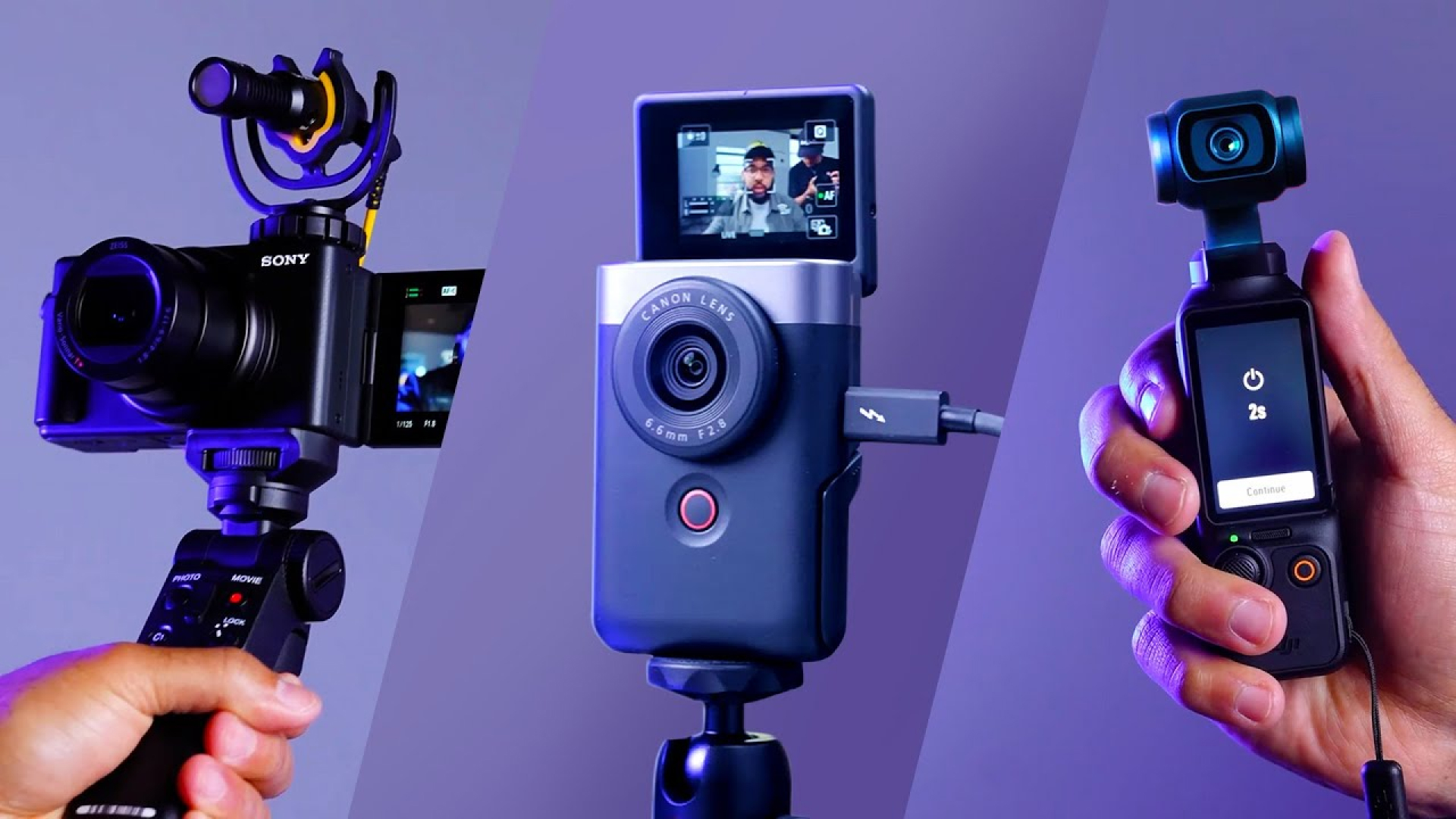
A good video camera for vlogging is one that gives you clear video, reliable focus, useful sound, and easy control while you film in real U.S. settings such as a home office, city street, national park, school campus, or family trip. For most beginners, the Sony ZV-1 II, Canon PowerShot V10, or DJI Osmo Pocket 3 is a strong starting point. Creators who want better image quality and lens choices should consider the Sony ZV-E10 II or Canon EOS R50.
The best choice depends less on the camera’s maximum resolution and more on how you record. A walking vlogger may need a gimbal or strong stabilization. A home creator may care more about a large sensor, a flip screen, and an external microphone jack. A travel creator may value a small body, long battery life, and simple file transfer.
What Makes a Good Vlogging Camera?
A good vlogging camera should be easy to carry, quick to start, and able to produce clean video without a large crew. It should also make sound recording simple because viewers may forgive soft video more easily than poor audio.
Look for these core features:
- A flip or fully articulating screen so you can see yourself while recording.
- Reliable autofocus, especially face and eye detection.
- A microphone input or a strong built-in microphone system.
- 4K video for detail and cropping flexibility.
- Image stabilization for handheld or walking footage.
- A compact body that you will actually carry.
- Simple controls for exposure, focus, and recording.
- Good battery life or support for USB charging.
- A lens that fits your style, such as a wide lens for arm’s-length filming.
- A cooling system that supports your recording time and video mode.
A camera does not need every premium feature to be good for vlogging. A small camera that is ready when an interesting moment happens can be more useful than a large camera that stays at home.
Quick Comparison: Good Cameras for Vlogging
The table below compares common camera types and several current models sold in the United States. Features and prices can change, so check the manufacturer’s U.S. page before you buy.
| Camera | Best for | Main strength | Main limitation |
|---|---|---|---|
| Sony ZV-1 II | Beginners and travel vloggers |
Compact body, wide built-in lens, strong autofocus | Fixed lens and limited low-light performance compared with larger sensors |
| Canon PowerShot V10 | Simple sit-down and casual creators | Built-in stand, simple controls, front-facing design | Less flexible for changing lenses or advanced shooting |
| DJI Osmo Pocket 3 | Walking, travel, and moving vloggers | Built-in three-axis gimbal and rotating screen | Small body and fixed lens limit some creative choices |
| Sony ZV-E10 II | Creators who want to grow | Interchangeable lenses and strong autofocus | Lens costs add to the system price; stabilization depends on lens or software |
| Canon EOS R50 | Beginners who want a mirrorless camera | Good stills and video, interchangeable lenses, useful autofocus | Larger than a compact vlogging camera |
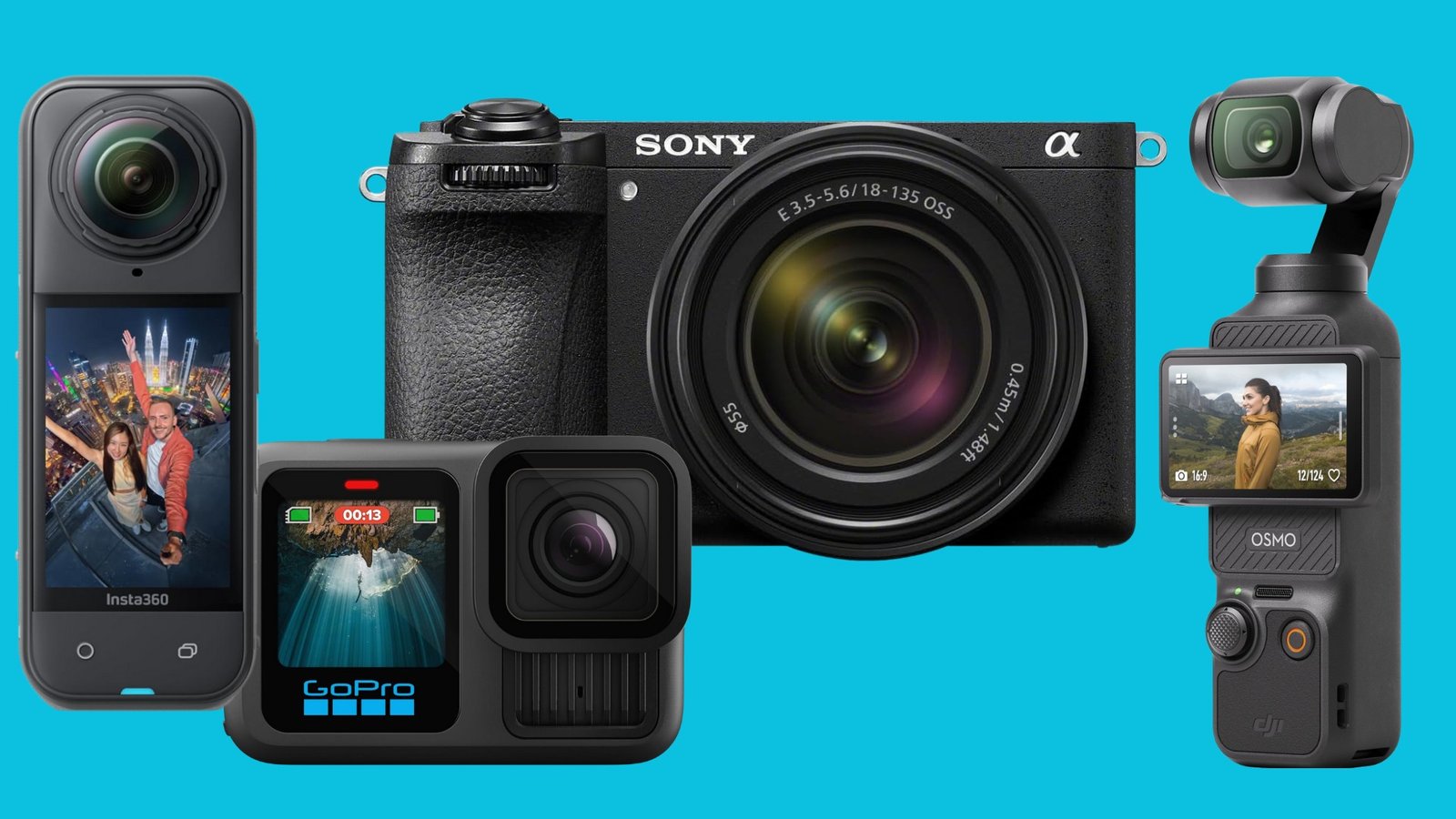
| GoPro HERO13 Black | Action, outdoor, and water footage | Rugged design and wide action view | Small sensor and wide lens are less suited to soft background blur or low light |
The best overall category for most new creators is a compact camera with a flip screen, a wide lens, a microphone option, and dependable autofocus. If you record while walking, a camera with a gimbal can matter more than a larger sensor.

Best Vlogging Cameras by Type of Creator
Best compact camera for most beginners: Sony ZV-1 II
The Sony ZV-1 II is a strong fit for creators who want a small camera with a built-in lens. Its 18–50mm equivalent lens gives you a wider view for arm’s-length filming and a more natural view for close-up shots.
The camera includes a side-opening screen, a built-in microphone system, a microphone input, and Sony’s subject-recognition autofocus features. It records 4K video and offers controls designed for people who may not want to learn every traditional camera setting at once.
Its main limit is the fixed lens. You cannot switch to a longer lens for distant subjects or a faster lens for very low light. It also does not provide the same background blur and noise control as a larger APS-C or full-frame camera.
Choose it if: you want a pocket-sized camera for home videos, travel, food, reviews, and daily life.
Best simple camera with a built-in stand: Canon PowerShot V10
The Canon PowerShot V10 is designed around simple self-recording. Its body includes a built-in stand, a front-facing screen, stereo microphones, and a fixed wide-angle lens. You can place it on a desk, shelf, or small table without carrying a separate tripod.
The V10 can suit sit-down videos, short reviews, cooking content, and casual travel clips. Its simple design may also help new creators start faster because there are fewer parts to manage.
The fixed lens and small body limit flexibility. It is not the best choice if you want to change lenses, create strong background blur, or record fast action in difficult light.
Choose it if: you want a straightforward camera for talking videos and do not need a larger lens system.
Best for walking and travel: DJI Osmo Pocket 3
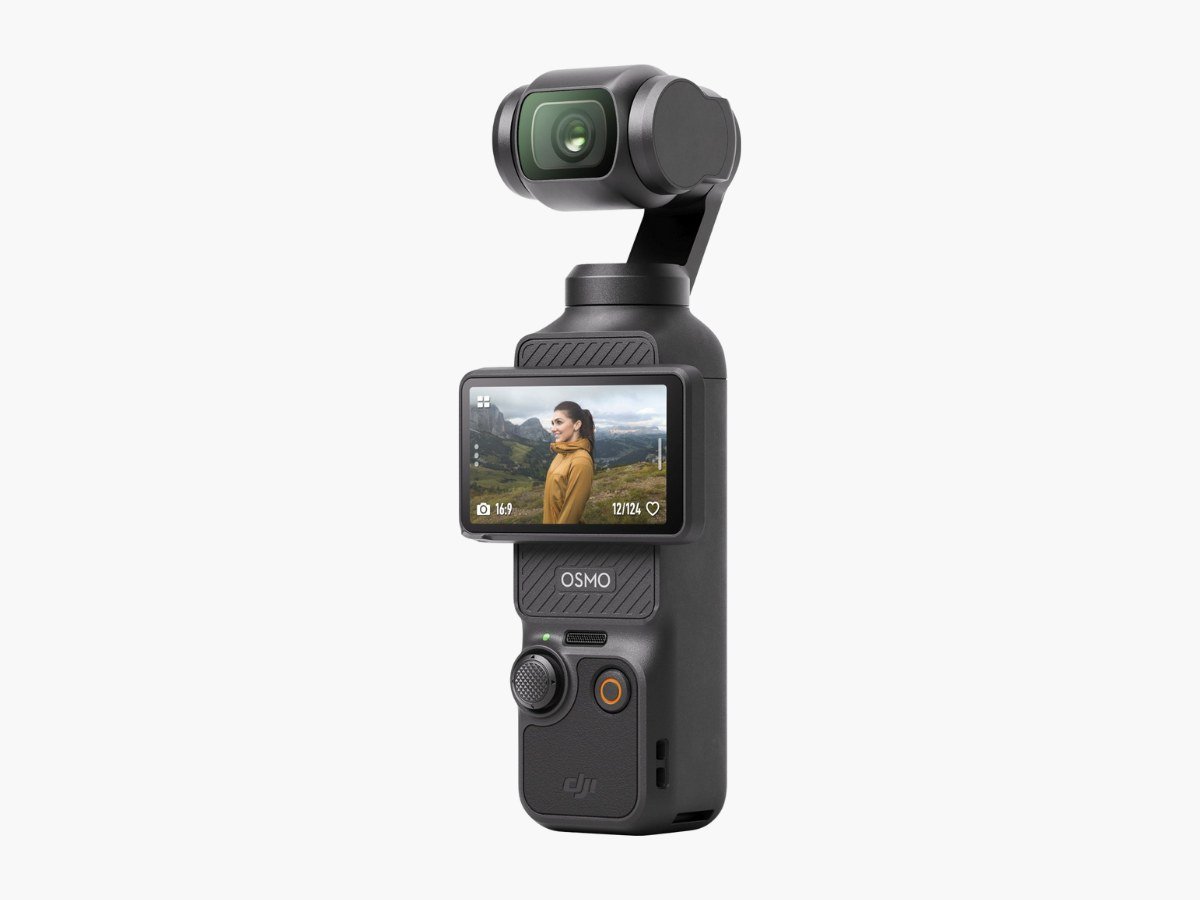
The DJI Osmo Pocket 3 uses a built-in three-axis mechanical gimbal. The gimbal physically moves the camera to reduce shake as you walk. This gives it a different advantage from electronic stabilization, which crops or processes the image to reduce movement.
The Pocket 3 also has a rotating screen that can switch between horizontal and vertical recording. That helps if you publish both traditional YouTube videos and vertical clips for platforms such as TikTok, Instagram, or YouTube Shorts.
A gimbal camera needs careful handling. Strong wind, quick turns, and objects very close to the lens can still create problems. The small body is also easier to lose or damage than a larger camera with a grip.
Choose it if: you often film while walking, sightseeing, touring U.S. cities, or moving through events.
Best interchangeable-lens option: Sony ZV-E10 II
The Sony ZV-E10 II is an APS-C mirrorless camera made for creators who want to build a lens system. APS-C sensors are larger than the sensors in most compact cameras. They can provide better control over background blur and often perform better in low light, depending on the lens and settings.
Because the lens can be changed, you can use a wide lens for self-recording, a standard lens for interviews, or a telephoto lens for distant subjects. The camera also supports a side-opening screen, external microphones, and creator-focused controls.
The camera body does not solve every stabilization problem. When you walk, you may need a stabilized lens, active electronic stabilization, a tripod, or a gimbal. Buying several lenses can also cost more than the camera body.
Choose it if: you want better control, plan to learn video, and expect your content needs to grow.
Best beginner mirrorless hybrid: Canon EOS R50
The Canon EOS R50 is a small mirrorless camera that can record video and take high-quality photos. It uses Canon’s RF lens mount, so you can choose from compatible RF and RF-S lenses.
The EOS R50 includes a fully articulating screen and Canon’s Dual Pixel CMOS autofocus system. These features can help when you switch between self-recording, interviews, product videos, and general photography.
A mirrorless camera requires more decisions than a fixed-lens camera. You must choose lenses, batteries, memory cards, and possibly a microphone. The kit lens may be suitable for starting, but your ideal lens will depend on how close you hold the camera and how much of the scene you want to show.
Choose it if: you want one camera for vlogging, family photos, travel, and future lens upgrades.
Best for action and outdoor use: GoPro HERO13 Black
A GoPro is a useful choice for biking, hiking, skiing, kayaking, beach trips, and other activities where a normal camera may be hard to protect. Its small body and wide view make it easy to mount on a helmet, vehicle, chest harness, or short grip.
Action cameras are built for movement and outdoor use, but they have trade-offs. Their small sensors usually struggle more in dark rooms, at night, and in scenes with strong contrast. The wide lens can also make faces look stretched when the camera is held very close.
Choose it if: your main footage involves action, weather, water, or hands-free mounting.

Choose the Right Sensor Size
Sensor size affects low-light performance, background blur, camera size, and lens size. It does not determine image quality by itself, but it is an important part of the decision.
1-inch sensors
Many premium compact cameras use a 1-inch-type sensor. These cameras are usually smaller than mirrorless models but can provide better image quality than basic point-and-shoot cameras or many action cameras.
A 1-inch camera is often a good middle ground for travel and daily vlogging. It can remain small while offering useful detail in daylight and moderate indoor light.
APS-C sensors
APS-C sensors are larger and appear in cameras such as the Sony ZV-E10 II and Canon EOS R50. They can produce cleaner footage in dim conditions and make it easier to blur the background.
The trade-off is size. A larger sensor often requires larger lenses, and the complete kit may be less convenient for a creator who films while walking.
Full-frame sensors
Full-frame cameras can provide strong low-light performance and shallow depth of field. They are usually more expensive and heavier. Many vloggers do not need a full-frame camera unless they already understand exposure, lenses, storage, and post-production.
For a first vlogging camera, a good 1-inch or APS-C model is often more practical than a full-frame body.
How Important Is 4K for Vlogging?
4K is useful because it records more detail than 1080p and gives you room to crop or reframe a shot. This can help when you record in a wide view and later create a tighter edit.
However, 4K is not the only measure of video quality. A 4K clip with poor focus, bad sound, harsh light, or heavy camera shake may look worse than a well-made 1080p clip.
4K also creates larger files. You may need:
- A fast, compatible memory card.
- More storage on your computer or phone.
- A faster editing workflow.
- More battery power.
- More time for file transfers and backups.
For most new vloggers, 4K at 24, 30, or 60 frames per second is enough. Use 60 fps when you want smoother motion or slow-motion options. Check the exact camera manual because some cameras crop the image, heat up, or limit autofocus in certain 4K modes.
Why Autofocus Matters More Than Many Buyers Expect
Autofocus keeps your face or subject sharp while you move. This matters when you record alone because you cannot stand behind the camera and adjust focus by hand.
Look for:
- Face detection.
- Eye detection.
- Subject tracking.
- A way to tap or select the subject.
- Reliable focus in indoor light.
- A focus lock or manual focus option when needed.
Test autofocus in the setting where you will use the camera. A camera that focuses well outdoors may hunt in a dim bedroom. A camera may also focus on a bright object in the foreground instead of your face.
Product demonstrations need special care. If you hold an item close to the lens, the camera may stay focused on your face. A product showcase mode or a manual focus method can help, but confirm the result on the camera screen before recording a long take.
Do Not Choose a Vlogging Camera Without Checking Audio
Viewers often tolerate a small amount of image noise. They are less likely to tolerate voices hidden by wind, traffic, air conditioning, or room echo.
A good vlogging camera should provide at least one practical audio path:
- A clear built-in microphone.
- A 3.5mm microphone input.
- A compatible wireless microphone system.
- A digital audio connection supported by the camera.
- A headphone output for monitoring, when available.
A microphone input is valuable because it lets you place the microphone closer to your mouth. A small camera-mounted microphone may work well indoors, but outdoor wind can overwhelm it. A windscreen or furry wind cover can reduce wind noise, though it cannot fix every noisy location.
Before filming, record a short test. Listen with headphones. Check for buzzing, clothing noise, clipping, or a voice that sounds far away. A camera with excellent video but unusable audio may require extra spending before it is ready for regular work.

Stabilization: Choose Based on How You Move
Stabilization helps reduce unwanted movement. The right type depends on your filming style.
Optical stabilization
Optical stabilization moves a lens element or sensor to reduce shake. It can help with handheld shots, especially when you stand still or move slowly.
Electronic stabilization
Electronic stabilization uses software and often crops the image. It can help during walking shots, but the crop may make a wide lens feel less wide.
Mechanical gimbal stabilization
A gimbal physically holds and moves the camera. It can produce smooth walking footage, but it adds moving parts and requires careful storage and handling.
Tripod or grip stabilization
A small tripod, handle, or grip can improve framing even when it does not electronically stabilize the image. It also makes it easier to place the camera at eye level.
If you mostly film seated, stabilization may not be a major buying factor. If you walk and talk, it can be one of the most important features.
Lens Choice: Wide Is Usually Better for Self-Filming
A wide lens shows more of the scene. This makes it easier to hold the camera at arm’s length while keeping your face and background in the frame.
A lens around 18–24mm in full-frame equivalent terms often feels useful for self-recording. Wider lenses can show more of a room but may make faces look stretched near the edges. Longer lenses can create a more natural look but require more distance between you and the camera.
Think about where you record:
- Small bedroom or office: choose a wider lens.
- Large studio: a standard lens may work well.
- Walking vlog: use a wide lens to allow for movement.
- Interviews: a standard or short telephoto lens may provide a more natural view.
- Product videos: choose a lens that lets you frame the item without standing too far away.
A built-in zoom is simple. An interchangeable lens gives you more control but increases cost and setup time.

Battery, Storage, and Heat Can Stop a Good Video
A camera’s specifications do not tell the whole story. Your recording plan also depends on battery life, memory cards, storage, and heat.
Battery planning
Carry at least one spare battery for long recording days unless the camera supports reliable USB power while recording. A power bank may help, but confirm that the camera can accept power in the selected recording mode.
Memory cards
Use a card that meets the camera’s speed and capacity requirements. For 4K video, a slow or unsuitable card can stop recording or produce an error. Format the card in the camera after backing up important files.
Heat
High-resolution video, high frame rates, warm weather, and direct sun can increase heat. A camera may shut down to protect itself. Do not cover vents, place the camera in direct hot sunlight, or ignore repeated overheating warnings.
File backups
Copy footage to at least one separate storage location soon after filming. Memory cards are not permanent archives. A simple system is to keep the original files on a computer and a second copy on an external drive.

Accessories That Improve Vlogging the Most
Buy accessories in order of need, not because a bundle contains many items.
A small tripod or grip
A grip makes a small camera easier to hold. A mini tripod helps with sit-down videos, desk shots, and stable framing.
An external microphone
This is often the first major upgrade for audio. Choose a microphone that matches the camera’s connection and your recording distance.
A wind cover
Use a wind cover outdoors. Test it before a long shoot because some covers can block buttons, screens, or ports.
Extra batteries
Extra batteries help when you record away from a wall outlet. Use batteries approved for your camera.
A fast memory card
Match the card to the camera’s manual. Do not assume that a high-capacity card is also fast enough for every video mode.
A small light
A soft LED light can help in a dim room. Keep the light slightly above eye level and avoid placing it so close that it creates harsh shadows.
A camera bag
Protect the camera from dust, water, and impact. A basic padded pouch may be enough for a compact camera. Larger mirrorless kits need more room.

Common Vlogging Camera Mistakes
Buying the highest resolution instead of the right camera
8K or advanced frame rates may sound impressive, but they can increase storage needs and editing time. Choose the mode you can use consistently.
Ignoring sound
A camera’s built-in microphone may be fine in a quiet room and poor near a road, fan, or crowded public place. Test the audio in real conditions.
Choosing a narrow lens for arm’s-length filming
A narrow lens may cut off your face or force you to hold the camera too far away. Check the full-frame equivalent focal length before buying.
Assuming every camera has a flip screen
Some cameras have a fixed screen or a screen that tilts only up and down. Confirm that the screen faces forward if you plan to vlog alone.
Forgetting the crop from stabilization or video modes
Electronic stabilization and some high-frame-rate modes can crop the view. A lens that seems wide in one mode may feel tight in another.
Buying a camera that is too large
A large camera can produce excellent footage, but weight affects how long you can hold it. A smaller camera may lead to more frequent filming.
Failing to check microphone compatibility
Some cameras use a 3.5mm input. Others require a digital accessory or a separate recorder. Confirm the connection before buying a microphone.
Recording without a test clip
Check focus, audio, exposure, and framing before filming the full video. A 20-second test can prevent the loss of an entire day of footage.
How Much Should You Spend on a Vlogging Camera?
The camera body is only part of the cost. Include a memory card, spare battery, microphone, grip, light, and editing storage in your budget.
| Budget level | What you can usually expect | Best fit |
|---|---|---|
| Under $300 | Smartphone, used compact camera, or basic action camera | Casual clips and beginners testing the format |
| About $300–$700 | Compact vlogging camera or entry action camera | Simple travel, home, and outdoor content |
| About $700–$1,200 | Better compact camera or entry mirrorless kit | Creators who want stronger image quality and control |
| Above $1,200 | Advanced mirrorless body, lenses, and accessories | Frequent creators, commercial work, and specialized shooting |
These are planning ranges, not fixed U.S. prices. Sales, used gear, lens bundles, and model updates can change the final cost.
A useful rule is to spend first on the feature that limits your work. If your video shakes, buy stabilization. If your voice sounds distant, buy a microphone. If your camera will not fit in your bag, choose a smaller body.
Camera or Smartphone: Which Is Better for Vlogging?
A modern smartphone may be the best first vlogging camera for many people. It is always available, has simple sharing tools, and can produce strong video in good light.
A dedicated camera becomes more useful when you need:
- Longer recording sessions.
- A real microphone input.
- Better lens control.
- A more comfortable grip.
- A larger sensor.
- Better subject separation.
- Reliable optical or mechanical stabilization.
- More manual control.
You do not need to replace a good phone immediately. Try filming several videos with it first. If you keep creating and identify a clear limit, buy a camera that solves that limit.

Frequently Asked Questions
Is a mirrorless camera better for vlogging?
A mirrorless camera can be better when you want interchangeable lenses, a larger sensor, and more control. It is not automatically better for every vlogger. A compact camera may be easier to carry and faster to use.
Is 1080p good enough for YouTube vlogs?
Yes. 1080p can look good when the image is well lit, in focus, stable, and recorded with clear sound. 4K gives you more detail and cropping room, but it also creates larger files.
Do I need a camera with a flip screen?
A flip screen is highly useful when you record yourself alone. It helps you check framing, but it does not replace a short test clip or careful focus check.
What is the best vlogging camera for low light?
A camera with a larger APS-C or full-frame sensor and a bright lens will usually give you more low-light flexibility than a small action camera. Good lighting can matter just as much as the camera body.
Can I vlog with an action camera?
Yes. An action camera is a good fit for outdoor movement, biking, hiking, water activities, and wide-angle footage. It is less ideal for dark rooms, soft background blur, and natural-looking close-up faces.
Key Takeaways
- The best vlogging camera depends on how and where you film.
- The Sony ZV-1 II is a strong compact option for many beginners.
- The DJI Osmo Pocket 3 is especially useful for walking and travel footage.
- The Sony ZV-E10 II and Canon EOS R50 are better choices for creators who want interchangeable lenses.
- A microphone, flip screen, wide lens, and dependable autofocus often matter more than maximum resolution.
- Choose a camera you can carry, control, and use often.
- If your phone already meets your needs, keep using it until you find a clear reason to upgrade.
Final Recommendation
For most new U.S. vloggers, start with a compact camera that has a forward-facing screen, a wide lens, dependable autofocus, and a way to improve audio. The Sony ZV-1 II is a balanced compact choice. Choose the DJI Osmo Pocket 3 if you walk and move often. Choose the Sony ZV-E10 II or Canon EOS R50 if you want to build a lens-based camera system.
Before buying, write down where you film, whether you move, how close the camera sits, and how you record sound. Those four answers will usually point to the right camera more clearly than a long list of specifications.
Recent Posts
Learn what is a vlogging camcorder, how it works, and which features matter most for creating smooth, professional-looking videos.
What does a vlogging camera mean? Learn its key features, benefits, and how to choose the right camera for creating better videos.