
For creators in the United States, a vlogging camera is a camera designed to make video blogging easier. It usually has features such as a flip screen, fast autofocus, built-in microphones, image stabilization, and a small body that is easy to carry.
“Vlogging camera” is not a strict technical camera class. It is a practical term used for cameras that help people record themselves while they travel, review products, teach, stream, or share daily life on platforms such as YouTube, TikTok, Instagram, and Facebook.
A smartphone can be a vlogging camera. So can a compact camera, mirrorless camera, action camera, or webcam. The best choice depends on where you record, how you move, the video quality you need, and your budget.

What Is a Vlogging Camera?
A vlogging camera is a camera built or configured for recording personal video content. The word combines video and blogging. A vlog may show a person speaking to the camera, visiting a place, explaining a topic, or documenting an event.
Many vlogging cameras include features that solve common recording problems:
- A screen that faces the person recording
- Autofocus that tracks a face or eyes
- A microphone input for better sound
- Electronic or optical image stabilization
- A compact design
- Simple controls for video recording
- wireless
 transfer to a phone or computer
 - Support for common video sizes, such as 4K or 1080p
These features do not automatically make one camera better than another. A large mirrorless camera may produce a more flexible image, but a small action camera may work better on a bike ride. A phone may be the easiest option for a short video filmed at home.
What makes a camera suitable for vlogging?
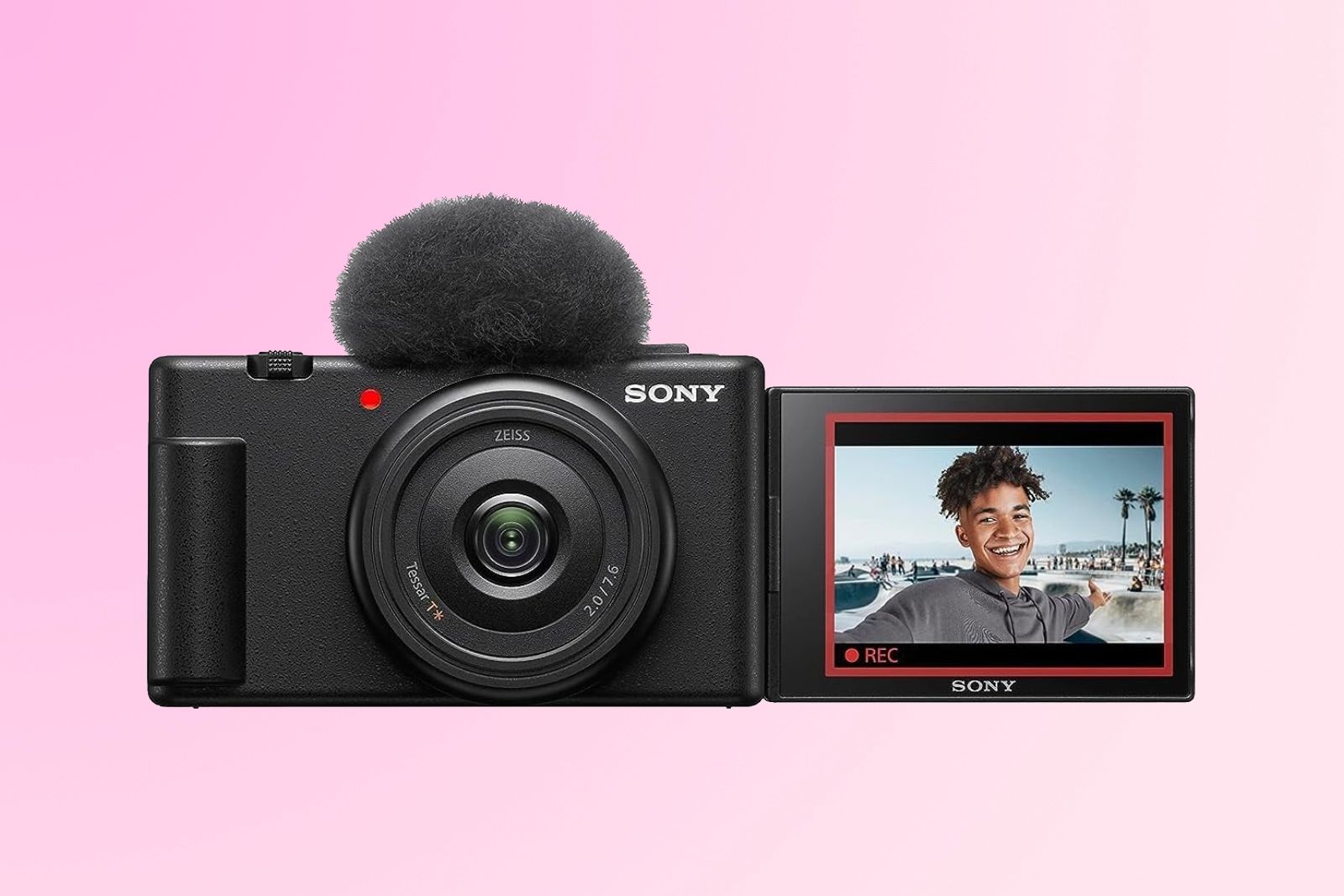
A camera is suitable for vlogging when it helps you record yourself with little setup. The most useful feature is often the combination of a front-facing screen and reliable autofocus.
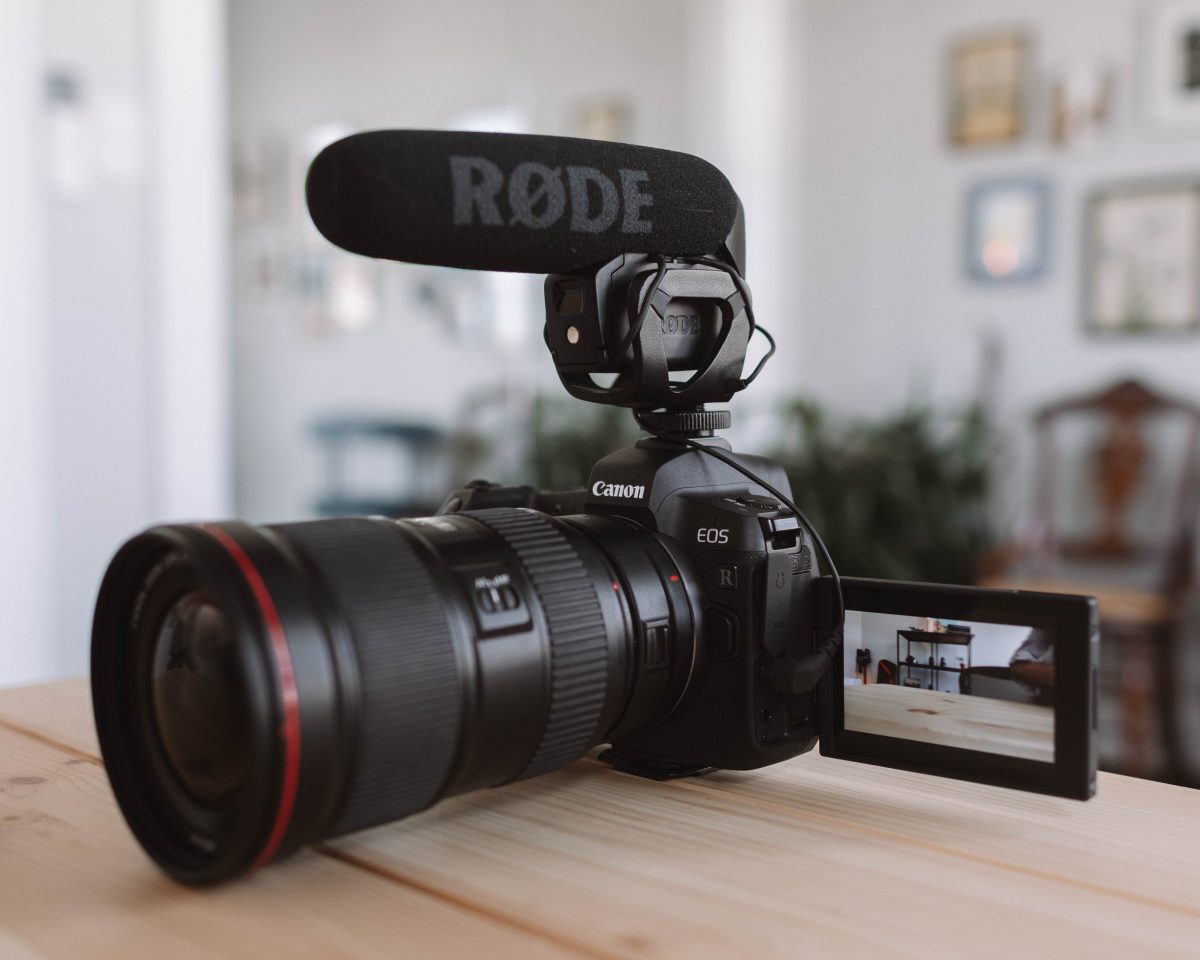
Good sound also matters. Viewers may tolerate a soft image for a short time, but noisy or unclear speech can make a video hard to follow. For that reason, a camera with a microphone port may be more useful than one with a higher resolution but weak audio options.
How Is a Vlogging Camera Different From a Regular Camera?
The main difference is the design priority. A general-purpose camera may focus on photography, interchangeable lenses, or studio work. A vlogging camera gives more attention to self-recording, movement, sound, and quick setup.
The difference is not always clear. Many modern mirrorless and compact cameras can work well for both still photos and video. A camera does not need a label that says “vlogging” to be useful for vlogging.
| Feature | Vlogging camera | General camera |
|---|---|---|
| Self-facing screen | Common | May be absent |
| Face and eye autofocus | Often emphasized | Depends on model |
| Built-in microphone | Common | Common, but quality varies |
| External microphone input | Often included | Common on advanced models |
| Image stabilization | Helpful for handheld video | Varies by model |
| Compact size | Usually preferred | May be large or heavy |
| Quick wireless sharing | Often supported | May require extra steps |
| Photography controls | Available but may be simpler | Often more extensive |
A camera marketed for vlogging may also include a product showcase mode, a background blur setting, a built-in light, or a button for vertical video. These features can help, but they are not required.

Key Features to Look for in a Vlogging Camera
The right features depend on your type of content. A person recording indoor tutorials has different needs from someone filming hikes in a national park.
1. A flip or articulating screen
A flip screen lets you see the composition while the camera faces you. It helps you check whether your face is in frame and whether the background looks right.
Some screens flip upward. Others swing to the side. A side-hinged screen may be easier to see when the camera sits on a tripod, but it can interfere with some microphone or accessory setups.
A screen does not guarantee accurate framing in bright sunlight. You may still need to shade it or use an external monitor.
2. Face and eye autofocus
Autofocus tracks the subject and keeps it sharp. Face detection can identify a person, while eye detection aims to focus on the eye.
This matters when you speak while walking toward the camera or hold an object near your face. Autofocus performance can change with low light, a busy background, fast movement, or an obstructed face.
Before buying, check whether autofocus works during video recording and whether it supports the frame rate and resolution you plan to use.
3. Good audio options
A camera’s built-in microphone may work in a quiet room. It is less reliable in wind, traffic, crowds, or large rooms.
Useful audio features include:
- A microphone input
- Headphone monitoring
- Wind-noise reduction
- Separate audio level control
- Support for a wireless microphone system
A microphone input is especially useful because it lets you place the microphone near your mouth. The camera can stay several feet away while the microphone records clearer speech.
4. Image stabilization
Image stabilization reduces the appearance of shake. It may use optical hardware, electronic processing, or both.
Stabilization is useful when you hold the camera while walking. It cannot remove every problem. Walking quickly, using a long lens, or filming in poor light can still produce unstable footage.
Electronic stabilization may crop the image. This means the camera uses a smaller part of the sensor or frame to create a steadier result. Check the camera’s manual for the crop and any resolution limits.
5. Video resolution and frame rate
Resolution describes the number of pixels in the video image. Common choices include:
- 1080p: Lower file sizes and easier editing
- 4K: More detail and room to crop, but larger files
- 24 or 30 frames per second: Common for talking videos
- 60 frames per second: Smoother motion and useful for some action scenes
Higher resolution does not always create a better video. Lighting, focus, sound, lens choice, and editing also affect quality. A well-lit 1080p video with clear sound can be more useful than a poorly lit 4K video.
6. Battery life and heat control
Video uses more power than taking still photos. Long recordings may also create heat, especially at high resolution or in warm conditions.
Look for information about recording limits, battery options, USB charging, and heat warnings. Do not cover vents or leave a camera in direct sun. If the camera becomes hot, stop recording and follow the manufacturer’s instructions.
7. Lens and field of view
A wide field of view shows more of the scene. This helps when you hold the camera close to your face or record in a small room.
An ultra-wide lens can make faces and nearby objects look stretched. A standard or moderate-wide lens may produce a more natural look, but it may require the camera to sit farther away.
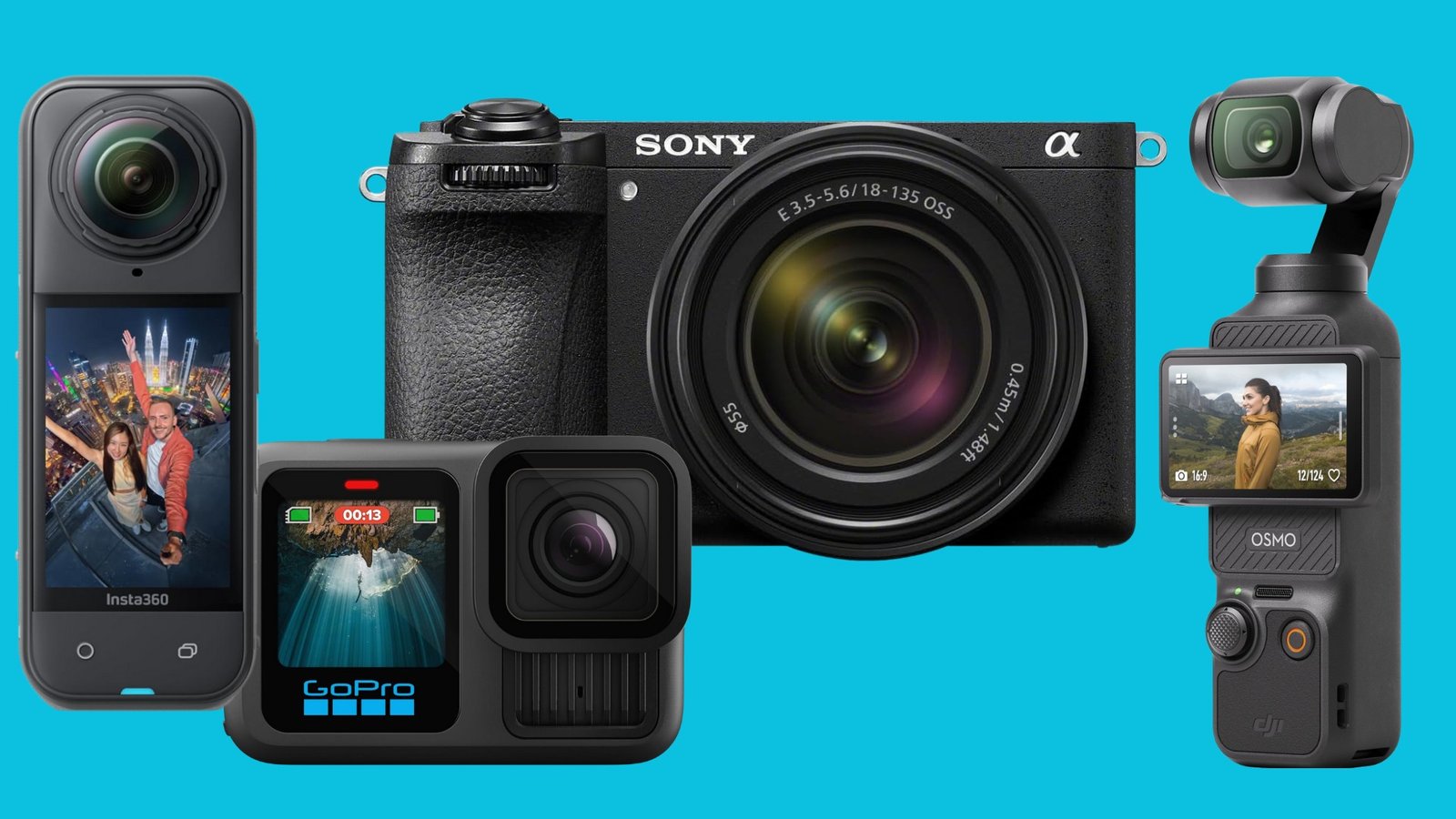
Interchangeable-lens cameras give you more choices. Compact cameras and action cameras often provide a fixed lens with a built-in zoom or digital crop.
Which Type of Camera Is Best for Vlogging?
There is no single best camera for every creator. Choose the camera type that fits your setting and workflow.
Smartphone
A smartphone is often the easiest starting point. It usually includes a good screen, fast sharing, automatic processing, and several cameras.
A phone works well for:
- Short videos
- Live updates
- Indoor clips
- Social media posts
- Creators who want minimal equipment
Its limits may include battery drain, limited control over sound, overheating during long recordings, and reduced quality in difficult light.
Compact camera
A compact camera is small and simple. Some models include a larger sensor than a phone, a front-facing screen, a built-in zoom lens, and a microphone input.
It may suit creators who want better control than a phone without carrying a large camera and several lenses.
Mirrorless camera
A mirrorless camera uses interchangeable lenses and usually offers strong control over image quality. It can suit creators who also take photos or want to build a more advanced setup.
Its trade-offs include higher cost, heavier equipment, more setup, and the need to choose and maintain lenses.
Action camera
An action camera is made for movement and difficult environments. Many offer wide views, strong stabilization, and a rugged design.
It may suit biking, skiing, boating, hiking, and hands-free recording. Wide lenses can distort faces, and small sensors may struggle in dim indoor scenes.
Webcam
A webcam connects to a computer and works well for live streams, online lessons, meetings, and desk-based videos.
It is less suitable for travel or handheld filming. Image quality depends on the webcam, room lighting, computer software, and internet connection.

How Much Does a Vlogging Camera Cost?
A vlogging camera can cost anywhere from very little to several thousand dollars. The camera body is only part of the total cost.
A basic setup may include:
- Camera or smartphone
- Memory card
- Small tripod or grip
- Microphone
- Extra battery or power bank
- Light
- Editing software or storage
A hypothetical budget might look like this:
| Setup | Main equipment | Best for |
|---|---|---|
| Low-cost | Existing phone, small tripod, basic light | Beginners and short clips |
| Mid-range | Compact or entry-level interchangeable-lens camera, microphone | Regular YouTube videos |
| Advanced | Higher-end camera, lens, wireless microphone, lights | Frequent or commercial production |
Prices change by model, retailer, sales period, and included accessories. Check current manufacturer and retailer listings before making a purchase.
Do not spend most of the budget on the camera if the result will still have poor sound or bad lighting. A modest camera with a nearby microphone and a soft light can produce a clearer video than an expensive camera used in a dark room.
Do You Need a 4K Vlogging Camera?
You do not need 4K for every vlog. Full HD, also called 1080p, is enough for many talking videos and social posts.
4K may help when you want to:
- Crop the frame during editing
- Show small details
- Produce a sharper master file
- Reframe a horizontal clip for a smaller vertical crop
The trade-offs are larger files, longer transfer times, more storage use, greater editing demands, and possible heat or battery limits. If your computer or phone struggles with 4K editing, 1080p may create a faster and simpler workflow.
Choose 4K when you have a clear reason to use it. Do not treat resolution alone as a measure of camera quality.

How to Set Up a Vlogging Camera
Start with a simple setup. You can improve it after you identify the biggest problem in your videos.
- Charge the battery and insert a compatible memory card. Format the card in the camera if the manual recommends it. Back up important files before formatting.
- Set the video resolution and frame rate. Use a setting your computer and editing app can handle.
- Turn on face or eye detection. Test it before recording a full video.
- Place the camera at eye level. A slightly higher or level position often creates a natural view.
- Check the background. Remove distractions and avoid bright windows behind you unless you want a silhouette.
- Test the audio. Record a short clip and listen with headphones.
- Use a tripod or grip when possible. This reduces shake and makes framing easier.
- Record a short sample. Check focus, exposure, sound, and storage before filming the full session.
Signs of a successful setup include a sharp face, clear speech, stable framing, and enough space around your head and shoulders. If the test fails, change one item at a time. Move closer to a light, reposition the microphone, lower the resolution, or change the focus mode.
Common Vlogging Camera Mistakes
Many new creators focus on camera specifications and overlook basic recording conditions.
Buying for resolution alone
More pixels do not fix poor lighting, weak sound, or missed focus. Consider the full recording system rather than one specification.
Ignoring the microphone
The built-in microphone may pick up room echo, fans, traffic, and wind. Test audio from the place where you will record, not only from a quiet store or showroom.
Using an overly wide lens
A very wide lens can make a face look stretched when the camera is close. Step back slightly or use a less extreme field of view if the image looks distorted.
Forgetting storage and batteries
High-resolution video fills memory cards quickly. Carry a spare battery or power source when the camera supports it, and use storage cards that meet the camera maker’s requirements.
Recording without permission
When filming in public places in the United States, privacy and recording rules can vary by state and situation. Avoid recording private conversations or identifiable people in sensitive settings without permission. Commercial use may create additional rights and release concerns.
Relying on automatic settings without testing
Automatic exposure and autofocus are useful, but they can change when a bright object enters the frame or when you hold a product close to the lens. Test the camera with the actual movements and objects used in your vlog.
Vlogging Camera vs. Smartphone: Which Should You Choose?
Choose a smartphone when convenience, quick sharing, and low cost matter most. Choose a dedicated camera when you need a particular lens, stronger manual control, better audio connections, improved ergonomics, or a more specialized setup.
A simple decision guide:
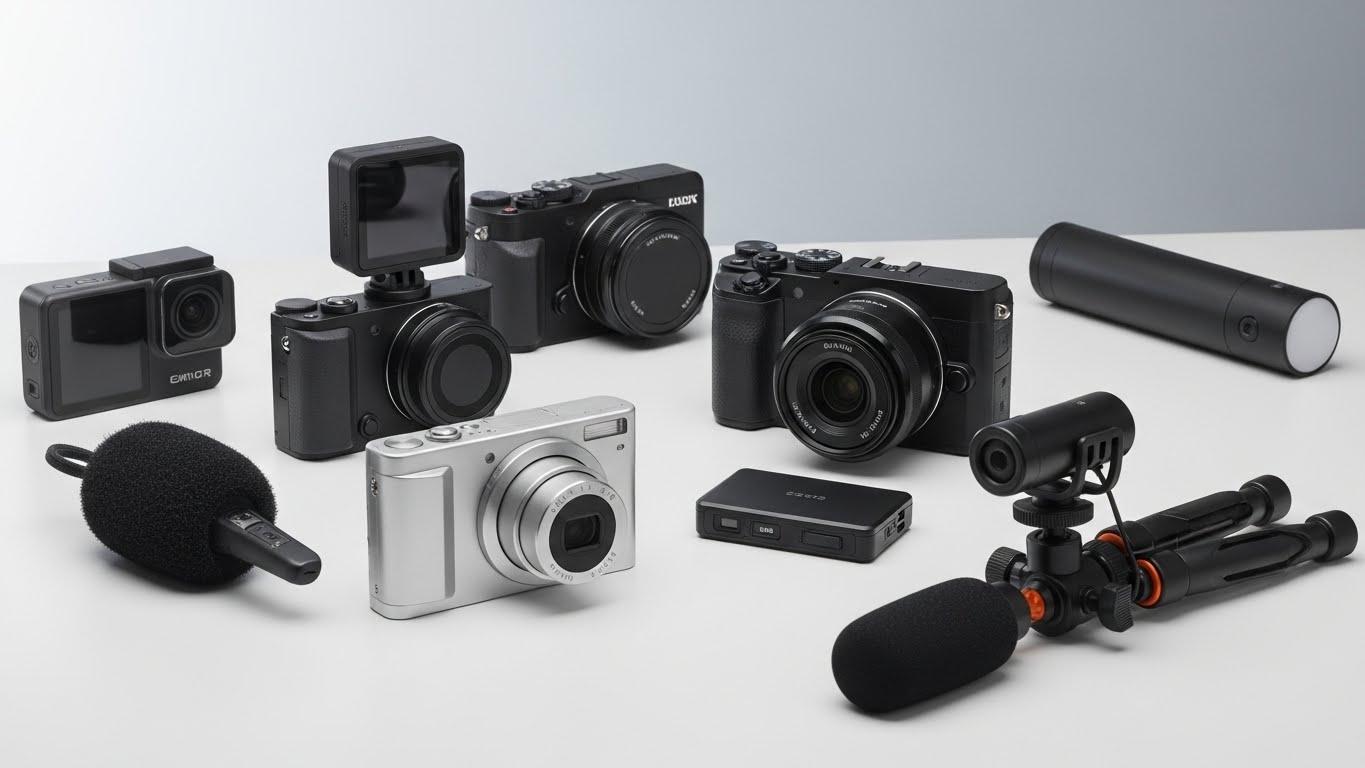
- Choose a smartphone for quick clips, travel updates, and casual social content.
- Choose an action camera for outdoor movement and hands-free recording.
- Choose a compact camera for a portable step up from a phone.
- Choose a mirrorless camera for lens choice, advanced control, and mixed photo-video work.
- Choose a webcam for desk-based streaming and online instruction.
The best vlogging camera is the one you can carry, operate, and use consistently. A camera that stays in a drawer has less value than a phone that is ready when an idea appears.
Frequently Asked Questions
Is a vlogging camera the same as a video camera?
Not exactly. “Video camera” is a broad term for equipment that records video. “Vlogging camera” describes a camera used for a particular type of content and workflow. A video camera may be designed for news, filmmaking, events, security, or other work.
Can I vlog without a camera?
Yes. You can vlog with a smartphone, tablet, webcam, or computer. The recording device matters less than clear content, usable sound, steady framing, and reliable lighting.
Do vlogging cameras take photos?
Many do. Compact cameras and mirrorless cameras can usually take still photos, although their photo controls and lens options vary. Action cameras and webcams may offer more limited photo features.
Is a front-facing screen necessary?
No, but it is helpful. A front-facing screen lets you check your framing while recording yourself. You can also use a phone, external monitor, or test recording when the camera has no screen that faces forward.
What is the most important vlogging accessory?
For many creators, a microphone is one of the most useful upgrades. Clear speech improves the viewing experience, especially when the camera is more than a short distance away.
Sources and Further Reading
For documented specifications and operating limits, check the support pages and manuals for the exact camera model. Useful official resources include:
- Canon support and camera manuals
- Sony camera support
- Nikon download center
- GoPro product manuals and support
- YouTube Help for video uploads
Manufacturers may change firmware, features, compatibility, and recording limits. Confirm the exact model and current manual before buying accessories or planning a long recording.

Conclusion
A vlogging camera is a camera that makes self-recorded video easier. It commonly combines a front-facing screen, face autofocus, useful audio options, stabilization, and a portable design.
You do not need a special camera to begin. Start with the device you already have, improve sound and lighting first, and upgrade only when a specific limitation affects your work.
Recent Posts
Best Anti Theft Crossbody Bag For Travel: 10 Options Reviewed
Compare 10 anti-theft crossbody bags for travel, including Travelon, TOPEAST, and WANDER+. Learn which security features, materials, and sizes fit your trip.
Learn what is a vlogging camera used for, from recording videos to improving image and audio quality. Find the right camera for your content.