
The best camera for vlogging in the United States depends on where you film, how you move, and how much control you want. For most new vloggers, a modern smartphone, DJI Osmo Pocket 3, Sony ZV-1 II, or interchangeable-lens camera such as the Sony ZV-E10 II will cover the main needs.
Choose a smartphone for convenience, a pocket gimbal camera for walking videos, a compact camera for better image quality in a small body, or an interchangeable-lens camera for the most control and room to grow. Good audio, stable footage, and reliable focus often matter more than buying the most expensive camera.
This guide explains the main camera types, the best features for vlogging, and how to choose based on your budget and filming style in the U.S.
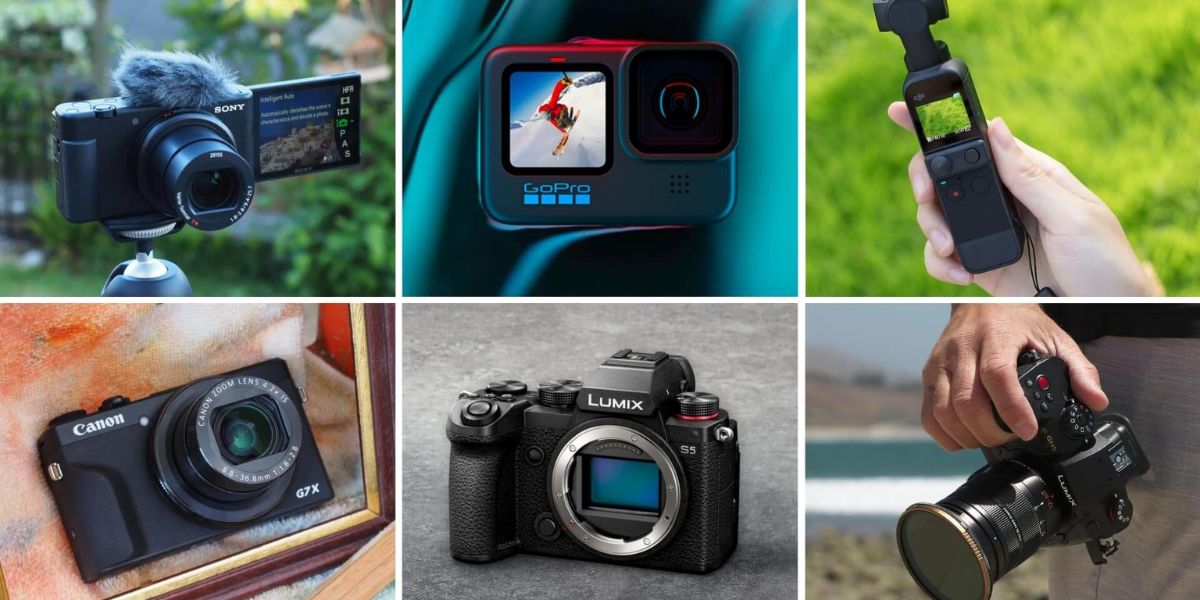
Quick answer: Which camera is best for vlogging?
The right choice changes with your filming style.
| Vlogging need | Best camera type | Strong example | Why it fits |
|---|---|---|---|
| Start with no extra cost | Smartphone | Recent iPhone, Google Pixel, or Samsung Galaxy | Easy to use, edit, and share |
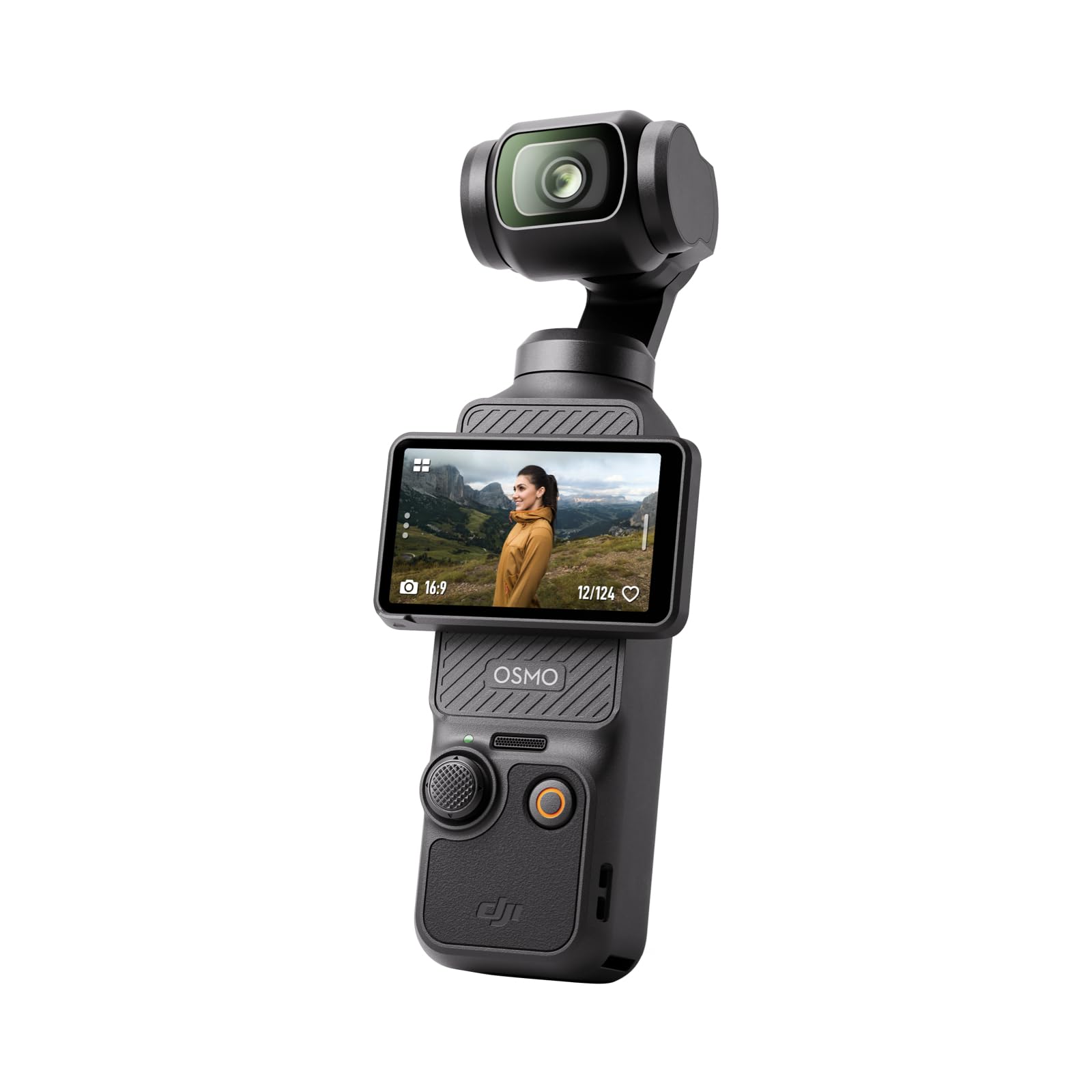
| Walk-and-talk videos | Pocket gimbal camera | DJI Osmo Pocket 3 | Smooth video and a small body |
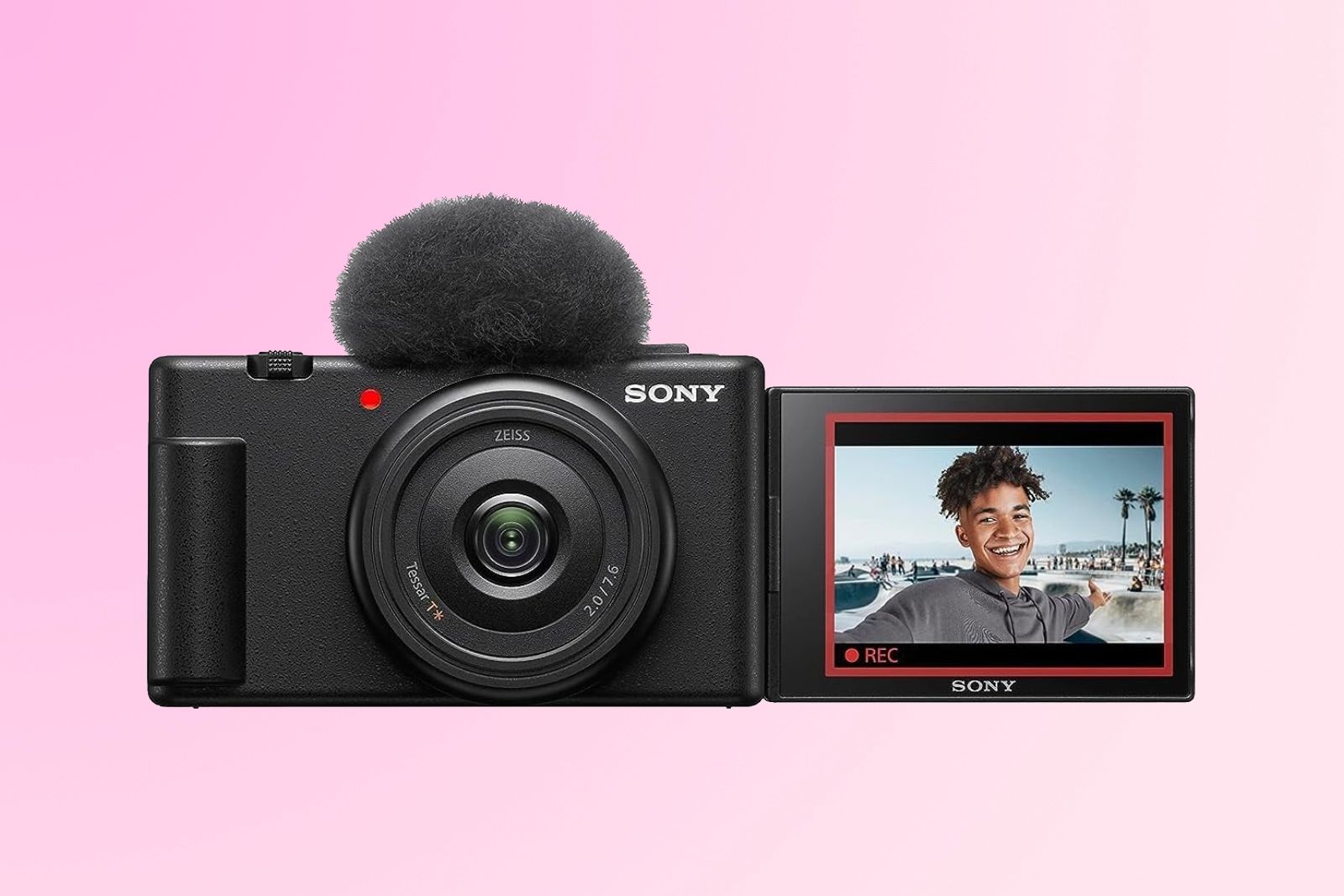
| Small camera with better control | Compact camera | Sony ZV-1 II | Large 1-inch sensor and useful zoom range |
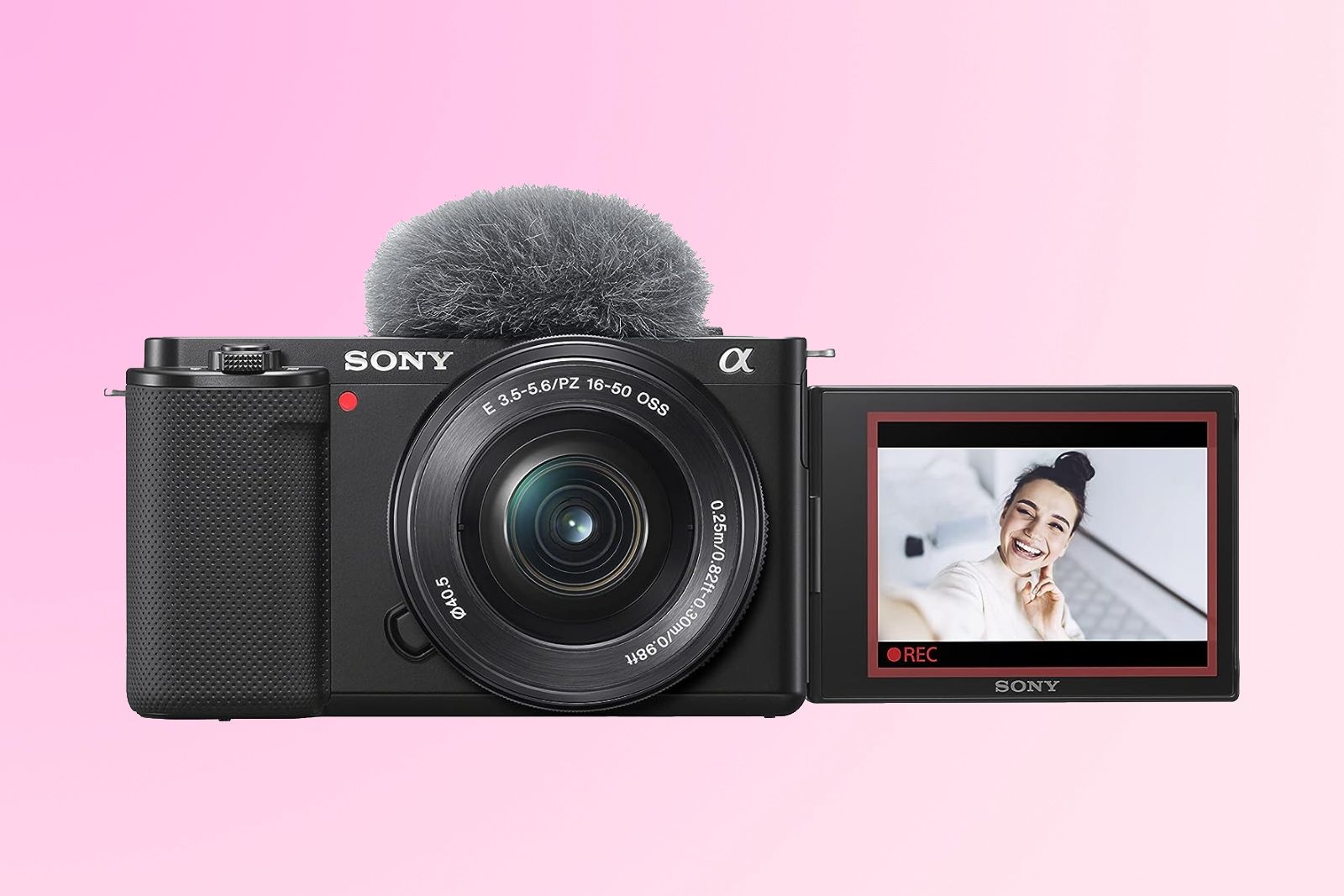
| Change lenses and improve over time | Mirrorless camera | Sony ZV-E10 II or Canon EOS R50 | Better lens choice and image control |
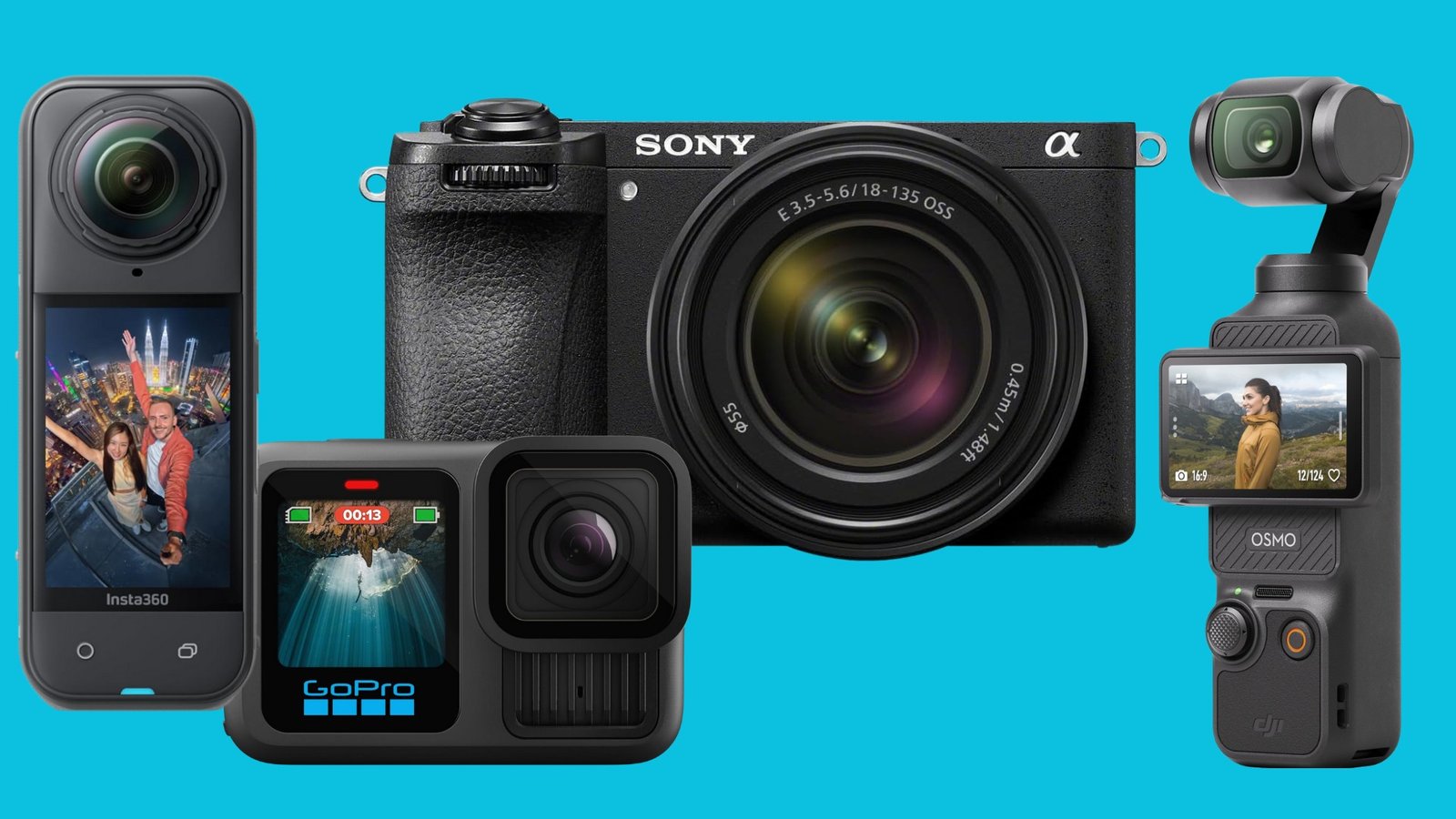
| Travel and outdoor action | Action camera | GoPro HERO13 Black or DJI Osmo Action 5 Pro | Tough build, wide view, and strong stabilization |
| Studio or desk videos | Mirrorless or webcam | Sony ZV-E10 II, Canon EOS R50, or a good webcam | Better lighting and audio options |
For many people, the DJI Osmo Pocket 3 is the easiest dedicated vlogging camera to recommend. Its built-in three-axis gimbal helps keep walking footage smooth, and its 1-inch sensor can produce cleaner images than many small action cameras in moderate light.
The Sony ZV-E10 II is a better long-term choice if you want interchangeable lenses, stronger background blur, and more control. A smartphone remains the best starting point if you are still learning what type of content you enjoy.
What should you look for in a vlogging camera?
A good vlogging camera should make it easy to record yourself, keep the image steady, capture clear sound, and manage files without stress. Resolution matters, but it should not be the only buying factor.
1. A screen you can see while recording
A front-facing or fully articulating screen helps you check your framing. This is useful when you film alone.
A flip screen should let you see:
- Your face and headroom
- The background
- Whether the camera is recording
- Warning messages
- Exposure and focus information
A camera with no screen that faces you can still work on a tripod, but it is less useful for moving vlogs.
2. Reliable autofocus
Face and eye detection can keep you sharp while you move. This is especially helpful when you hold the camera at arm’s length or move toward and away from it.
Autofocus performance can change with:
- Low light
- Busy backgrounds
- Glasses or hats
- Fast movement
- A subject leaving the frame
- Strong backlight
Do not assume that every camera with “face detection” works equally well. Read the manual for the exact model and test it before an important shoot.
3. Stabilization
Stabilization reduces the shake caused by walking or holding the camera. It comes in several forms:
- Optical image stabilization: Stabilization inside the lens.
- In-body image stabilization: Stabilization inside the camera body.
- Electronic stabilization: Software crops and shifts the image.
- Gimbal stabilization: A motorized mount physically keeps the camera level.
A pocket gimbal camera can be very smooth during a walk. An action camera can also produce strong stabilization, but its small sensor may show more noise indoors or at night.
4. A microphone input or good built-in microphones
Viewers may forgive a soft image. They are less likely to tolerate unclear sound.
A camera with a 3.5 mm microphone input lets you connect a wired lavalier microphone or a small camera-mounted microphone. Some newer cameras also support wireless microphone systems through a digital shoe or USB connection.
Before buying, check:
- Whether the camera has a microphone input
- Whether it supports headphone monitoring
- Whether the input works during 4K recording
- Whether an adapter is required
- Whether the camera records separate audio channels
A camera-mounted microphone is useful outdoors, but wind protection is still needed. A foam cover helps indoors. A furry windscreen is often better outside.
5. Battery life and charging
Vlogging uses more power than taking still photos. The screen, autofocus, image stabilization, wireless connections, and high-resolution recording all increase battery use.
Look for:
- USB-C charging
- USB power while recording
- Replaceable batteries
- A battery that is easy to find in the United States
- Clear overheating warnings
Carry a power bank that matches the camera’s charging needs. Test whether your camera can record while connected to it. Some cameras charge only when turned off.
6. Heat control
Small cameras may become warm during long 4K recordings, especially in hot outdoor conditions. Direct sunlight can make this worse.
Heat depends on:
- Resolution and frame rate
- Recording format
- Ambient temperature
- Screen position
- Battery condition
- Camera ventilation
- Whether the camera is charging
A camera that records 4K does not always record it for unlimited periods. Check the manufacturer’s operating notes and test your planned setup before filming an event or trip.
Best camera types for vlogging
Each camera category solves a different problem. The best choice is the one that removes the biggest obstacle in your workflow.
Smartphones: best for convenience
A recent smartphone is often the simplest vlogging camera. It is always with you, has strong automatic exposure, and can edit and upload video without moving files to another device.
Smartphones work well for:
- Short-form videos
- Travel updates
- Daily vlogs
- Social media clips
- Livestreaming
- Casual interviews
Their limits include small controls, limited optical zoom, and weaker performance when the light is low. Long recordings may also use a lot of storage and battery.
Use a small tripod, phone grip, or gimbal if you want steadier footage. An external microphone can improve sound, but confirm that the microphone connector works with your phone.
Pocket gimbal cameras: best for walking vlogs
The DJI Osmo Pocket 3 uses a 1-inch sensor and a built-in three-axis mechanical gimbal. Its screen rotates for selfie recording, and its small size makes it easy to carry.
It is a strong fit for:
- City walks
- Travel vlogs
- Food and street videos
- Family trips
- Talking while moving
- Creators who do not want to carry a large camera
Its main limits are its small physical body and gimbal mechanism. Treat it more carefully than an action camera. It is also less suited to rough sports, underwater use, or very dark scenes.
The Pocket 3 can record high-resolution video and slow motion, but higher frame rates can affect crop, exposure, file size, or image quality. Check the camera’s current manual for the exact mode you plan to use.
Compact cameras: best balance of size and control
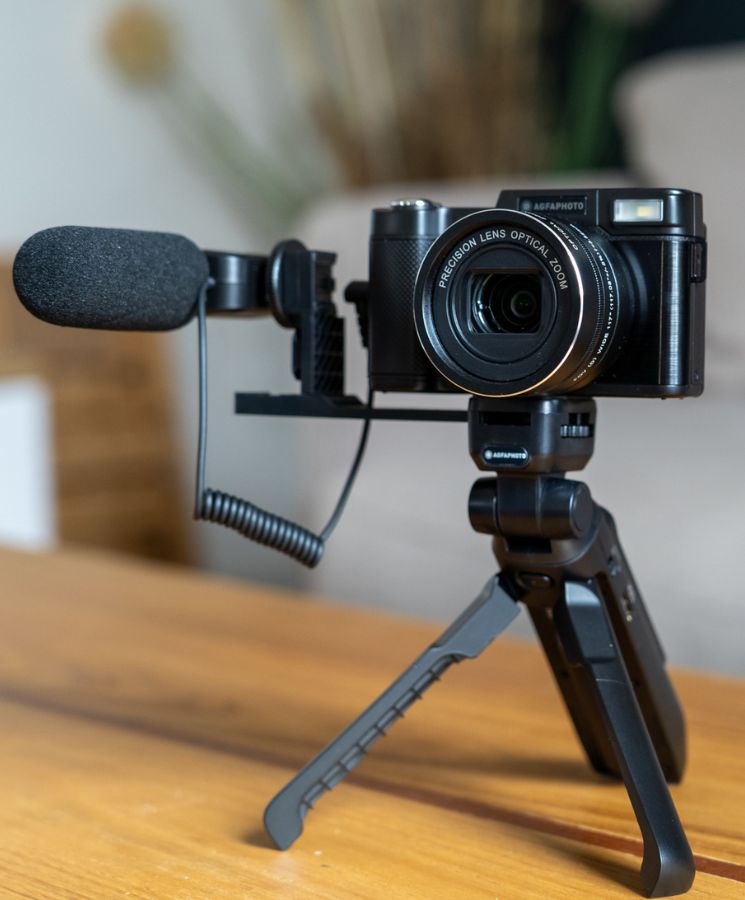
A compact camera has a built-in lens and usually offers more control than a phone. The Sony ZV-1 II is one example. It uses a 1-inch sensor and a wide 18–50mm-equivalent lens range, which is useful for both self-facing shots and nearby subjects.
Compact cameras work well for:
- Indoor talking-head videos
- Travel
- Product demonstrations
- Small studios
- Creators who want better control without changing lenses
The Sony ZV-1 II does not provide the same physical stabilization as a gimbal camera. Electronic stabilization may crop the image. That makes a tripod, grip, or gimbal useful for walking footage.
Mirrorless cameras: best for quality and growth
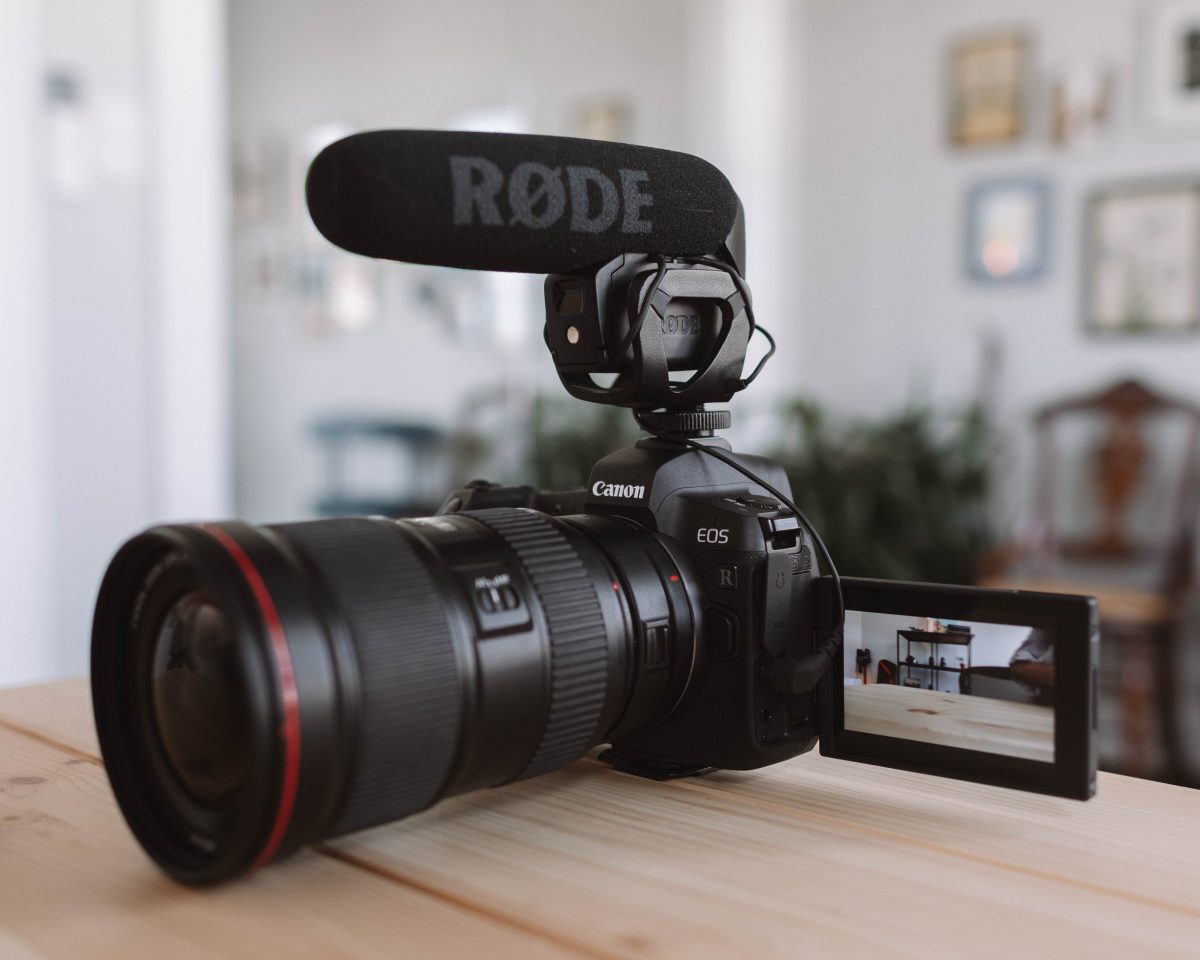
Mirrorless cameras use larger sensors and interchangeable lenses. The Sony ZV-E10 II uses an APS-C sensor and is designed for creators who want a small body with lens flexibility. The Canon EOS R50 is another APS-C option with a fully articulating screen and creator-friendly controls.
Mirrorless cameras are useful when you need:
- Better low-light performance
- Strong background blur
- A wide lens for self-recording
- A telephoto lens for distant subjects
- High-quality microphones
- Manual exposure control
- A system that can grow with your work
The trade-off is size and cost. The camera body is only part of the system. You may also need a lens, microphone, spare batteries, memory cards, and a small tripod.
For a handheld talking vlog, a wide lens is often more useful than a fast telephoto lens. A lens around 16mm to 24mm full-frame equivalent can give you room to hold the camera at arm’s length. The exact choice depends on the camera’s sensor size and whether electronic stabilization adds a crop.
Action cameras: best for outdoor use
Action cameras are designed for movement and rough conditions. The GoPro HERO13 Black and DJI Osmo Action 5 Pro are examples of cameras made for outdoor activity.
They suit:
- Hiking
- Cycling
- Skiing
- Kayaking
- Beach videos
- Helmet or chest mounts
- Rainy conditions
Their wide lenses make it easy to keep yourself in the frame. Their electronic stabilization can work well during movement.
The main trade-off is image quality in dim light. A small action-camera sensor may produce more noise indoors, at dusk, or under street lighting. Wide-angle footage can also make faces and nearby objects look stretched near the edges.
Always check the maker’s water-depth and temperature limits. Waterproof ratings can depend on the camera door, seals, accessories, and the condition of the unit.
Camera recommendations by vlogging style
The best camera for a travel vlogger may not be the best camera for a beauty creator or a gaming channel.
For beginners
Start with the camera you already own if it can record clear 1080p or 4K video. Use the first few weeks to learn framing, lighting, editing, and sound.
If you want a dedicated camera, consider a compact model or pocket gimbal camera. These reduce the number of extra parts you need to buy.
Best fit: smartphone, DJI Osmo Pocket 3, or a compact vlogging camera.
For travel vlogging
Travel cameras should be light, quick to start, and easy to stabilize. Battery life, charging, and storage may matter more than maximum resolution.
A pocket gimbal camera is useful for walking through a city or filming yourself at a landmark. An action camera is better for water, sports, and rough conditions. A mirrorless camera is better when image quality in changing light is the top priority.
Best fit: pocket gimbal camera for walking, action camera for outdoor activity, or a small mirrorless camera for maximum image control.
For indoor talking-head videos
A mirrorless camera can create a cleaner image and more background separation than a phone or small action camera. A compact camera may be enough if you want a simpler setup.
Lighting often makes a bigger difference than changing camera bodies. Place a soft light in front of you, keep the camera near eye level, and avoid a bright window directly behind you.
Best fit: Sony ZV-E10 II, Canon EOS R50, Sony ZV-1 II, or a recent smartphone with good front lighting.
For low-light vlogging
Use a larger sensor, a bright lens, and a stable camera. An APS-C mirrorless camera generally gives you more flexibility than a small action camera in dark conditions.
A bright lens does not fix every low-light problem. You still need to control shutter speed, ISO, and movement. If you walk while filming at night, a gimbal or stabilized lens can help, but stabilization does not stop moving subjects from blurring.
Best fit: APS-C mirrorless camera with a wide, bright lens.
For YouTube videos and long-term growth
Choose an interchangeable-lens camera if you plan to make videos for several years. You can start with one wide lens and add other lenses later.
Make sure the camera supports the features you will actually use:
- Clean HDMI output, if you plan to stream
- Microphone input
- Headphone output
- USB webcam mode
- Reliable autofocus
- A flip screen
- Reasonable recording limits
- External power
Do not pay for cinema features that do not fit your workflow. A camera that is ready to record quickly may produce more useful footage than a more advanced camera that stays at home.
Best fit: Sony ZV-E10 II, Canon EOS R50, or another small mirrorless camera with a wide lens.
What video resolution and frame rate should a vlogger use?
Use 4K when you want room to crop, reframe, or export a sharp 1080p video. Use 1080p when you need smaller files, longer recording time, or faster editing.
Common frame rates include:
- 24 fps: A film-like look, often used for cinematic content.
- 30 fps: A practical default for U.S. online video.
- 60 fps: Smoother motion and useful slow motion when exported at 30 fps.
- 120 fps: Strong slow motion, but often with lower image quality, more light needs, or a crop.
For a simple talking vlog, 4K at 30 fps is a useful starting point. For walking scenes, 4K at 30 fps with good stabilization can look natural. For sports or fast movement, 60 fps may be better.
Higher resolution creates larger files. A one-hour recording can take many gigabytes, depending on the codec and bit rate. Check the camera manual for file sizes and memory-card requirements before buying cards.
Use a memory card with the speed class required by the camera. A card that works for photographs may fail during high-bit-rate video.
Do you need a separate microphone for vlogging?
A separate microphone is not required, but it often gives the largest improvement after better lighting. The camera should be close enough to hear your voice clearly, and wind should be controlled.
Microphone choices
- Built-in microphone: Fastest setup, but it also records camera handling and background noise.
- Wired lavalier microphone: Small and close to your mouth. The cable may be visible.
- Camera-mounted microphone: Better than many built-in microphones and easy to use.
- Wireless microphone: Useful when you need to move away from the camera.
- Recorder: Gives more control but adds file syncing and another battery.
Record a short test before a full shoot. Listen with headphones. A meter on the camera can show that sound exists, but it cannot always tell you whether the audio is clear.
When a microphone is far from your mouth, room echo and background noise become more noticeable. Moving the microphone closer usually helps more than changing the camera.

What accessories does a vlogger really need?
Start with the accessories that solve a known problem. Avoid buying a large kit before you know how you film.
Useful first accessories
- One spare battery
- A suitable memory card
- A small tripod or grip
- A microphone
- Wind protection
- A camera bag
- A USB-C cable and compatible charger
- A simple LED light for indoor recording
A small tripod can become a hand grip for walking shots. A compact LED light can help in hotel rooms, offices, and other spaces with poor lighting.
A gimbal is useful when your camera does not have strong stabilization. It adds weight and requires charging, balancing, and care. If your camera already has a built-in gimbal, you may not need a second one.
Keep your gear simple enough to carry. A camera that stays in your bag cannot help you record.

Common vlogging mistakes to avoid
Buying for resolution alone
A 6K or 8K label does not guarantee a better vlog. Focus, sound, lighting, stabilization, and ease of use can matter more.
Using a narrow lens for self-recording
A narrow lens may crop your face or force you to hold the camera too far away. Choose a lens wide enough for your distance and the space around you.
Ignoring audio
Viewers may accept a phone image but leave when the voice is muffled or covered by wind. Test the microphone in the same place where you plan to record.
Holding the camera too low
A camera near waist level points upward and can create an unflattering angle. Hold it close to eye level unless the scene calls for a different view.
Recording everything in 4K without a storage plan
High-resolution video fills cards and drives quickly. Use a file system with backups, and delete clips only after confirming that the backup works.
Forgetting the crop from electronic stabilization
Electronic stabilization may reduce the field of view. A lens that looks wide enough in standard mode may feel too tight in stabilized mode.
Failing to test long recordings
Heat, battery limits, storage, and autofocus problems often appear after several minutes. Test your full setup before a trip, interview, or paid job.
How much should you spend on a vlogging camera?
Set the total budget before choosing a camera body. The complete setup may include a lens, microphone, card, battery, tripod, light, bag, and editing storage.
A practical budget structure looks like this:
- Lowest cost: Use your current phone and add a small tripod or microphone.
- Moderate cost: Buy a compact camera or pocket gimbal camera.
- Higher cost: Buy a mirrorless camera with one suitable lens and audio.
- Professional setup: Add multiple lenses, lighting, wireless audio, storage, and backup equipment.
Prices and availability change in the United States. Check the current manufacturer page and major U.S. retailers before making a purchase. A used camera can offer good value, but inspect the battery, ports, lens mount, screen, recording function, and return policy.
Avoid spending your whole budget on the body. A less expensive camera with good sound and light can produce a stronger video than an expensive camera with poor audio.
A simple buying process
Use this process before you choose a model.
-
Describe your main video.
Decide whether you will film at a desk, walk outdoors, record sports, or travel. -
Choose your movement level.
A tripod setup needs less stabilization than a handheld walking vlog. -
Set your camera distance.
This helps determine how wide your lens needs to be. -
Choose your sound method.
Decide whether you need a microphone input or wireless audio. -
Check the recording format.
Confirm resolution, frame rate, file type, card speed, and recording limits. -
Check power and storage.
Find out how the camera charges and how much space your planned videos require. -
Read the exact manual.
Manufacturer specifications do not always explain every crop, heat limit, or accessory requirement in a short product listing. -
Test the complete setup.
Record yourself indoors and outdoors. Check focus, sound, stability, skin tones, battery use, and file transfer.
The right camera should pass this test without adding steps that you will avoid in normal use.
Frequently asked questions
Is a phone good enough for vlogging?
Yes. A recent phone can produce strong video for daily vlogs, travel clips, and social media. Add a small tripod, improve the light, and keep the microphone close to your mouth.
Is 4K necessary for YouTube vlogging?
No. 1080p is enough for many channels. Choose 4K if you want to crop the frame, stabilize in editing, or export a sharper final video.
What camera do most beginners need?
Most beginners need a camera they will carry and use. That may be a phone, a compact camera, or a pocket gimbal camera. Start with the simplest option that meets your filming needs.
Are mirrorless cameras better than action cameras for vlogging?
They are better for lens choice, background blur, and many low-light scenes. Action cameras are better for water, impact, wide views, and outdoor movement. Neither type is best for every vlog.
Do I need image stabilization?
You need some form of stabilization if you walk while filming. A tripod is enough for seated videos. A gimbal, optical stabilization, or electronic stabilization can help with handheld movement.
Final recommendation
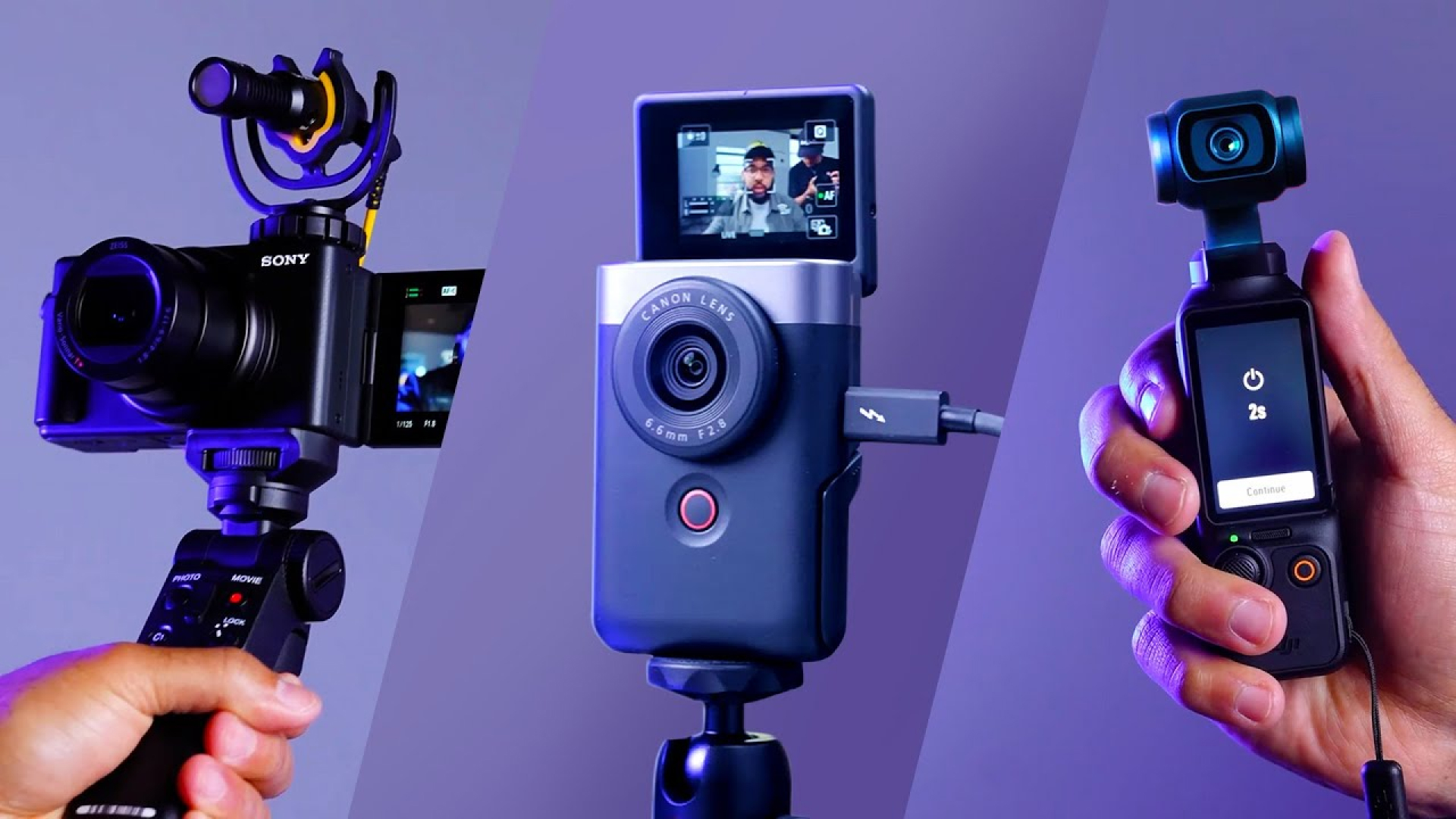
Choose a smartphone if you are starting and want the lowest cost. Choose the DJI Osmo Pocket 3 if you want smooth walking footage in a very small package. Choose the Sony ZV-1 II if you want a compact camera with a useful built-in zoom. Choose the Sony ZV-E10 II or Canon EOS R50 if you want interchangeable lenses and a system you can develop over time. Choose an action camera for sports, water, and rough outdoor use.
Before buying, prioritize the features that affect your real videos: a screen you can see, dependable autofocus, clear audio, suitable stabilization, simple charging, and enough battery and storage. The best vlogging camera is not always the most advanced model. It is the camera that fits your hands, your content, and your daily routine.
Official product and guidance sources
- DJI Osmo Pocket 3 specifications
- Sony ZV-E10 II specifications
- Sony ZV-1 II specifications
- Canon EOS R50 specifications
- GoPro HERO13 Black
- DJI Osmo Action 5 Pro specifications
Recent Posts
Wondering what camera should I buy for vlogging? Compare the best options for beginners, travel creators, and professional vloggers.
What camera do most YouTubers use to vlog? Explore the best cameras for sharp video, clear audio, and easy creator-friendly filming.