
For most vloggers in the United States, the best first camera is the DJI Osmo Pocket 3 if you want a small, simple camera with strong stabilization. Choose the Sony ZV-1 II if you want a pocket camera with a wider view and a traditional camera body. Choose the Sony ZV-E10 II or Canon EOS R50 if you want interchangeable lenses and room to grow.
The right choice depends on four things:
- Where you record
- Whether you film yourself or others
- How much you want to edit
- Whether you need small size, strong audio, or better image quality
A $300 camera that you carry every day can be more useful than a $2,000 camera that stays at home.
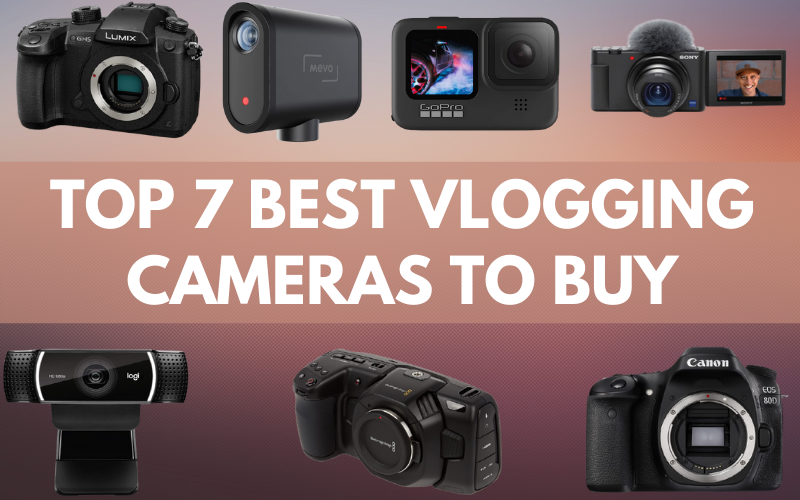
Quick Answer: Which Vlogging Camera Is Best for You?
Use this table to narrow down your choice.
| Vlogger type | Best fit | Why it works | Main limit |
|---|---|---|---|
| Beginner who wants simple setup | DJI Osmo Pocket 3 | Small, smooth video, built-in gimbal | Small sensor and fixed lens |
| Travel vlogger | DJI Osmo Pocket 3 or GoPro HERO13 Black | Light, easy to carry, strong stabilization | Less control than a mirrorless camera |
| Indoor talking-head creator | Sony ZV-1 II | Wide lens, useful autofocus, compact body | Limited battery life and small grip |
| Creator who wants to change lenses | Sony ZV-E10 II | Good upgrade path and interchangeable lenses | Needs more setup and accessories |
| Beginner who wants a simple camera system | Canon EOS R50 | Easy controls, strong autofocus, viewfinder | Larger than a compact camera |
| Outdoor or action creator | GoPro HERO13 Black | Tough body and wide action view | Less natural background blur |
| Creator on a tight budget | Used Sony ZV-1, Canon M50 Mark II, or a recent smartphone | Good value if bought in good condition | Older models may have weaker battery or support |
My simple recommendation
Buy the DJI Osmo Pocket 3 if you want to start vlogging today with little technical work.
Buy the Sony ZV-E10 II if you see vlogging as a long-term project and plan to use different lenses, lights, and microphones.
Buy the GoPro HERO13 Black if you film biking, hiking, skiing, swimming, or other high-motion activities.
What Makes a Camera Good for Vlogging?
A good vlogging camera makes it easy to record clear video and sound while you manage the story, the location, and the people around you.
The most useful features are:
- A screen that lets you see yourself
- Reliable autofocus
- Good image stabilization
- A microphone jack or strong built-in audio
- A wide enough lens for arm’s-length filming
- Good battery life
- A small and light body
- Simple controls
- Video quality that matches your editing skills
A camera does not need the highest resolution to make a good vlog. A clear 4K image can help, but good light, steady framing, and clean audio often matter more.
Flip screen versus tilt screen
A flip screen faces forward so you can check your framing. This helps when you record alone.
A tilt screen moves up or down but may not face you from the side. It can still work well, but it is less useful for selfie-style vlogs.
autofocus
autofocus keeps your face or subject sharp. Look for face detection and eye detection. These features can save a vlog when you move toward or away from the camera.
No autofocus system works perfectly in every scene. Very low light, a busy background, glass, and fast motion can still cause focus errors.
Stabilization
Stabilization reduces camera shake. There are three common types:
- Optical stabilization: The lens or sensor moves to reduce shake.
- Electronic stabilization: Software crops the image and adjusts the frame.
- Mechanical stabilization: A gimbal moves the camera to keep it level.
A pocket camera with a built-in gimbal can look very smooth while walking. An action camera may use electronic stabilization and may need a crop to achieve that result.

The Best Vlogging Cameras by Use Case
The best camera depends on what you film. A camera for city walks has different needs from one used for indoor lessons or family videos.
Best small camera for most beginners: DJI Osmo Pocket 3
The DJI Osmo Pocket 3 is a strong choice for beginners who want smooth footage in a very small package.
Its built-in three-axis gimbal helps keep the image steady as you walk. The camera also has a rotating screen that can face you or point toward a subject. Its larger Type 1 sensor is useful in many indoor and evening scenes.
Choose it if you want to:
- Film travel days
- Record walking tours
- Make short daily vlogs
- Carry one small camera
- Avoid buying a lens and gimbal at the start
Its main limit is the fixed lens. You cannot swap to a longer lens for distant subjects or a wider lens for very tight spaces. It also needs care in rain, dust, and rough conditions.
The Pocket 3 is not the best choice for every action sport. A GoPro is a safer pick for activities where the camera may fall, get wet, or face strong impact.
Best compact camera for traditional vlogging: Sony ZV-1 II
The Sony ZV-1 II is a compact camera built around solo video work. It has a wide-angle zoom lens, a forward-facing screen, and features aimed at creators.
The wide view helps when you hold the camera close to your face. This matters in small rooms, cars, and hotel rooms. Its small body also fits well in a pocket or small bag.
Choose it if you want:
- A simple camera with a normal lens shape
- A wide view for arm’s-length filming
- A small body for travel
- A familiar Sony autofocus system
- More control than a basic phone camera
The camera has a smaller sensor than many interchangeable-lens cameras. This can limit background blur and low-light performance. It also lacks the built-in gimbal found in the Pocket 3, so you may need electronic stabilization, a tripod, or a small grip.
Best upgrade path: Sony ZV-E10 II
The Sony ZV-E10 II is a mirrorless camera with interchangeable lenses. This gives you more control and more ways to improve your videos later.
You can start with a kit lens. Later, you can add a wider lens for self-filming, a bright lens for indoor work, or a longer lens for interviews and events.
Choose it if you plan to:
- Build a serious YouTube channel
- Use separate lenses
- Add lights and an external microphone
- Create both vlogs and sit-down videos
- Improve your image over time
A mirrorless camera also creates more work. You must charge more batteries, manage lenses, protect the sensor, and learn more settings.
The camera body is only part of the cost. Add a lens, memory card, spare battery, microphone, and small tripod when you plan your budget.
Best simple mirrorless option: Canon EOS R50
The Canon EOS R50 is a small mirrorless camera with a viewfinder, a fully rotating screen, and Canon’s RF lens mount.
It can suit a creator who wants a camera for both vlogging and still photos. The viewfinder is useful in bright outdoor light, while the flip screen helps with self-recording.
Choose it if you want:
- A camera for photos and videos
- Easy controls
- A front-facing screen
- Strong subject detection
- Room to add lenses
The R50 is less pocketable than a compact camera. Its size may also make handheld selfie filming tiring unless you use a grip or mini tripod.
Best rugged camera for action: GoPro HERO13 Black
The GoPro HERO13 Black is designed for action, travel, and outdoor use. Its wide view and strong electronic stabilization work well for biking, hiking, skiing, and similar activities.
Choose it if you often record:
- Water activities
- Sports
- Trail walks
- Helmet or chest-mounted footage
- Rainy or dusty trips
A GoPro may not give you the most natural face view for indoor talking videos. Its wide lens can make faces and nearby objects look stretched. It also may show more image noise in dark rooms than a larger-sensor camera.
Do you need a camera if you have an iPhone?
No. A recent iPhone or Android phone may be the best first vlogging camera for many people.
Your phone already has:
- A good screen
- A built-in microphone
- Simple editing apps
- Internet access
- Easy sharing
- No extra camera bag
The biggest weak point is often audio. A small wireless microphone can improve phone videos more than a new camera body can.
Use your phone first if you are still testing your idea. Buy a dedicated camera when you need better handling, longer recording sessions, more lens control, stronger stabilization, or a separate device for filming.
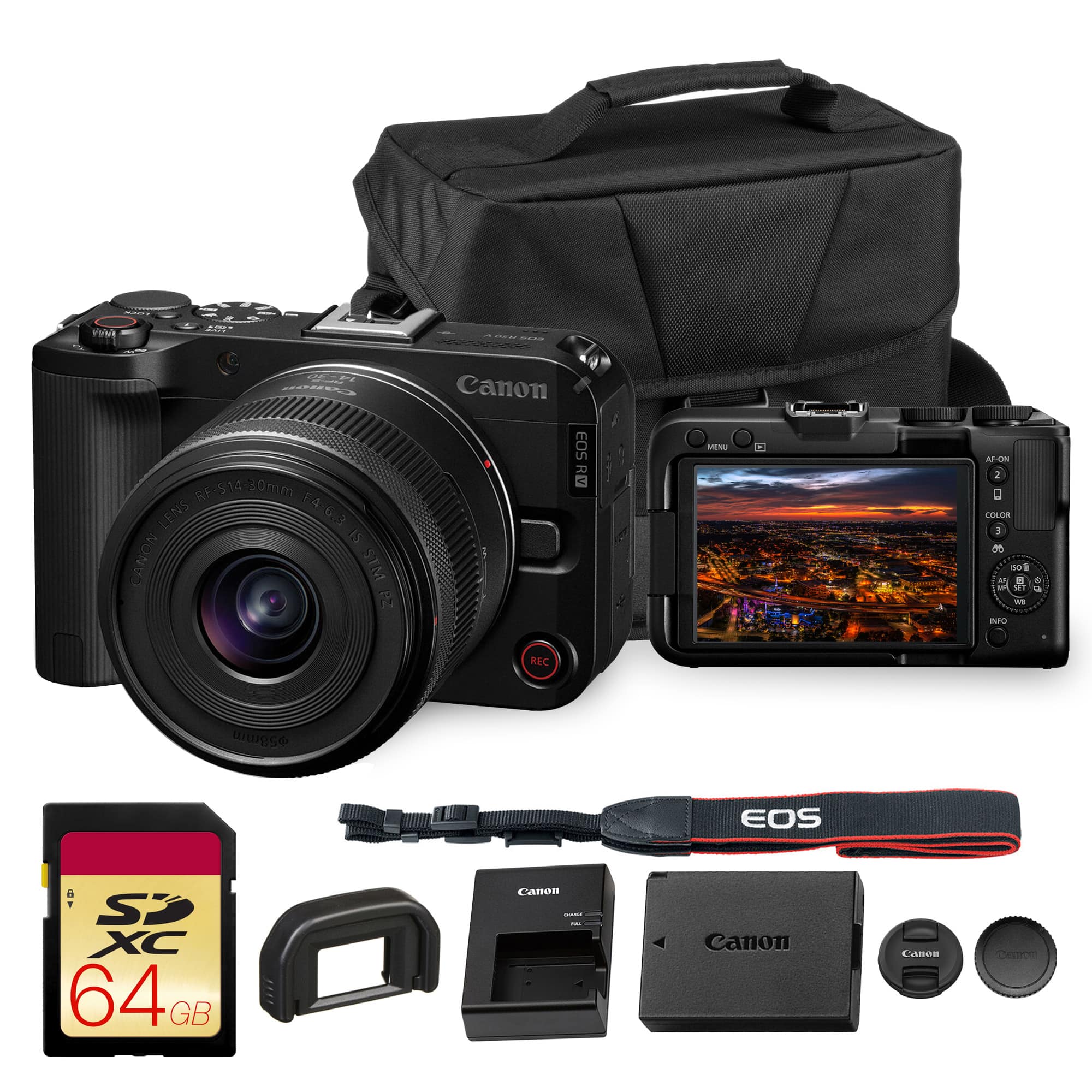
Camera Types Explained: Compact, Mirrorless, Action, and Phone
Each camera type solves a different problem. The best format depends on your daily shooting conditions.
Compact cameras
Compact cameras have a built-in lens. They are small and easy to use.
They work well for:
- Travel
- Daily vlogs
- Food videos
- Indoor talking videos
- Creators who do not want to change lenses
Their trade-off is limited upgrade potential. If the built-in lens does not suit your work, you cannot replace it.
Mirrorless cameras
Mirrorless cameras use removable lenses and larger sensors than most compact cameras.
They can provide:
- Better control over depth of field
- More lens choices
- Stronger low-light results
- Better options for studio work
- A longer upgrade path
They also cost more once you add lenses and accessories. They need more care and more learning.
Action cameras
Action cameras are small and tough. They are made for movement and outdoor use.
They work well in bright light and can produce smooth footage while you move. Their wide lenses are useful for point-of-view shots.
They are less suited to:
- Low-light rooms
- Natural face shots
- Soft background blur
- Long sit-down videos
Smartphones
Smartphones are useful for fast, casual content. They are also good backup cameras.
Their limits may include:
- Heat during long recordings
- Limited optical zoom
- Small physical controls
- Poor built-in audio in wind
- Full storage
A phone tripod and external microphone can turn a phone into a capable vlog setup.

How Much Should You Spend on a Vlogging Camera?
Set a total budget, not just a camera-body budget.
A useful starter budget may look like this:
| Setup level | Camera budget | Extra gear | Likely total |
|---|---|---|---|
| Use your phone | $0 | $30–$150 | $30–$150 |
| Basic compact setup | $300–$800 | $75–$250 | $375–$1,050 |
| Entry mirrorless setup | $700–$1,200 | $150–$500 | $850–$1,700 |
| Advanced creator setup | $1,200 or more | $300 or more | $1,500 or more |
These are planning ranges, not fixed US prices. Sales, bundles, used gear, and model updates can change the final cost.
Budget for the items people forget
You may need:
- A fast memory card
- One or two spare batteries
- A USB charger or power bank
- A small tripod or grip
- A microphone
- A wind cover
- A camera bag
- An ND filter for bright outdoor video
- A computer or storage drive
A microphone should be near the top of the list. Viewers may tolerate a soft image. They are less likely to tolerate voices covered by wind, traffic, or room echo.

What Camera Features Matter Most for Vlogging?
Prioritize the features that affect your real shooting conditions.
1. A forward-facing screen
This helps you check your face, headroom, and background. It is especially useful when no one else is operating the camera.
2. A wide lens
A wide lens shows more of the scene. It is useful when you hold the camera close.
For a camera with an interchangeable lens, a lens around the wide end of the kit zoom may work for arm’s-length filming. The exact view changes with sensor size, so compare the actual field of view rather than only the focal length.
3. Good audio options
Look for:
- A microphone input
- Headphone monitoring, if you need to hear sound while recording
- A hot shoe or mount for a microphone
- A wireless microphone system that works with the camera
Built-in microphones can work in a quiet room. They often struggle outdoors.
4. Reliable heat control
Small cameras have less room for heat to escape. Long 4K recordings in direct sun can cause a camera to stop or shorten its recording time.
Before buying, check the maker’s manual for:
- Maximum recording limits
- Temperature warnings
- Recommended memory cards
- Power options
- Conditions for long 4K recording
Do not leave a camera in a hot parked car. High heat can damage batteries and electronics.
5. USB charging or power
USB charging can simplify travel. It may let you use a power bank during a long shoot, but only if the maker supports operation while powered.
Do not assume every USB-C port supports recording power. Check the manual for the exact model.
6. Stabilization that matches your movement
If you mostly sit at a desk, stabilization matters less. If you walk and talk, it matters much more.
A gimbal gives smooth movement but has moving parts. Electronic stabilization is simpler but may crop the image. Optical stabilization can help with small movements but may not replace a gimbal for walking.
Build a Simple Vlogging Kit
Start with the camera, then solve the problems you actually face.
For indoor talking videos
Use:
- Camera or phone
- Small tripod
- External microphone
- Window light or a soft light
- Quiet background
Place the camera close to eye level. Keep the light in front of you, not behind you.
For walking vlogs
Use:
- Small camera
- Hand grip or mini tripod
- Wind protection
- Spare battery
- Small memory card case
A compact setup reduces fatigue. Heavy gear can make a simple walk feel like a work shift.
For travel vlogs
Use:
- Camera with USB charging
- Two batteries or a power bank
- Spare memory card
- Compact microphone
- Small case
- Lens cloth
Check local rules before filming in airports, museums, federal buildings, schools, or private locations. Ask permission before recording people in situations where they may expect privacy.
For outdoor action
Use:
- Action camera
- Mount made for the activity
- Tether where appropriate
- Waterproof case when required
- Spare batteries
- Wind protection
Read the manufacturer’s water-resistance rules. Water resistance can depend on doors, seals, depth, time, and damage. A camera rated for water is not automatically safe for every underwater use.
Common Vlogging Camera Mistakes
The most common mistake is buying for specifications instead of your actual filming habits.
Mistake 1: Buying too much camera
A large camera may offer better image quality but remain unused if it is hard to carry. Choose the camera you will bring to the places where your stories happen.
Mistake 2: Ignoring sound
A new camera cannot fix a voice covered by wind. Buy a suitable microphone or wind cover before spending more on resolution.
Mistake 3: Choosing a narrow lens
A lens that looks good in a room may feel too tight when held at arm’s length. Check sample framing before buying.
Mistake 4: Forgetting the crop from stabilization
Electronic stabilization may crop the image. A view that seems wide in a specification sheet may look much tighter when stabilization is active.
Mistake 5: Assuming 4K solves everything
4K gives you more detail and room to crop. It does not fix poor light, missed focus, bad audio, or a distracting background.
Mistake 6: Buying used without checking key parts
If you buy used, inspect:
- Sensor and lens glass
- Screen and hinge
- Battery health
- Ports
- Memory card slot
- Buttons and dials
- Recording function
- Water or impact damage
Buy from a seller with a clear return policy when possible.
A Step-by-Step Way to Choose Your Camera
Follow this process before you place an order.
Step 1: Describe your main video
Write one sentence:
“I will film myself doing ______ in ______.”
Examples:
- “I will film myself cooking in a small kitchen.”
- “I will film walks around US cities.”
- “I will film mountain bike rides.”
- “I will film interviews in a quiet room.”
This makes your needs clearer than a general search for the “best” camera.
Step 2: Choose your camera type
- Choose a phone for low cost and easy sharing.
- Choose a compact camera for simple travel and daily vlogs.
- Choose a mirrorless camera for lenses and long-term growth.
- Choose an action camera for rough outdoor use.
- Choose a pocket gimbal camera for smooth walking footage.
Step 3: Check the lens or field of view
Make sure the camera can show your face and enough of the scene. For solo filming, a lens that is too narrow can create a cramped frame.
Step 4: Check audio
Confirm how you will record sound. If the camera has no microphone input, see whether its built-in microphone meets your needs or whether a separate recorder is practical.
Step 5: Check size and power
Hold the camera, if possible. Ask whether you can carry it for an hour. Check battery cost, USB charging, and memory card type.
Step 6: Check the full price
Add the basic accessories. If the final cost is too high, reduce the camera tier before removing the microphone or storage.
Step 7: Buy from a reliable source
Check the return policy, warranty, regional model, and included items. Camera bundles may use different lenses, batteries, or microphones.
FAQs About Buying a Vlogging Camera
Is a mirrorless camera better than a compact camera for vlogging?
Not always. A mirrorless camera can offer better lens choices and more control. A compact camera is easier to carry and set up. Choose mirrorless for growth, and compact for simplicity.
Is 4K necessary for vlogging?
No. 1080p can work well for many platforms. 4K is useful when you want more detail, cropping room, or a better source file for editing. It also uses more storage and may create more heat.
What camera is best for vlogging and photography?
The Canon EOS R50 and Sony ZV-E10 II are good starting points for people who want both photos and video. A compact camera or pocket gimbal camera may be better if portability matters more than lens choice.
Do I need an external microphone?
You do not need one in a quiet room, but it can make a major difference outdoors or in a large room. Use wind protection when recording outside.
Should I buy a camera or use my phone first?
Use your phone first if you are still testing your channel idea. Buy a camera when your phone limits your work through poor handling, battery life, stabilization, sound, or lens control.
What memory card do I need?
Use a card that meets the camera maker’s speed and capacity requirements for your chosen video mode. Check the manual rather than choosing only by storage size.
Final Recommendation
For most new US vloggers, start with the DJI Osmo Pocket 3 when smooth handheld video and small size matter most.
Choose the Sony ZV-1 II for a compact camera with a wide view and a familiar camera layout. Choose the Sony ZV-E10 II or Canon EOS R50 when you want interchangeable lenses and a system you can build over time. Choose the GoPro HERO13 Black for action, water, and rough outdoor use.
Before buying, decide what you will film, how you will record sound, and how often you will carry the camera. The best vlogging camera is the one that fits your work well enough to use every week.
Next action: Write down your main filming location, total budget, and need for stabilization. Then choose the smallest camera that meets those three needs.
Official product information
Recent Posts
What camera do most YouTubers use to vlog? Explore the best cameras for sharp video, clear audio, and easy creator-friendly filming.
Find the best compact travel bag for weekend trips, flights, and daily essentials. Compare seven bags and packing accessories for security, hygiene, durability, and value.